VI Basic Operations NETWORK
4 Using the DS-L1 via a Network
- 85 -
4.3
Operating the DS-L1 from a WEB Browser
4.3.1 Setting the WEB Browser
4.3.1(1) When Using Internet Explorer
1) Start the PC.
Refer to your computer’s user manual for details.
2) Launch Internet Explorer.
Refer to your computer’s user manual or the Internet Explorer help function for details.
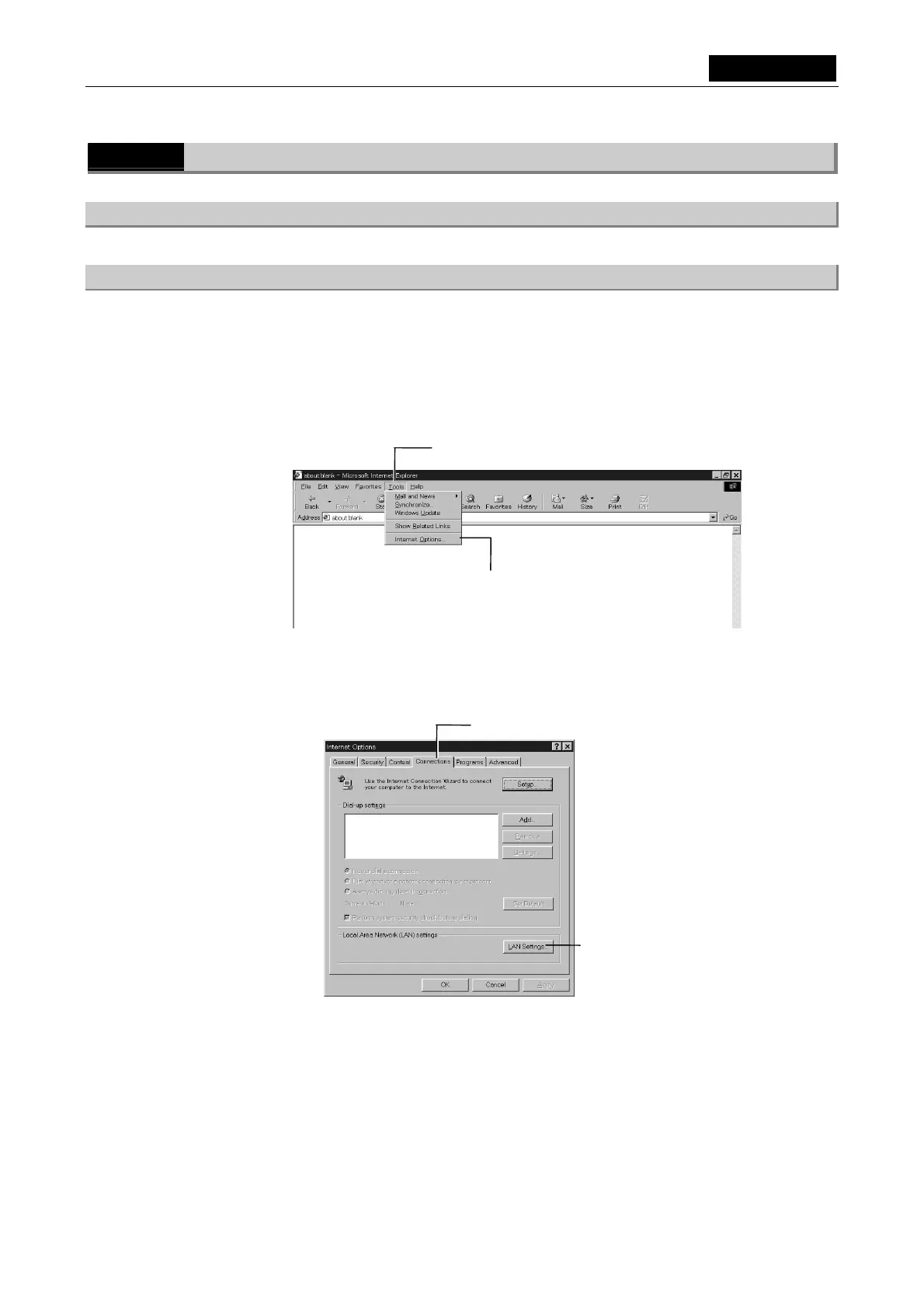
3) Select [Tools] - [Internet Options].
4) Select [Connections].
5) Select [LAN Settings].
Left-click here to open the pull-down menu.
Left-click here.
Left-click here.
Left-click here.













 To Next Page