III Names of Parts and Their Functions
1 DS Camera Control Unit DS-L1
- 6 -
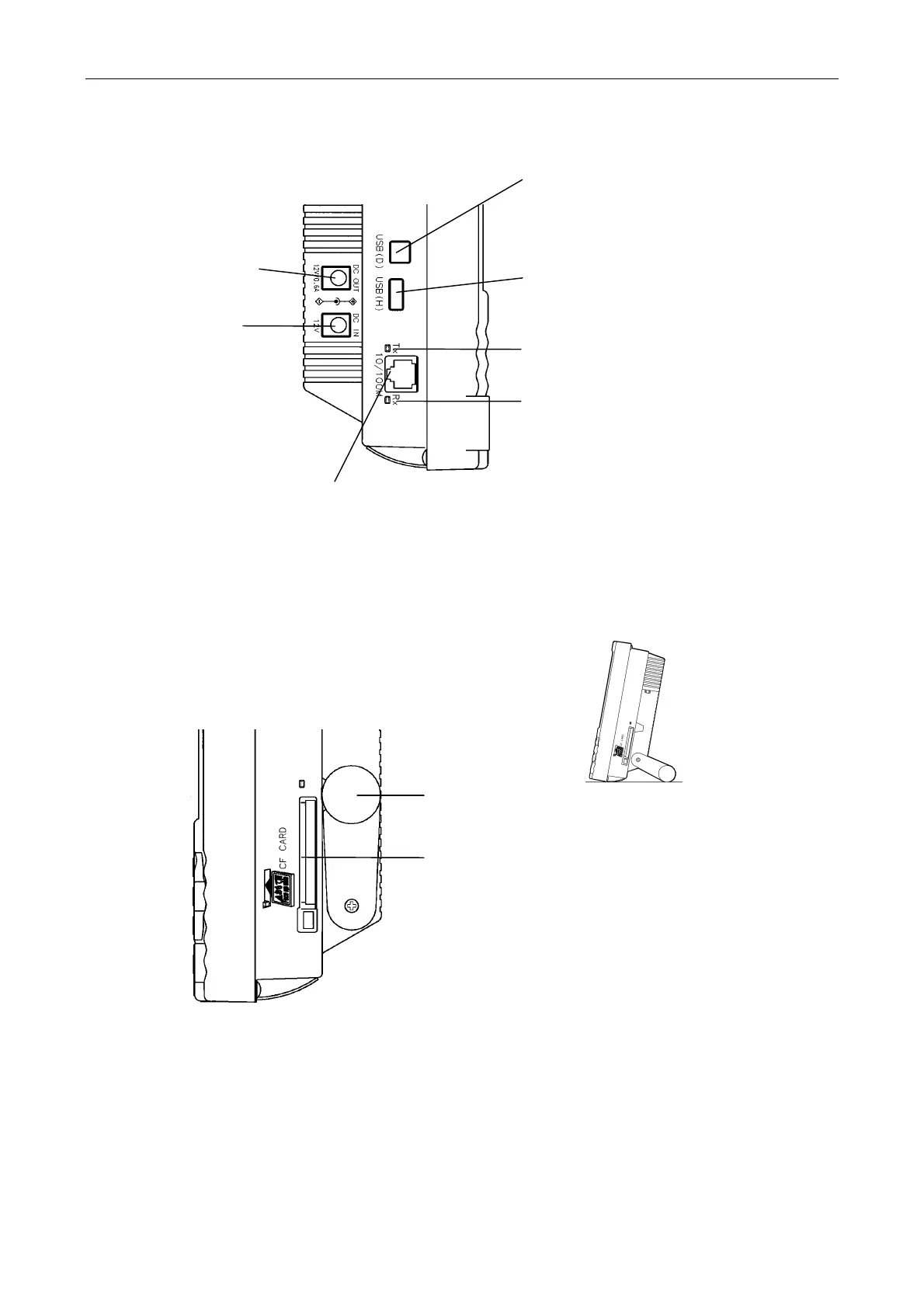
Left side of the DS-L1
Right side of the DS-L1
USB device port
Connect a PC to this port with a USB cable to
send and receive data to and from the PC.
Or connect a PictBridge-supporting printer to
perform the direct print.
USB host port
Use this port to connect a USB mouse, USB
keyboard, USB printer (CP900D), or Nikon
80i/90i microsco
e.
Network Tx indicator
Li
hts when sendin
data to a LAN.
Network Rx indicator
Lights when receiving data from a LAN.
LAN port
Connect the DS-L1 to a LAN with a LAN cable to exchange data with a PC or server
through a LAN.
12 V DC output
This output is
currently unused.
12 V DC input
Use a dedicated AC
adapter.
Stand arm
Extract the arm to use it.
CF card slot
Insert a CF card into this slot to save or reproduce
data to or from the card.
* Make sure you're inserting the card in the correct
direction.













 To Next Page