IV Connecting and Installing the Equipment
3 Connection Methods
- 14 -
Connecting to a PC without going through a LAN
(7) Connecting External I/O Devices
Be sure to turn off the power to the DS-L1 and any equipment to be connected before making
connections.
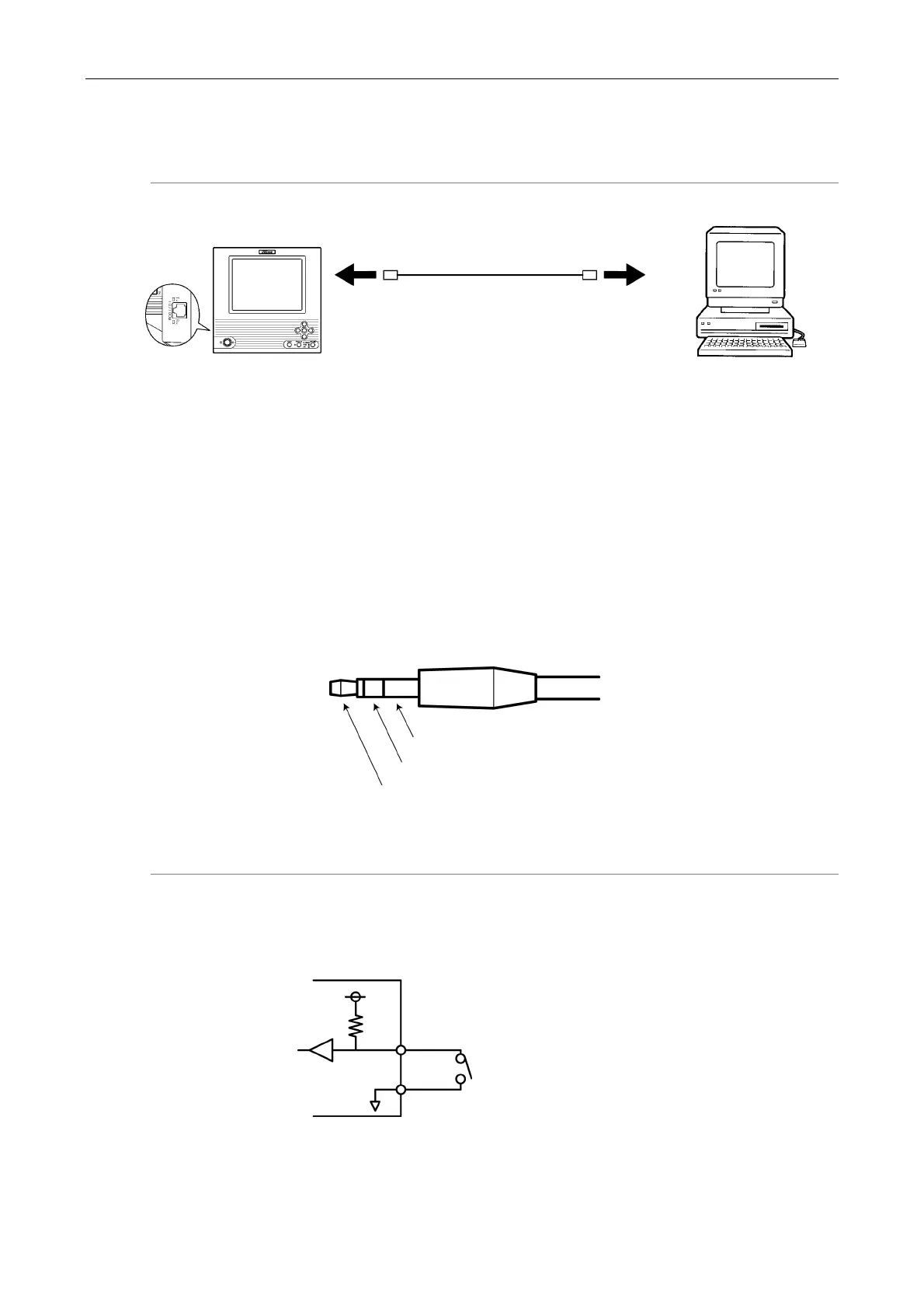
When an external device is connected to the EXTERNAL IN connector on the DS-L1, the image
can be frozen or captured by trigger input from the external device.
Furthermore, if an external device is plugged into the EXTERNAL OUT connector, a strobe
synchronizing output can be obtained when capturing an image.
If you are preparing your own external device, use a device that satisfies the specifications
shown below.
Connector: 3.5-mm diameter stereo pin jack (EXTERNAL IN connector)
Connector: 2.5-mm diameter stereo pin jack (EXTERNAL OUT connector)
EXTERNAL IN
Functions Pin 1: FREEZE
Pin 2: CAPTURE
You will not be able to capture desired images at precise, split-second moments. Use of this
input is not suitable for photographing fast-moving objects using a sensor.
Left side of the DS-L1
PC
Third-party 10/100BASE-TX
(category 5) cable (crossed)
o Ethernet
connector
Pin 3: GND
Pin 2
Pin 1
3.3V
3.3kΩ
DS-L1 side
GND
Pin 1 or 2
Pin 3
Activated when the switch is ON (closed)
Required pulse width: 10 ms or more













 To Next Page