.NETWORK. VI Basic Operations
4 Using the DS-L1 via a Network
- 88 -
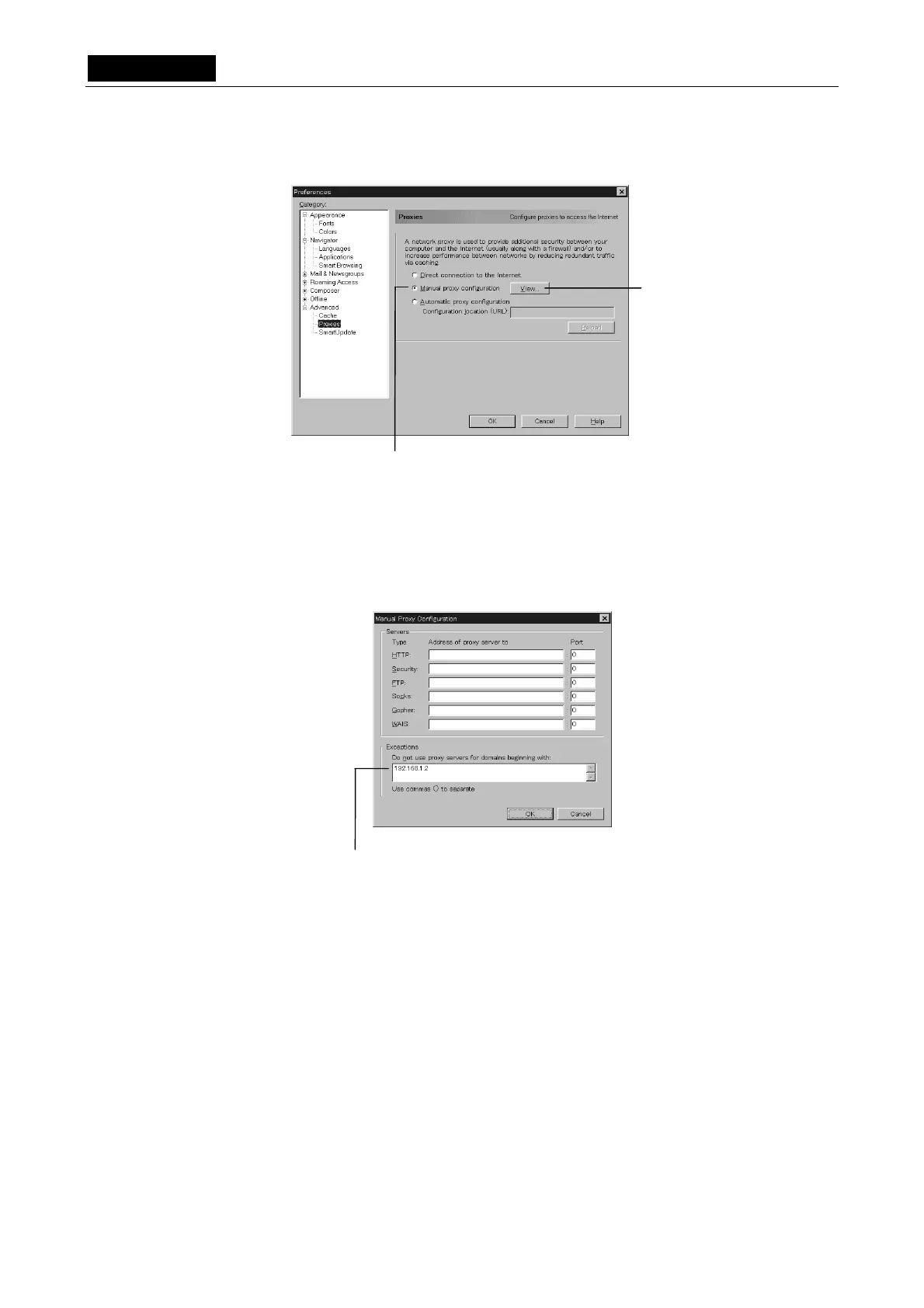
5) Select the check box labeled [Manual Proxy Configuration] and then left-click on [View].
6) In the [Exceptions] column, write the ID address of the DS-L1. (Refer to “4.2.2 Setting
Essential Items” in Chapter VI for details on the IP address of the DS-L1.)
• Enter a period after every three digits of the IP address.
• If the first digits of the IP address are “00” or “0,” do not enter the zeros.
7) Click [OK].
Move the pointer “↑” to the position of [OK] and left-click on it. Repeat this until the
screen returns to the one from step 1.
Left-click here.
Left-click here.
Enter the IP address here.
(Example: When entering the IP address













 To Next Page