2
Getting Started
Thank you for purchasing the Nikon Lite Touch Zoom
70W / Lite Touch Zoom 70W QD camera.
Be sure to read this manual thoroughly before use, and
keep it handy until you feel confident using the camera.
Your Nikon camera features:
• 35mm compact camera with built-in 2.5X zoom lens
from 28 to 70 mm focal length range. ( p. 14)
• Close-up photography in Macro mode for subjects as
near as at 0.6 to 1.0 m (2.0 to 3.3 ft.). ( p. 29)
Symbols used in this manual
:
Indicates items to be checked, such as requirements
and restrictions.
:Indicates notes and cautions you are requested
to follow.
:Indicates supplementary descriptions.
: Indicates pages for reference.
Accessories
(The following item is supplied with this camera.)
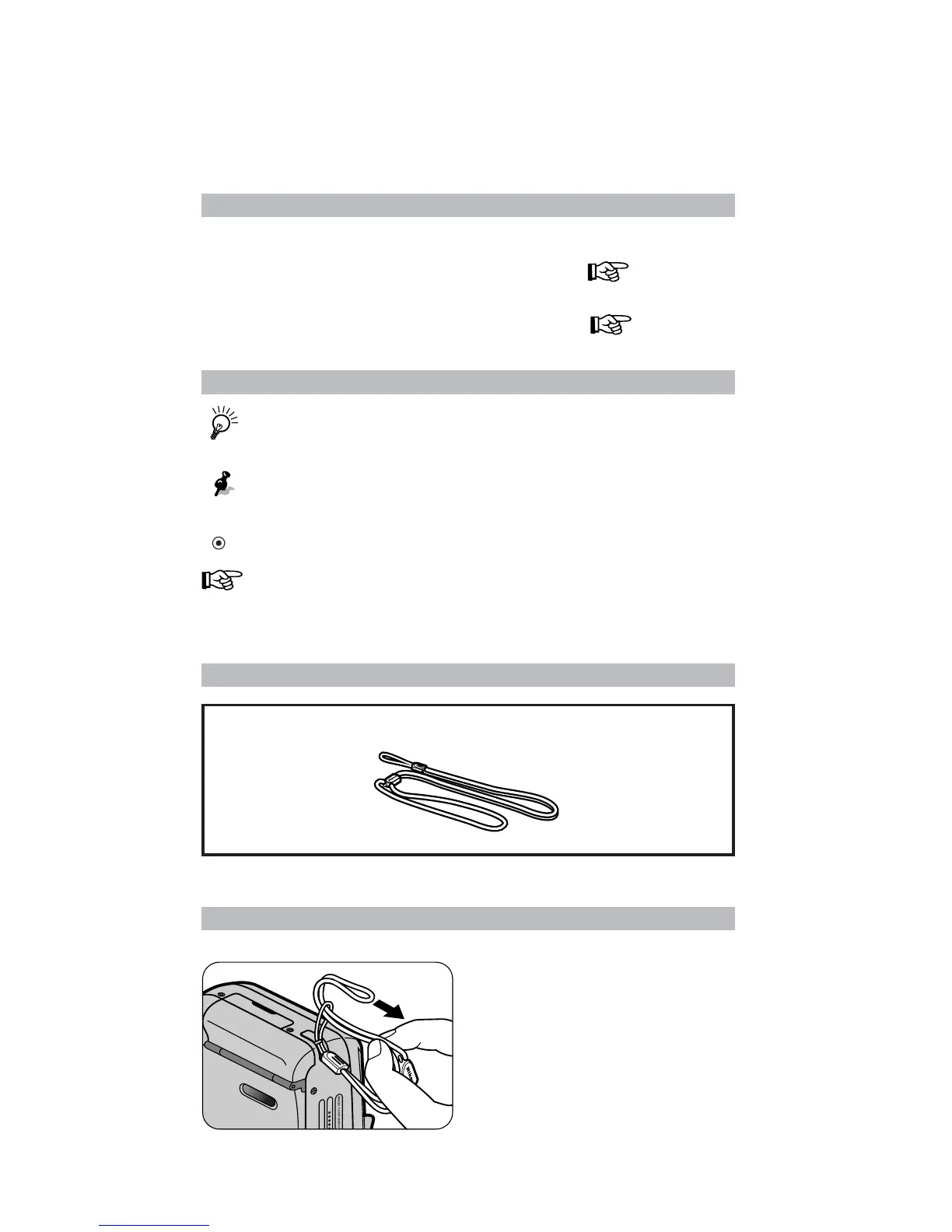
Attaching the strap
Attach the strap as shown
in the illustration.
Strap



 To Next Page
 Loading...