•
125
H 1
+~I~
I
~
1
2-
Overexposure
•
125
L 0
+2
1
~
I
~I~-
~
Underexposure
2
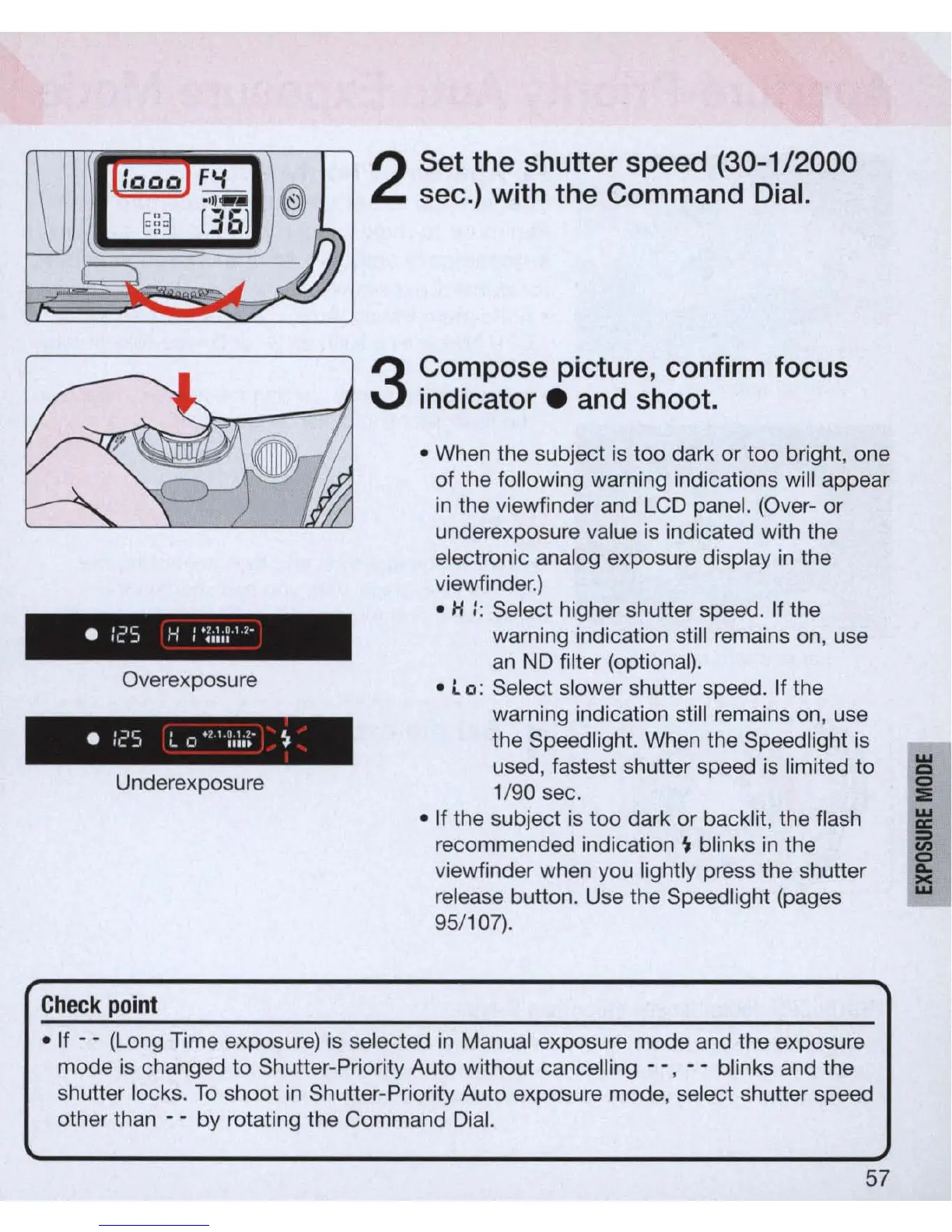
Set the shutter speed
(30-1/2000
sec.) with the Command Dial.
3
Compose pict
ure
, confirm focus
indicator . and shoot.
• When the subject
is
too dark or too bright, one
of the following warning indications
wi
ll
appear
in
the viewfinder and LCD panel. (Over- or
underexposure value
is
indicated with the
electronic analog exposure display
in
the
viewfinder.)
• H
::
Select higher shutter speed. If the
warning indication still remains
on
, use
an
ND
filter (optional).
•
l.
0: Select slower shutter speed. If the
warning indication still remains
on
, use
the Speed light. When the Speedlight
is
used, fastest shutter speed is limited to
1/90 sec .
w
CI
i
• If the subject is too dark or backlit, the flash ~
recommended indication
~
blinks
in
the
~
viewfinder when y
ou
lightly press the shutter
~
release button. Use the Speedlight (pages
95/
107)
.
Chec
k
point
•
If
- - (Long Time exposure) is selected
in
Manual exposure mode and the exposure
mode is changed
to
Shutter-Priority Auto without cancelling - - , - - blinks and the
shutter locks.
To
shoot
in
Shutter-Priority Auto exposure mode, select shutter speed
other than - - by rotating the Command Dial.
57



 To Next Page