Exposure Compensation
To
modify exposure control
(Le.
from the ISO standard). use the Exposure
Compensation function. This can be useful when intentiona
ll
y achieving under-
or
overexposure
to
obtain a specific photographic effect. This camera offers
compensation of
-3
EV
to
+3
EV
in
1/2 steps.
• Exposure Compensation can be set
in
P, S, A and Vari-Program.
~
Tip
Compensate to the + side
to
brighten, and the - side
to
darken overall picture
to
obtain
the specific photographic effect you desire .
. . . . . . . . . . . . . . . . . . . . . . .
..
. . .
..
. . . . . . . . . . . . . .
..
. . . . . . .
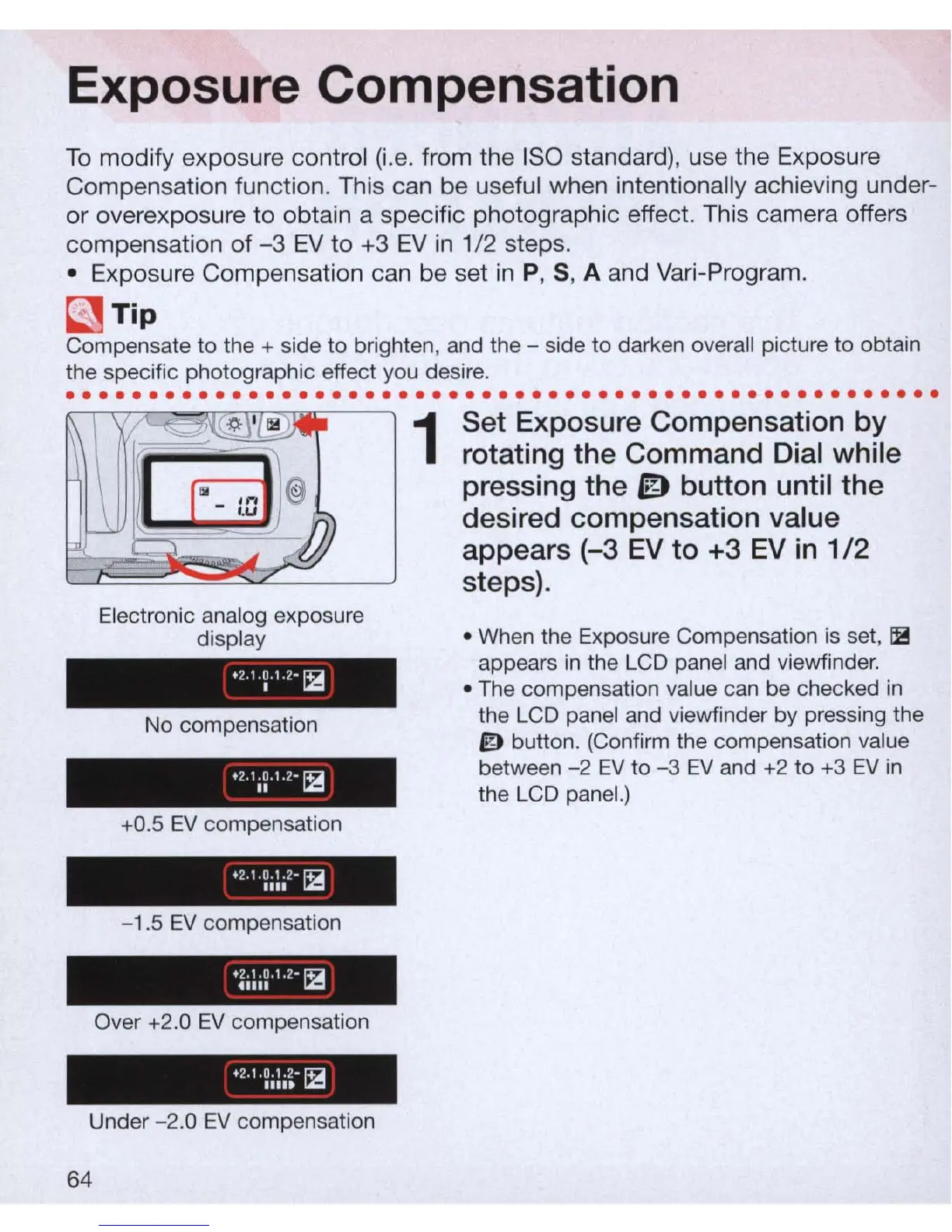
Electronic analog exposure
display
+
2.1.
~ .1.2-
~
No compensation
. 2
.
1
1~
,.
2
-12
+0.5
EV
compensation
-1.5
EV
compensation
Over
+2
.0
EV
compensation
Under
-2
.0
EV
compensation
64
1
Set Exposure Compensation
by
rotating the Command Dial while
pressing the
ID
button until the
desired compensation value
appears
(-3
EV
to +3
EV
in
1/2
steps).
• When the Exposure Compensation is set,
~
appears
in
the LCD panel and viewfinder.
• The compensation value can be checked
in
the LCD panel and viewfinder by pressing the
ID
button. (Confirm the compensation value
between
-2
EV
to
-3
EV
and +2
to
+3
EV
in
the LCD panel.)



 To Next Page