Flash Sync
Mode
Features
Five flash sync modes can be selected for desired photographic effect
depending on the conditions when using the built-
in
Speedlight. In
ill
an
d
~
modes, flash
is
not available even when the
su
bject is dark or backlit.
.....................................................
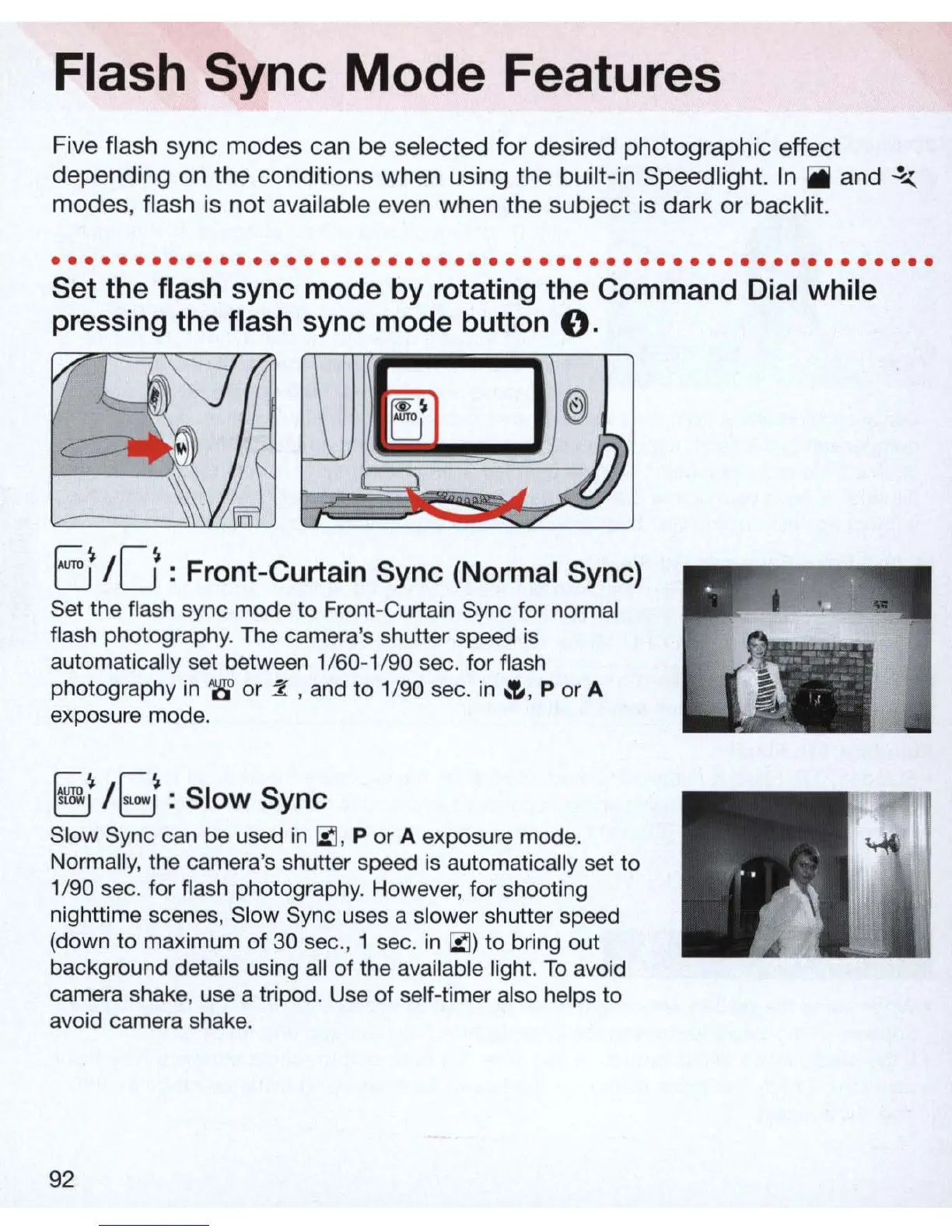
Set the flash sync mode by rotating the Command Dial while
pressing the flash sync mode button
O.
EJ
/0 : Front-Curtain Sync (Normal Sync)
Set the flash sync mode to Front-Curtain Sync for normal
flash photography. The camera's shutter speed is
automatically set between 1/60-1 /90 sec. for flash
photography
in
'g'
or
Z , and
to
1/90 sec.
in
~
,
P
or
A
exposure mode.
§j
/
[;1
: Slow Sync
Slow Sync can be used
in
iii
, P
or
A exposure mode.
Normally, the camera's shutter speed is automatically set to
1/90 sec. for flash photography. However, for shooting
nighttime scenes, Sl
ow
Sync uses a slower shutter speed
(down to maximum of 30 sec
.,
1 sec.
in
iii)
to
bring out
background details using all of the available light.
To
avoid
camera shake, use a tripod. Use of self-timer also helps to
avoid camera shake.
92



 To Next Page