Using Built-In Speedlight
This section explains how
to
use the built-in Speedlight set
to
desired flash
sync mode when a G-
or
O-type AF Nikkor lens is attached .
. . . . . . . . . . . . . . . . . . . . . . . . . . . . . . . . . . . . . .
..
. . . . . . . . . . . . .
1
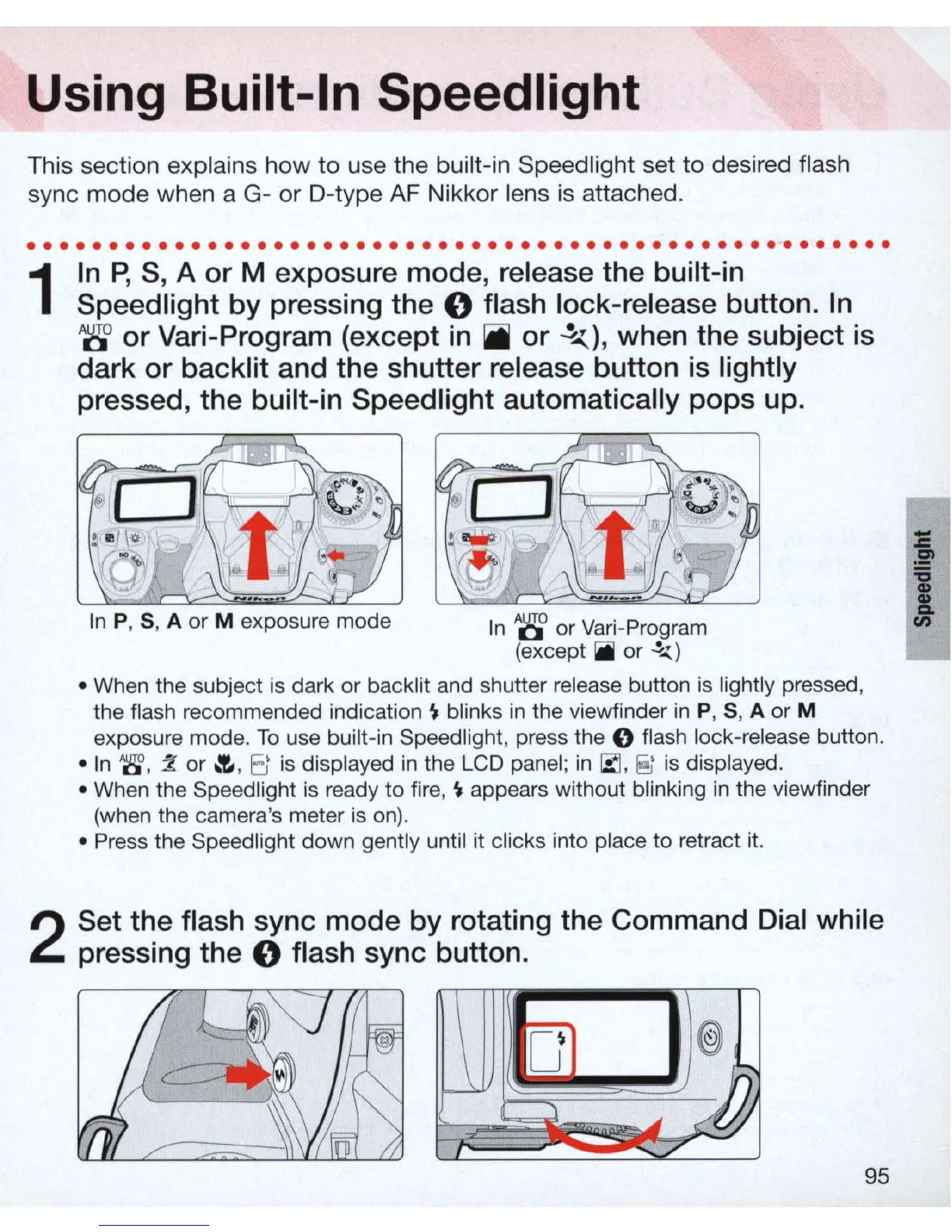
In
P, S, A or M exposure mode, release the built-in
Speed light
by
pressing the 0 flash lock-release button.
In
W or Vari-Program (except in
ii
or
~)
,
when the subject
is
dark or backlit and the shutter release button
is
lightly
pressed, the built-in Speedlight automatically pops up.
In
P, S, A
or
M exposure mode
In
A
~
or
Vari
-Program
(except
~
or
~)
• When the subject
is
dark
or
backlit and shutter release button
is
lightly pressed,
the flash recommended indication
~
blinks
in
the viewfinder
in
P, S, A or M
exposure mode.
To
use built-
in
Speed light, press the 0 flash lock-release button.
•
In
~
,
:l
or
.:r.
, 8 is displayed
in
the LCD panel;
in
r::J
,
~
is
displayed.
• When the Speed light is ready to fire,
~
appears without blinking
in
the viewfinder
(when the camera's meter is
on)
.
• Press the Speedlight down gently until it clicks into place to retract it.
2
Set the flash sync mode by rotating the Command Dial while
pressing the
0 flash sync button.
95
i
I



 To Next Page