Aperture-Priority
Auto
Exposure
Mode
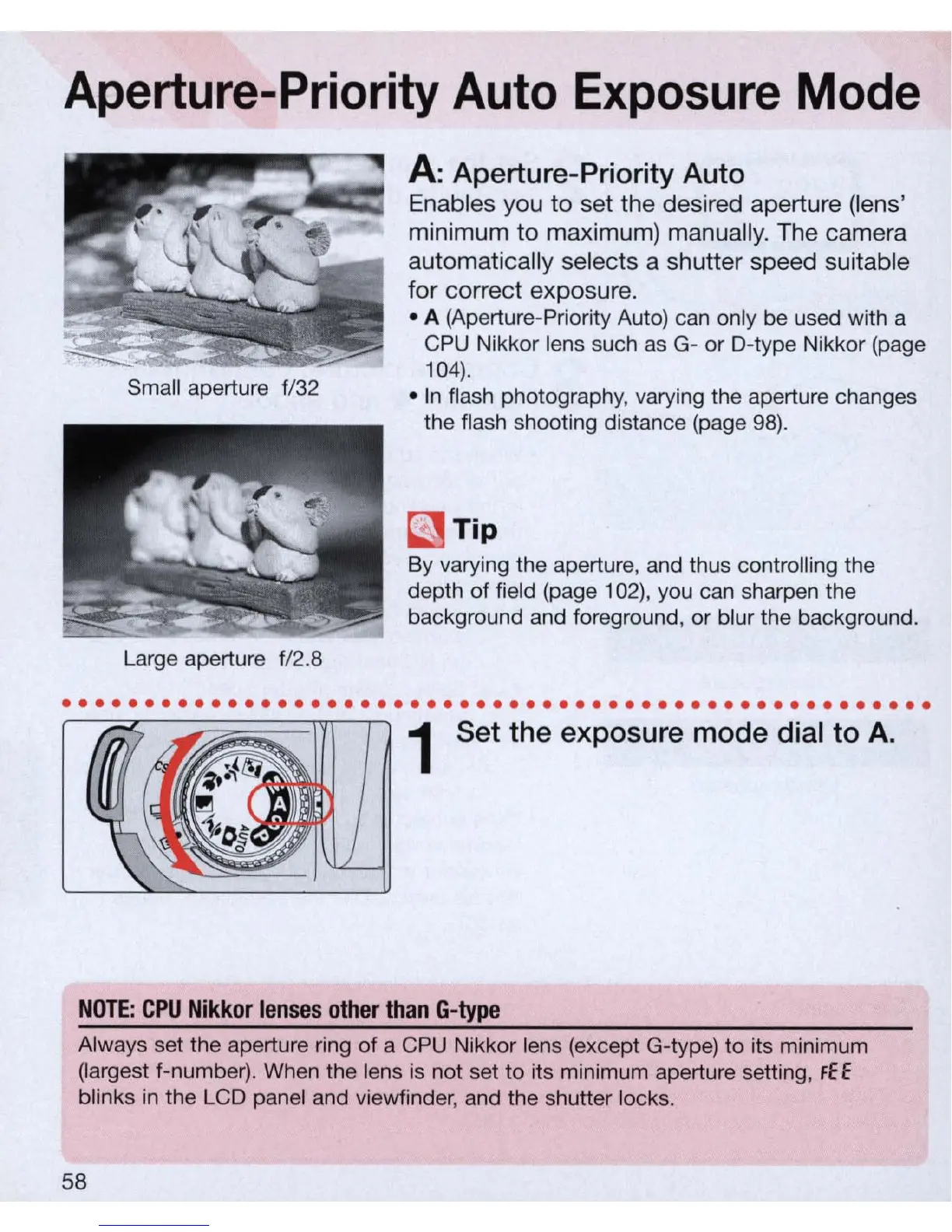
Small aperture f/32
Large aperture f/2.8
A:
Aperture-Priority Auto
Enables you
to
set the desired aperture (lens'
minimum to maximum) manually. The camera
automatically selects a shutter speed suitable
for correct exposure .
• A (Aperture-Priority Auto) can only be used with a
CPU Nikkor lens such
as
G- or D-type Nikkor (page
104).
•
In
flash photography, varying the aperture changes
the flash shooting distance (page
98)
.
~
Tip
By varying the aperture, and thus controlling the
depth
of
field (page 102), you can sharpen the
background and foreground, or blur the background.
..................
...................................
1 Set the exposure mode di
al
to
A.
NOTE
: C
PU
Nikkor
lenses
other
than
G-type
Always set the aperture ring of a CPU Nikkor lens (except G-type) to its minimum
(largest f-number). When the lens is not set to its minimum aperture setting,
FE E
blinks
in
the LCD panel and viewfinder, and the shutter locks.
58



 To Next Page