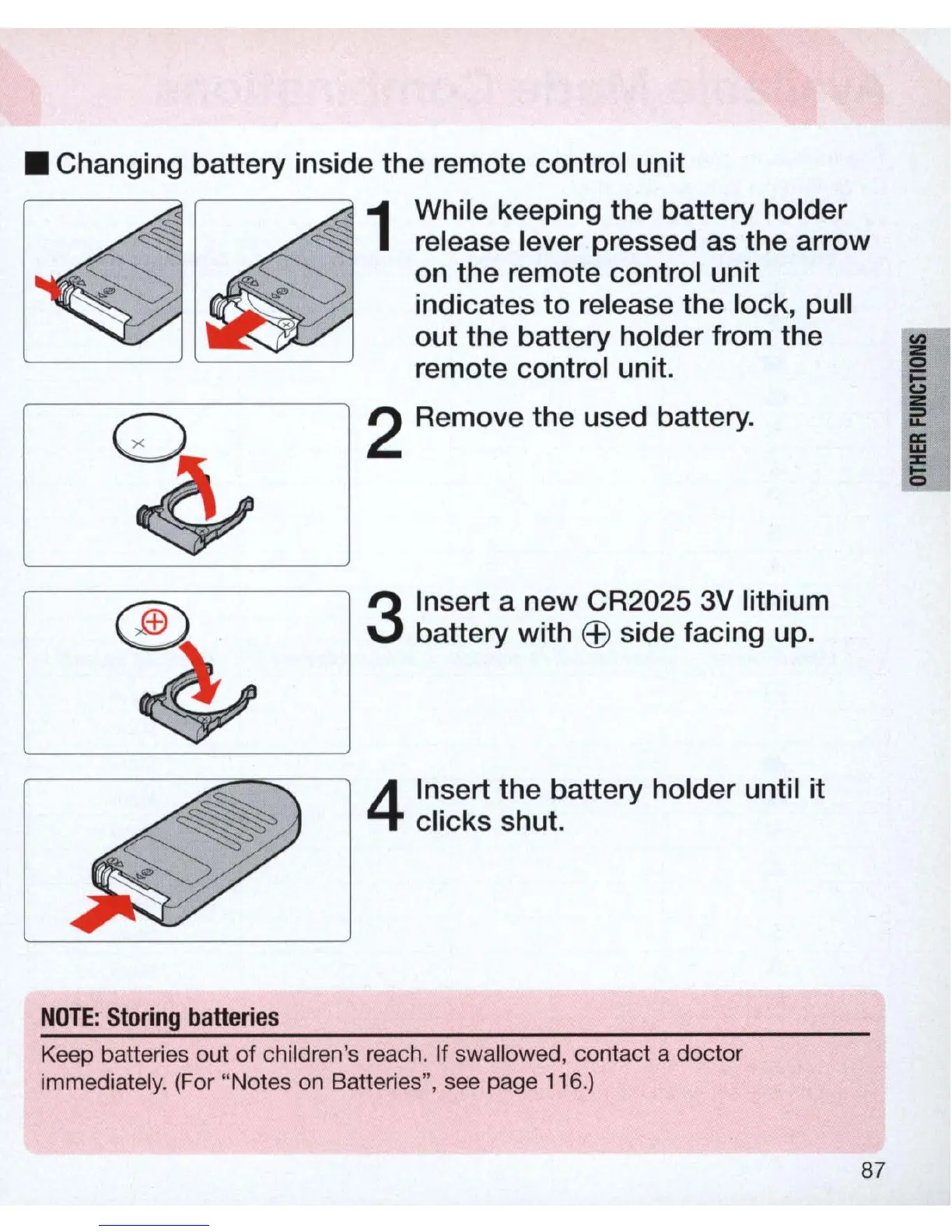
• Changing
battery
inside the remote control unit
~ ~
1
While keeping the battery holder
release lever pressed as the arrow
s::;
s:::;
on
the
remote control unit
..
~:
indicates
to
release the
lock
, pull
out
the
battery holder from
the
remote control unit.
NOTE
:
Storing
batteries
2 Remove the used battery.
3
Insert a
new
CR2025 3V lithium
battery with
EEl
side facing
up
.
4
Insert
the
battery
holder
until
it
clicks shut.
Keep batteries out of children's reach. If swallowed, contact a doctor
immediately. (For "Notes
on
Batteries", see page 116.)
87



 To Next Page