5.
Set
!ight
output
selector
to
appropriate
setting.
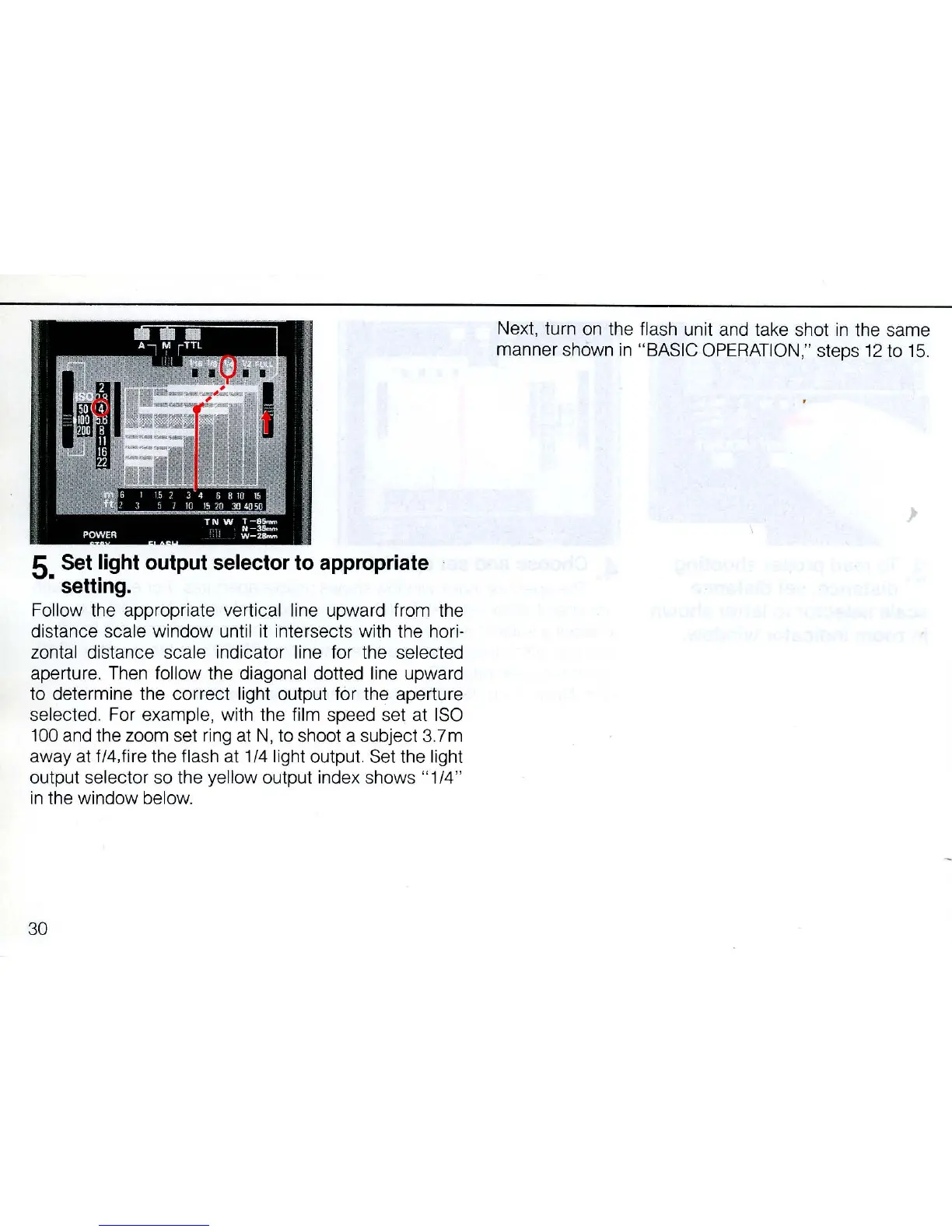
Follow the appropriate vertical line upward from
th
e
distance sca
le
window until
it
intersects with the hori-
zontal distance scale indicator line for the
se
lected
aperture.
Then
fo
ll
ow the d
iag
onal dotted l
ine
upward
to determine the correct
li
ght output for the aperture
se
le
cted.
For
example, with the film speed
se
t at I
SO
100
and
the zoom set
rin
g
at
N,
to
shoot a subject 3.7m
away at f/4,fire the flash
at
1/4 light output.
Set
the light
output selector so the
ye
llow output index shows " 1/4"
in
the window below.
30
Ne
xt,
tu
rn
on
th
e
fl
ash
unit and t
ake
shot
in
the same
manner shown
in
"
BA
S
IC
O
PER
AT
I
ON
,"
steps 12 to 1
5.



 To Next Page