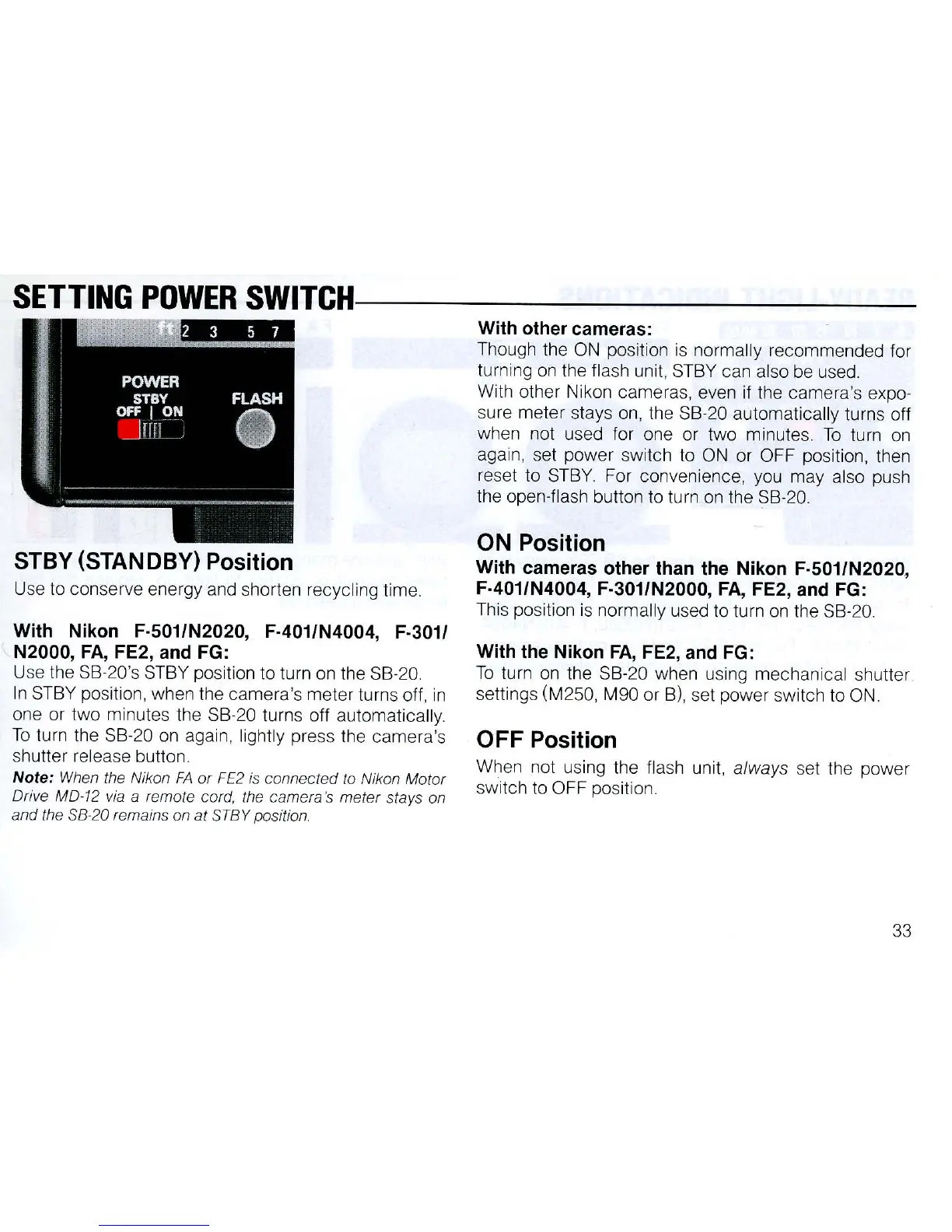
SETTING
POWER
SWITCHI------------
STBY
(STAN
OBY)
Position
U
se
to
conserve energy
and
shorten recycling time.
With Nikon F·501/N2020, F·401/N4004, F·
3011
N2000,
FA,
FE2,
and
FG:
Use the SB-20's
ST
BY position to turn
on
the
SB
-20.
In ST
BY
positi
on,
when
th
e camera's meter turns off, in
one or two mi
nu
t
es
the
SB
-20 turns off automatica
ll
y.
To
turn the SB-20 on again, light
ly
press the camera's
shutter relea
se
button.
Note:
When
the Nikon
FA
or
FE2
is connected
to
Nikon Motor
Drive MD-12
via
a remote cord, the camera's meter stays on
and the
58
-20 remains on at 5TBY position.
With other cameras:
Th
ough the
ON
position
is
normally recommended for
turning
on
the fl
ash
unit,
STBY
can also
be
used.
With o
th
er Ni
kon
cameras, even
if
the camera's expo-
su
re meter stays
on
,
th
e SB-20
au
tomatica
ll
y turns o
ff
when
no
t used for one or two minutes. To tu
rn
on
aga
in,
se
t power switch to ON
or
O
FF
po
si
tion, then
reset to S
TB
Y. For convenience, you may also
pu
sh
the open-flash button to turn
on
the SB-20.
ON Position
With cameras other than the Nikon F·501/N2020,
F·401/N4004, F·301/N2000,
FA
, FE2, and FG:
Thi
s po
si
tion is normally used to turn
on
the SB-20.
With the Nikon
FA,
FE2,
and
FG:
To
turn
on
the S
B-
20 when us
ing
mechanical shutter
settings (M250, M90 or B
),
se
t power sw
it
ch to
ON
.
OFF
Position
When
no
t using the flash unit, always
se
t the power
switch to OFF pos
it
ion.
33



 To Next Page