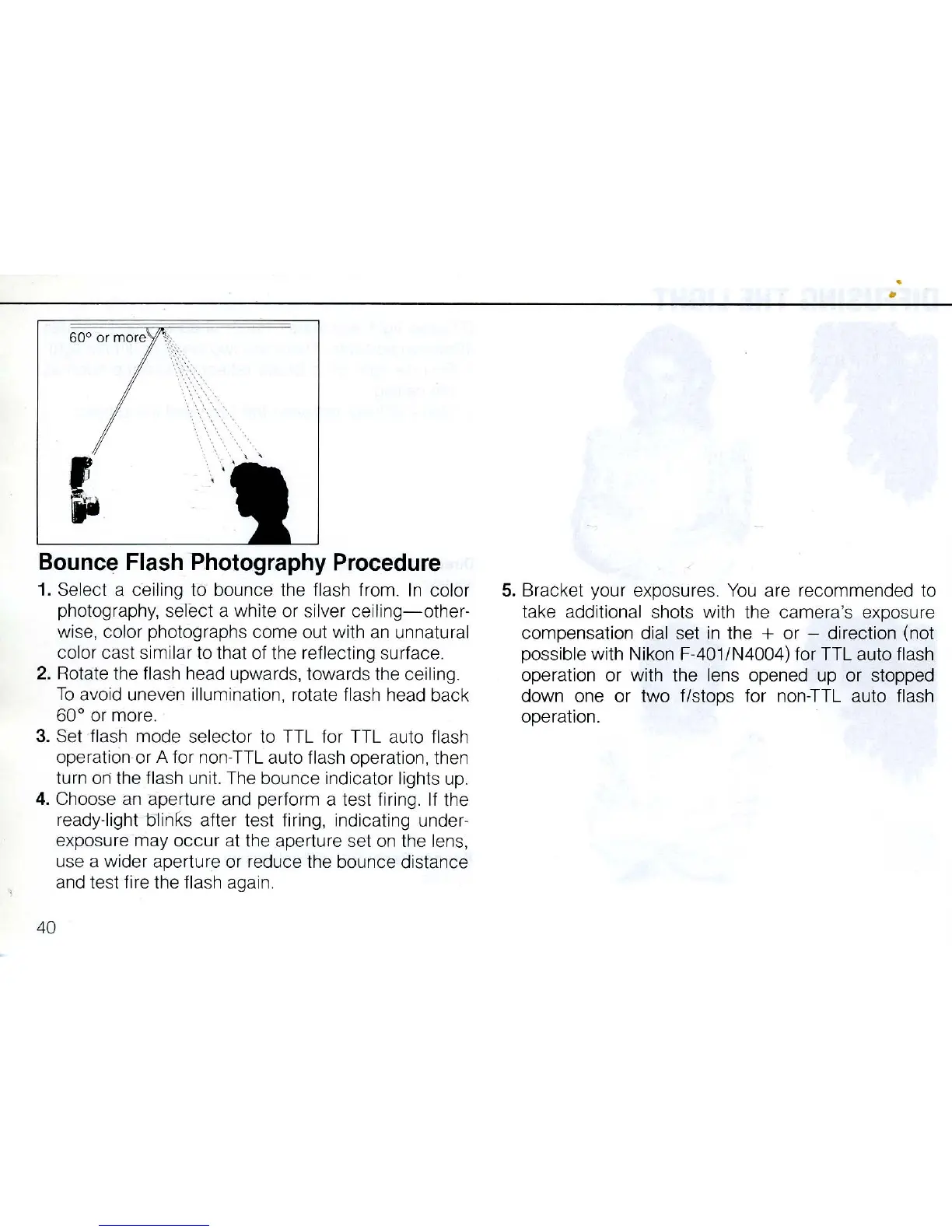
Bounce Flash Photography Procedure
1. Select a cei
lin
g to bounce the
fla
sh
from.
In
color
photography,
se
lect a white or
si
lver
ceiling-other·
wise, color photographs come out with
an
unnatural
color cast similar to that of the reflect
in
g surface.
2. Rotate the flash head upwa
rds
, towards the ceiling.
To
avo
id
uneven illumination,
rot
a
te
fl
ash
head back
60° or more.
3.
Set
flash mode
se
lector to
TT
L for TTL
au
to
fl
ash
operati
on
· or A for non·TTL auto fl
ash
operation, then
turn
on
the
fla
sh
un
i
t.
The
bounce indicator lights
up.
4. Choose
an
aperture
and
perform a
te
st firing. If the
ready·light olinKs after test firing, indicating under·
exposure may occur at the aperture set
on
the
lens,
use a wider aperture or reduce the bounce distance
and test
fi
re
th
e flash again.
40
•
5. Bracket your exposures.
You
are recommended to
take additional shots with the camera's exposure
compensation dial
se
t
in
the + or - direction (not
possible with Nikon F·401/N4004) for TTL auto flash
operation or with the lens opened up or stopped
down one or two f/stops for non·TTL auto flash
operat
io
n.



 To Next Page