ADJUSTING
FLASH
HEAD
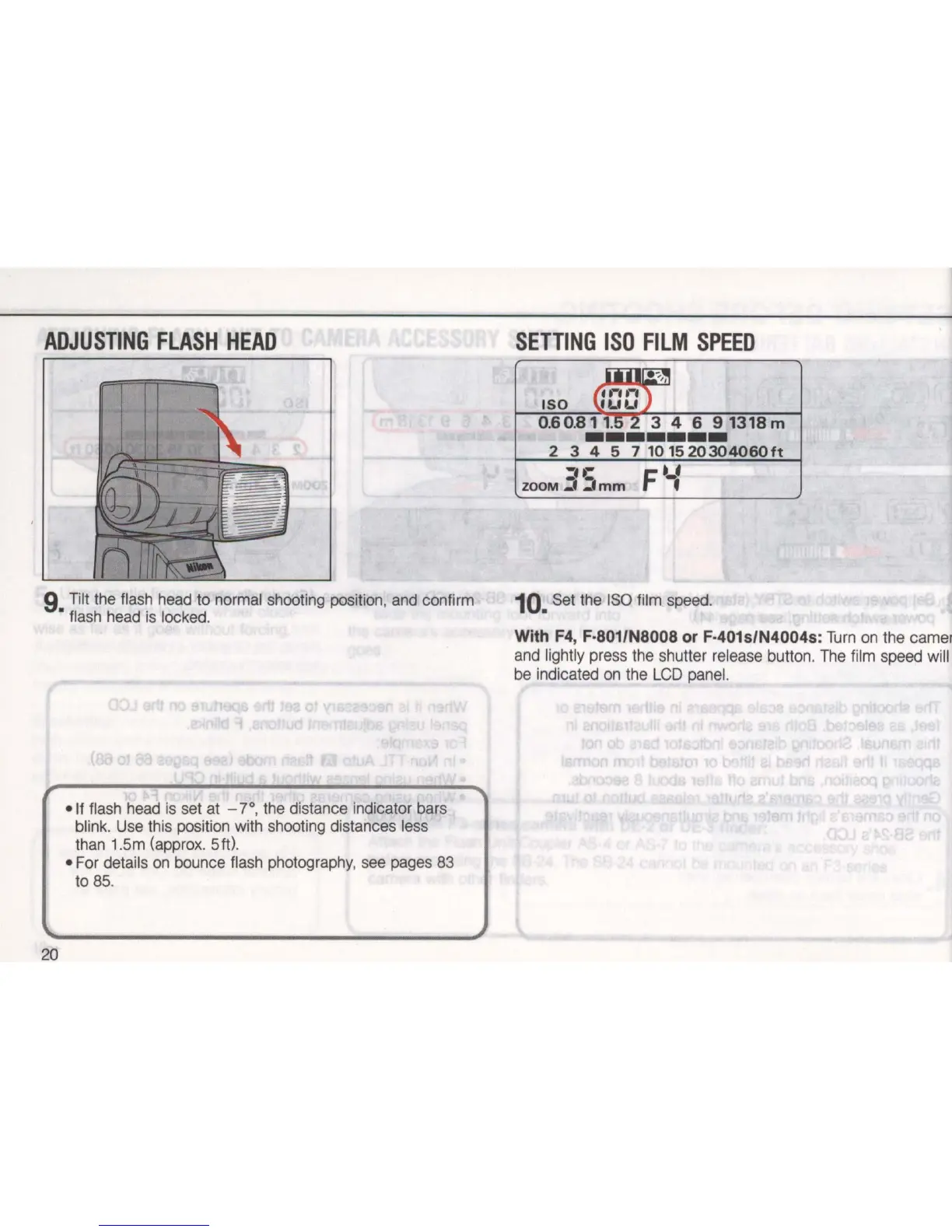
9 Tilt the flash head to normal shooting poSition, and confirm
• flash head is locked.
20
-
If
flash head is set at -
YO
, the distance indicator bars
blink. Use this position with shooting distances less
than 1.5m (approx.
Sit) .
• For details
on
bounce flash photography, see pages 83
to
85.
SETTING
I
SO
F
ILM
SPEED
UU~;:'I
ISO
G
f'-U-'
)
ILILI
O
.
60
.
811~
3 4 6
91318m
-------
2
345
7101520304060ft
=·C
ZOOM
_,
~mm
F--:
10.
Set the
ISO
film speed.
With F4, F·
801/N8008
or F·401s/N4004s:
Turn
on
the camen
and lightly press the shutter release button. The film speed will
be indicated
on
the
LCD
panel.


 To Next Page