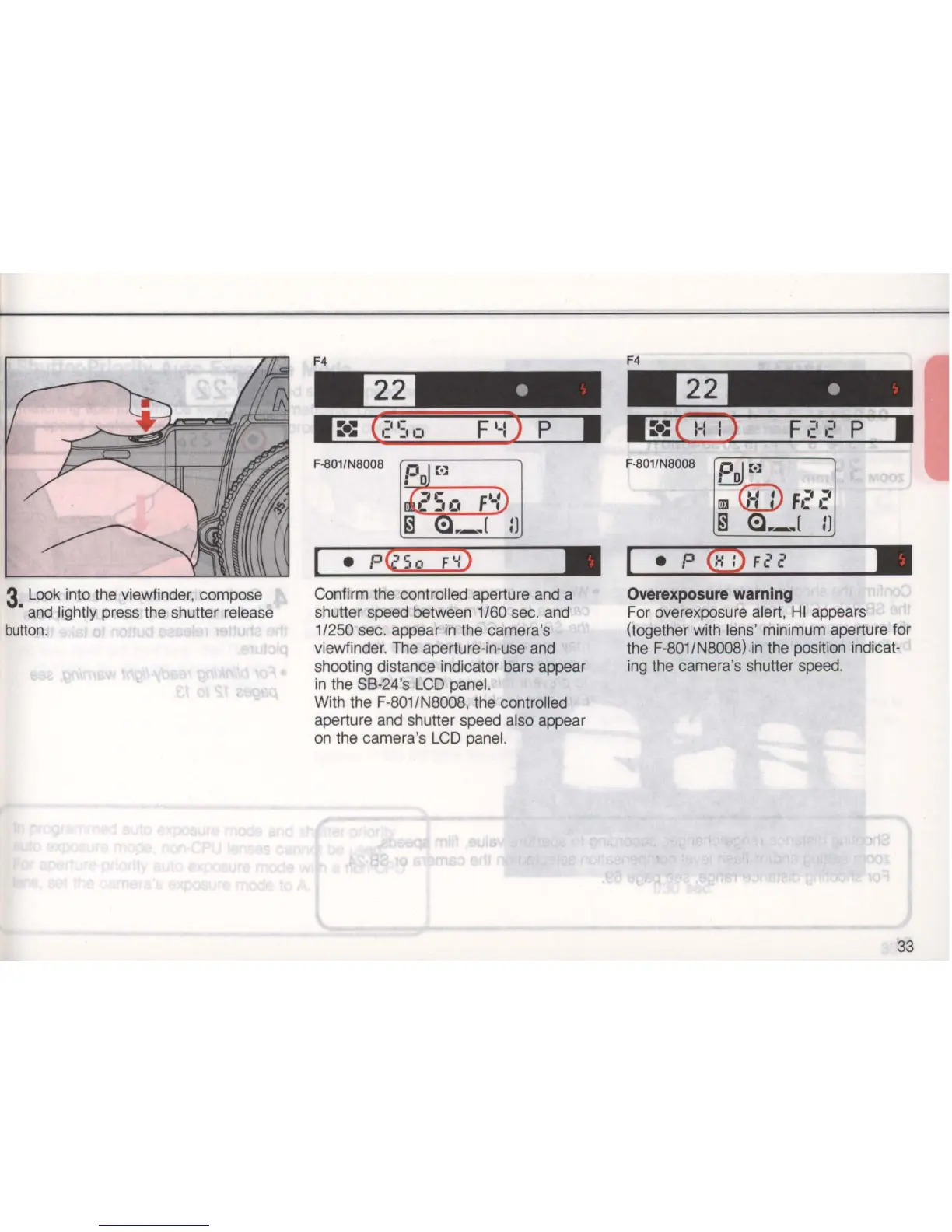
3 Look into the viewfinder, compose
• and lightly press the shutter release
button
.
F4
Confirm the controlled aperture and a
shutter speed between
1/60 sec. and
1/
2
50
sec. appear in the camera's
viewfinder. The aperture-in-use and
shooting distance indicator bars appear
in the S8-24's LCD panel.
With the F-801/N8008, the controlled
aperture and shutter speed also appear
on
the camera's
LCD
panel.
L-.~
P
~
QtD_
:
,-
F
2
_
2
____
~1I
Overexposure
warning
For overexposure alert,
HI
appears
(together with lens' minimum aperture for
the F-801/N8008)
in
the position indicat-
ing the camera's shutter speed.
33



 To Next Page