B-20
B
Operation
En-03
STEP
5
Selecting the flash mode
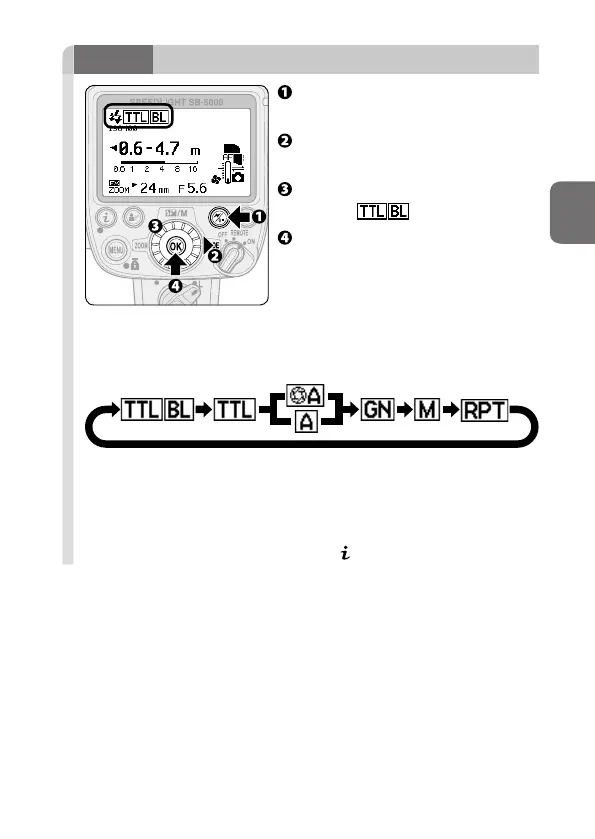
Press the wireless setting button
to choose single flash-unit mode.
Press the rotary multi selector
2 to highlight the flash mode.
Use the rotary multi selector to
display (0B-6).
Press the OK button.
Changing the flash mode
Pressing the rotary multi selector 1 2 or rotating it clockwise changes
the available flash mode icons displayed on the LCD.
• Pressing the rotary multi selector 3 4 or rotating it
counterclockwise changes the available flash mode icons displayed
on the LCD in reverse order.
• Only available flash modes are displayed on the LCD.
• Flash mode can also be configured in menu (0B-9).



 To Next Page