79
■
■
■
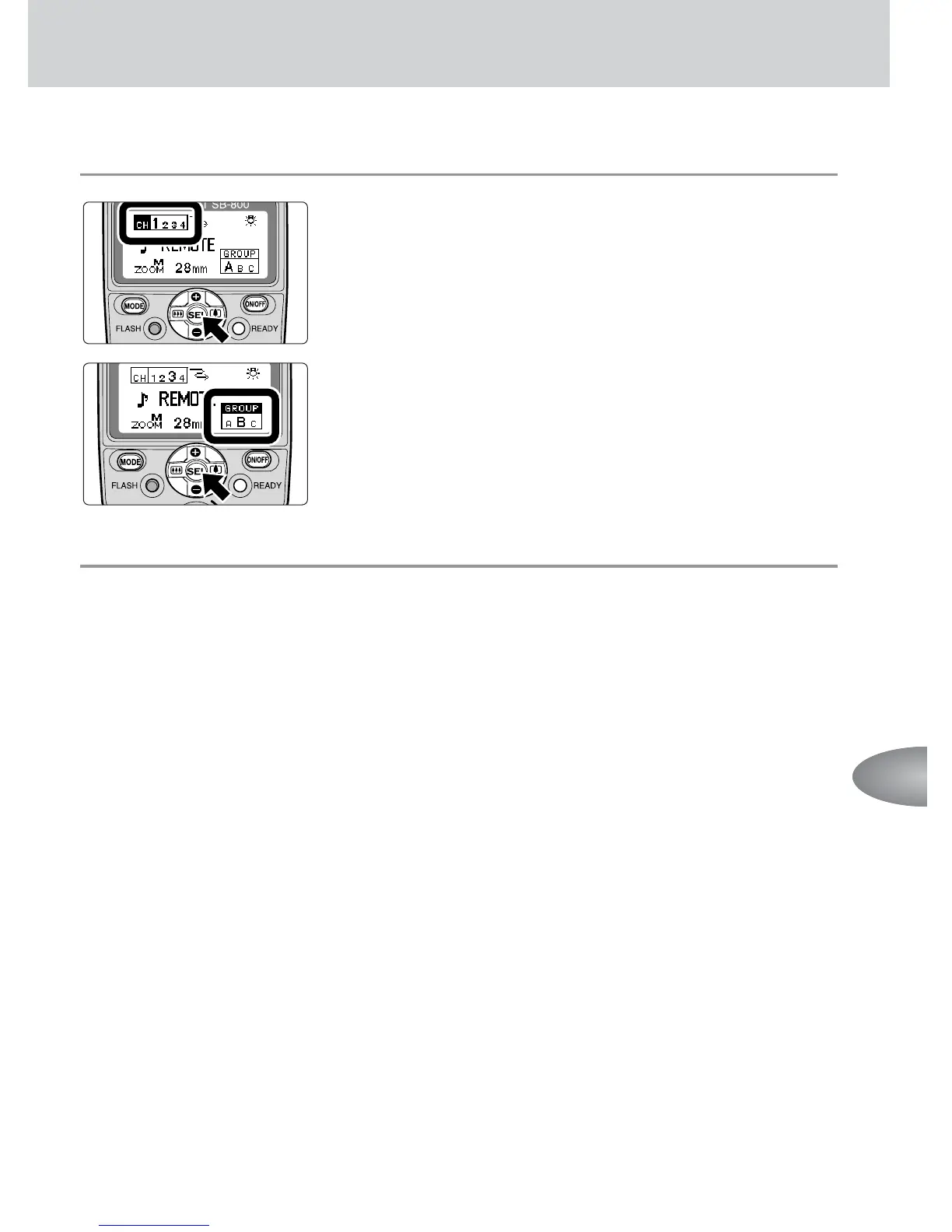
Setting a group and channel number on the remote flash units
1
Press the g button on the remote flash unit to
highlight the channel number, then press the e
or f button to set the channel number.
• Be sure to choose the same channel number as set
on the master flash unit.
2
Press the g button on the remote flash unit to
highlight the group, then press the e or f
button to set the group.
• For remote flash units where the flash mode and
flash output level compensation values are to be
set identically, place these flash units into the
same group.
v Notes on using the Nikon D70’s Commander mode
Be sure to set the channel number of the remote flash unit to 3 and set the group of the remote
flash unit to Group A when performing wireless multiple flash using the Nikon D70’s built-in flash
as a master flash unit (Commander mode). Otherwise, the SB-800 does not fire.
Advanced operations



 To Next Page