81
Advanced operations
1
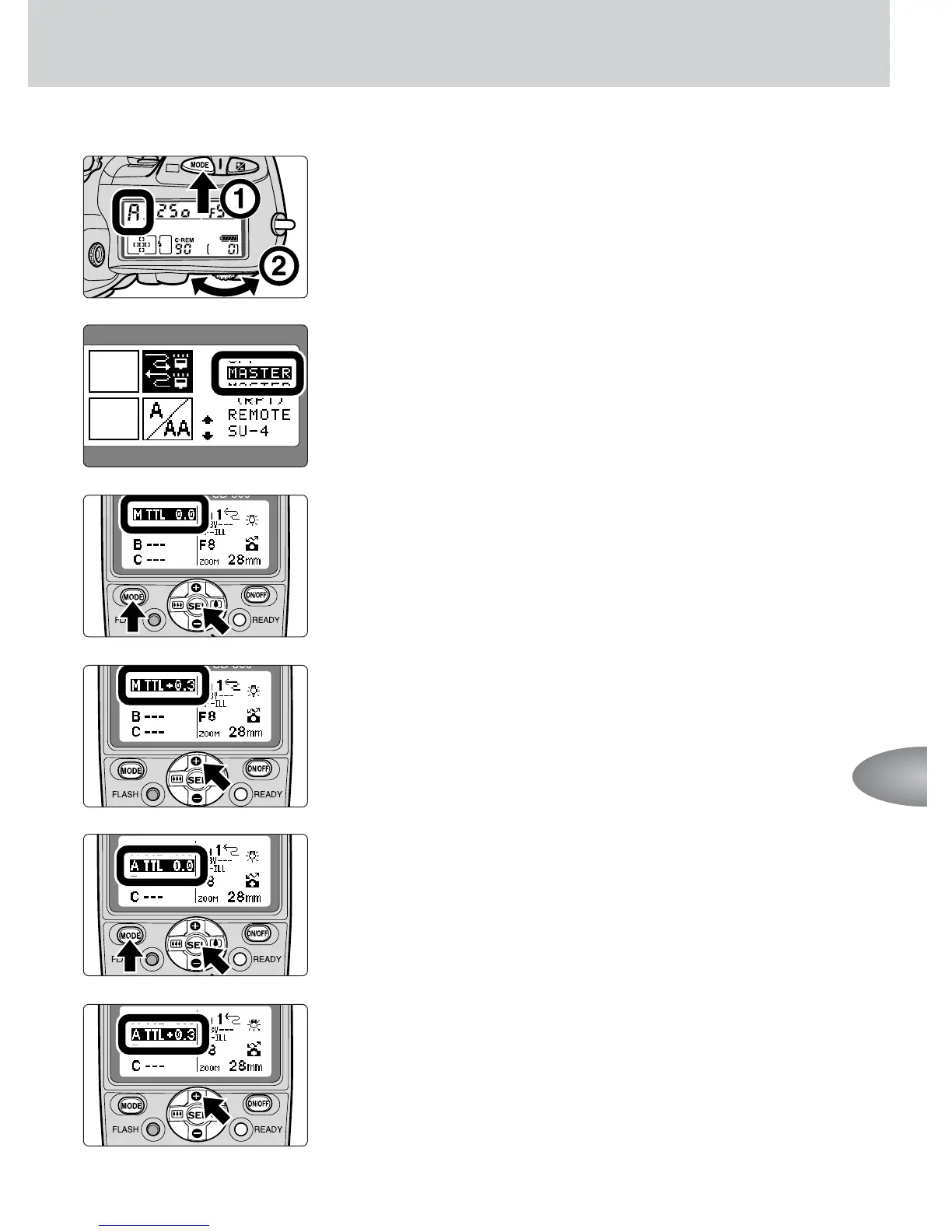
Set the camera’s exposure mode to Aperture-
Priority Auto (A).
2
Set the wireless flash mode of the on-camera
SB-800 to MASTER using Custom Settings
(p. 67).
3
Press the g button on the master flash unit to
highlight “M”, then press the a button to
choose D.
4
Press the e button on the master flash unit to
set the flash output compensation value to +0.3.
5
Press the g button on the master flash unit to
highlight “A”, then press the a button to set
the flash mode to D on the remote flash unit A.
6
Likewise, press the e button on the master flash
unit to set the flash output level compensation
value to +0.3 on the remote flash unit A.



 To Next Page