87
Advanced operations
■
■
■
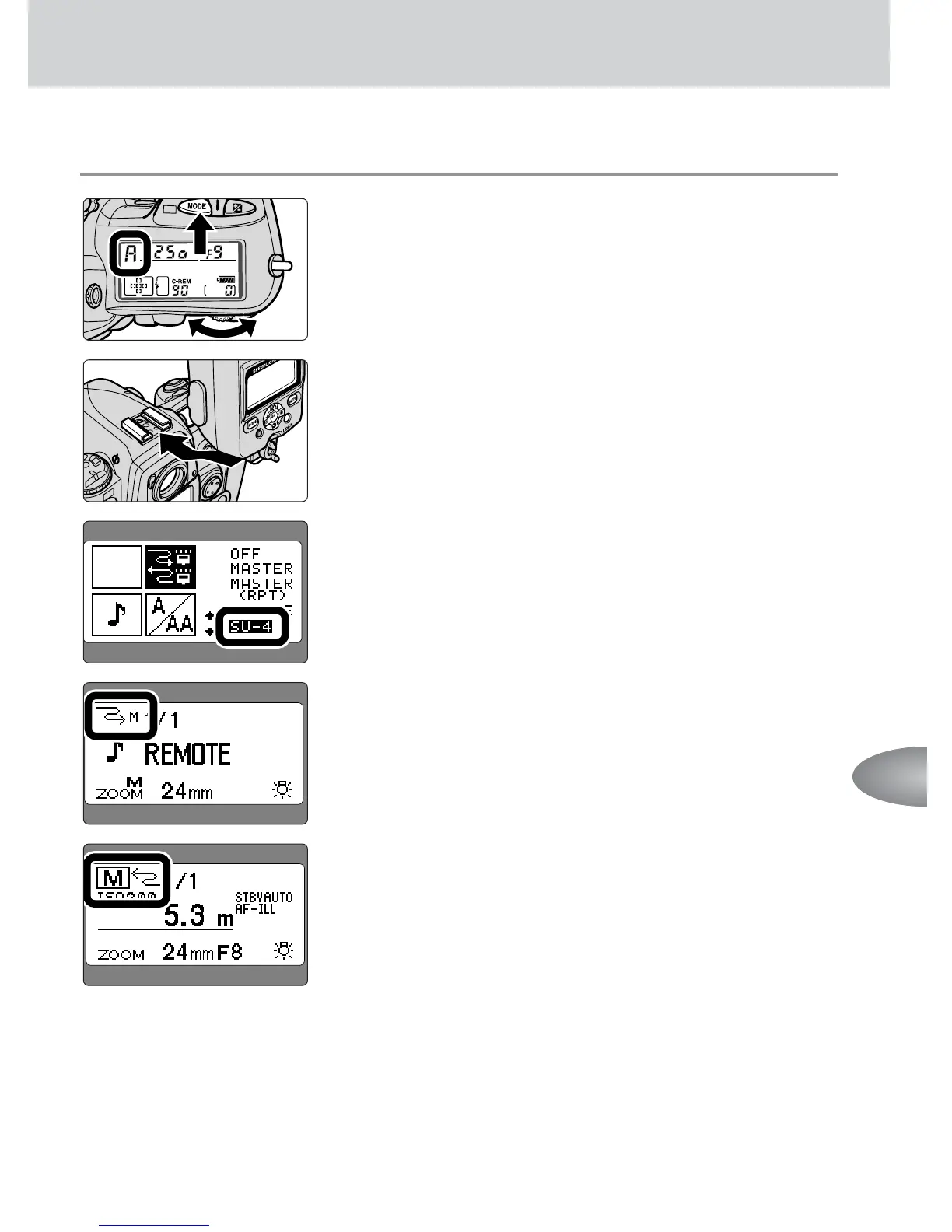
Wireless multiple flash shooting in the M (manual) mode
1
Set the camera’s exposure mode to Aperture-
Priority Auto (A) or Manual (M).
2
Set up all Speedlights as the master and remote
flash units.
3
Set the wireless flash mode of all SB-800’s used
as the master and remote flash units to “SU-4.”
4
Press the a button on the remote flash unit
to activate the w (manual) mode.
5
Set the flash mode of the master flash unit to
Manual flash.
6
Confirm the aperture and flash shooting distance
as in normal Manual flash shooting, then shoot.
• See page 46 for more information on Manual flash.



 To Next Page