SOLUTION FILTER CLEANING
1. Drive the machine on a level oor.
2. Ensure that the machine is off and the operator key (41) has been removed.
3. Close the solution tank valve (9). The valve is closed when it is in position (9-B) and it is open when it is in position (9-A).
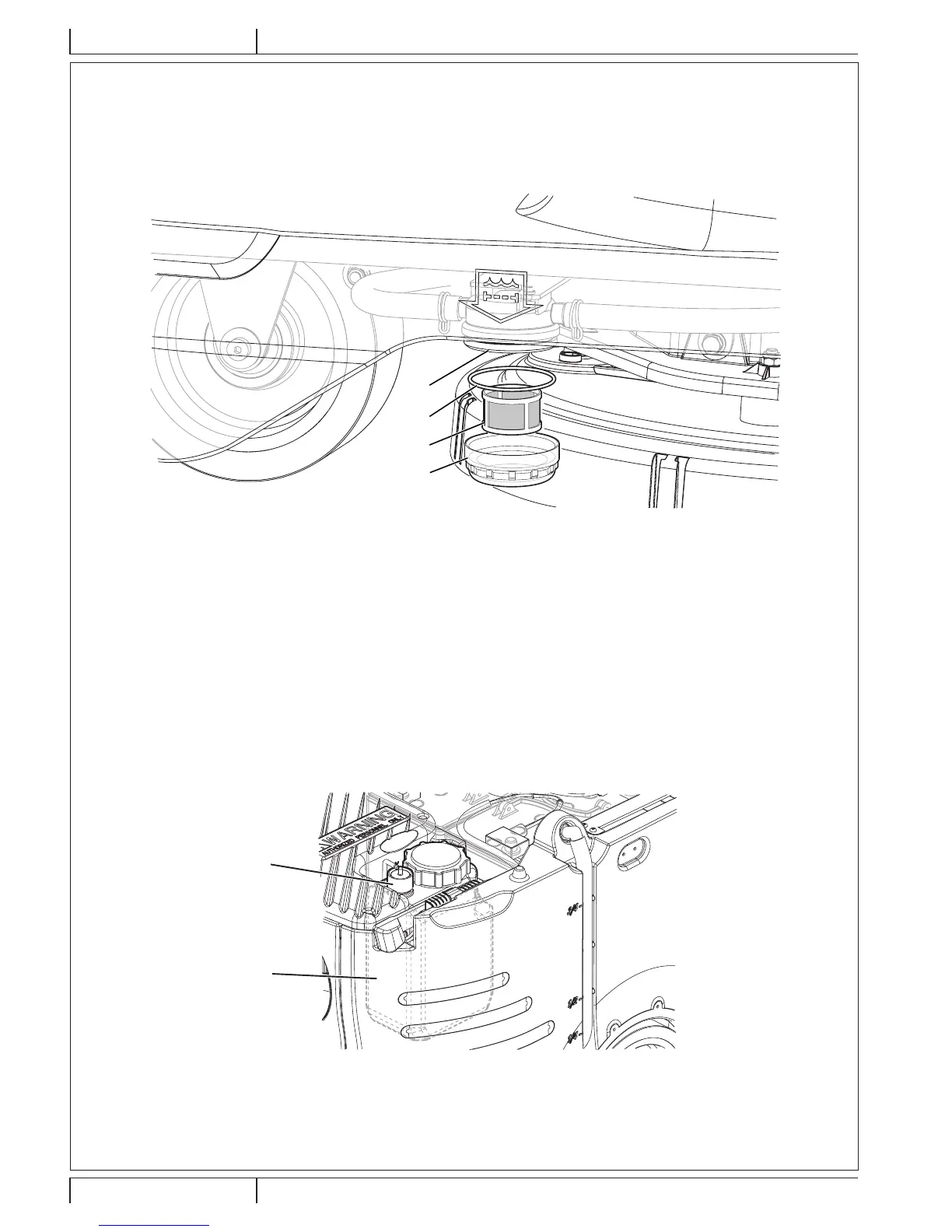
4. Remove the transparent cover (A, Fig. 12), retrieve the gasket (B), then remove the lter strainer (C). Wash and rinse them
with clean water, then ret them carefully onto the lter support (D).
5. Open the valve (9-A).
A
C
B
D
Figure 12
P100874
DETERGENT TANK CLEANING
(For machines with EcoFlex™ system)
Clean the detergent tank (38) as follows.
1. Drive the machine to the appointed disposal area.
2. Ensure that the machine is off and the operator key (41) has been removed.
3. Lift the cover (29) and check that the recovery tank (17) is empty; if not, empty it using the drain hose (26).
4. Close the cover (18).
5. Grasp the handle (35) and carefully lift the recovery tank assembly (17).
6. Unscrew the cap (A, Fig. 13) from the detergent tank (B).
7. Remove the tank.
8. Rinse and wash out the tank with clean water in the appointed disposal area.
9. Replace the detergent tank (B) as shown in the gure, then ret the cap (A).
10. When the detergent tank has been drained, it may be necessary to drain the EcoFlex™ system too (see procedure in following
section).
B
A
Figure 13
P100875







 To Next Page