EasyManua.ls Logo

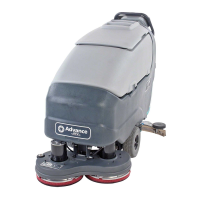
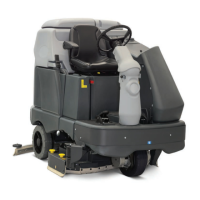
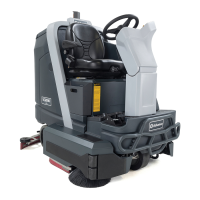
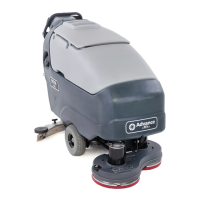
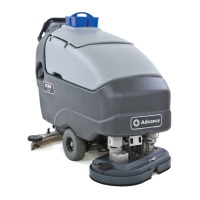
Nilfisk-Advance SC800 - User Manual

Nilfisk-Advance SC800
50 pages
Print Icon
To Next Page IconTo Next Page
Loading...
Instructions for Use - Original Instructions / Instrucciones de uso
Manual de Utilização / Mode d‘ emploi
Advance Models: 56112000(SC750-26D), 56112004(SC750-28D)
56112006(SC750-28C), 56112012(SC750 ST-26D)
56112013(SC750 ST-28C), 56112016(SC800-28D)
56112018(SC800-28C), 56112024(SC800-32C)
56112028(SC800-34D), 56112032(SC800 ST-34D)
56112780(SC750-28R)
A-English
B-Español
C-Português
D-Français
7/10 revised 11/12 Form No. 56041820
SC750, SC800
SC750 ST, SC800 ST

Other manuals for Nilfisk-Advance SC800

Questions and Answers

  • K
    Kim PerryAug 2, 2025
    Why is there poor water pick-up with my Nilfisk-Advance Scrubber?
    • N
      Nicole LuceroAug 2, 2025
      Poor water pick-up with your Nilfisk-Advance Scrubber can occur due to several reasons. Here's what you can check: * **Worn or torn squeegee blades:** Reverse or replace them. * **Squeegee out of adjustment:** Adjust the squeegee so the blades touch the floor evenly. * **Recovery tank full:** Empty the recovery tank. * **Recovery tank drain hose leak:** Secure the drain hose cap or replace it. * **Recovery tank cover gasket leak:** Replace the gasket or properly seat the cover. * **Debris caught in squeegee:** Clean the squeegee tool. * **Vacuum hose clogged:** Remove any debris. * **Using too much solution:** Adjust the solution flow at the control panel. * **Foam filter cover not seated:** Ensure the cover is seated properly.
  • J
    jasonparkerAug 6, 2025
    What to do if my Nilfisk-Advance Scrubber has inadequate solution flow?
    • K
      Kimberly HarrisAug 6, 2025
      If your Nilfisk-Advance Scrubber has inadequate solution flow, it could be due to a few reasons: * The solution tank might be empty. Fill the solution tank. * The solution lines, valves, filter, or trough could be clogged. Flush the lines and trough, and clean the solution filter. * The solution shutoff valve might be closed. Open the solution shutoff valve. * There might be a problem with the solution solenoid valve. Clean or replace the valve.
  • P
    padillalindaAug 10, 2025
    Why Nilfisk-Advance Scrubber has poor scrubbing performance?
    • T
      Tracy FoxAug 10, 2025
      If your Nilfisk-Advance Scrubber isn't scrubbing well, consider these possibilities: * The brush or pad may be worn. Rotate or replace the brushes. * You might be using the wrong type of brush or pad. Consult Advance for the correct type. * You might be using the wrong cleaning chemical. Consult Advance for the appropriate chemical. * You might be moving the machine too fast. Slow down your pace. * You might not be using enough solution. Increase the solution flow at the control panel.
  • K
    Kurt ChavezAug 15, 2025
    What to do if my Nilfisk-Advance SC800 Scrubber machine does not run?
    • J
      Johnny WilliamsAug 15, 2025
      If your Nilfisk-Advance Scrubber isn't running, check the following: * Ensure the battery connector is connected. * Check for a tripped 10 Amp circuit breaker; look for an electrical short circuit and reset it.
  • D
    Debra TorresAug 18, 2025
    What to do if there is no detergent flow in my Nilfisk-Advance SC800 Scrubber?
    • M
      Mario WhitneyAug 19, 2025
      If there's no detergent flow in your Nilfisk-Advance Scrubber (EcoFlex models only), consider these causes: * The detergent cartridge may be empty. Fill the detergent cartridge. * The detergent flow line may be plugged or kinked. Purge the system and straighten any kinks in the lines. * The dry seal cap on the detergent cartridge may not be sealed. Reseat the dry seal cap. * The detergent pump wiring may be disconnected or backwards. Connect or reconnect the wiring.
  • S
    schneiderlauraAug 23, 2025
    Why Nilfisk-Advance SC800 Scrubber has no FWD/REV wheel drive?
    • Q
      qbruceAug 23, 2025
      If your Nilfisk-Advance Scrubber has no FWD/REV wheel drive, check these: * Check for a tripped 30 Amp circuit breaker. Look for a drive motor overload. * Ensure the Emergency Stop Switch is not tripped; reset it if necessary.
  • C
    Christopher RomeroAug 28, 2025
    Why Nilfisk-Advance SC800 Scrubber has poor sweeping performance?
    • J
      James LopezAug 28, 2025
      If your Nilfisk-Advance Scrubber (Cylindrical System) has poor sweeping performance: * The hopper might be full. Empty and clean the hopper. * The brushes may be worn. Replace the brushes. * The bristles may have taken a set. Rotate the brushes.

Summary

Cautions and Warnings

Warning Symbols

Explains warning symbols used to indicate potential hazards.

General Safety Instructions

Key safety guidelines for operating the machine safely and preventing injury.

Control Panel Overview (SC750, SC800)

Key Switch (Main Power)

Controls the main power to the machine.

Solution Increase;Decrease

Adjusts the amount of solution dispensed.

Solution ON;OFF Switch

Turns the solution dispensing on or off.

Solution Flow Indicators

Displays the current solution flow rate.

Detergent ON;OFF Switch

Controls the detergent dispensing system.

Display Panel Indicators

Shows hour meter, tank levels, fault codes, and battery status.

Scrub Pressure Switches

Controls and indicates scrub pressure settings.

EcoFlex Switch

Activates or deactivates the EcoFlex cleaning mode.

Brush Remove Switch

Allows for manual removal of brushes (Disc Decks only).

Vacuum;Wand Switch

Controls the vacuum or wand function.

Control Panel Overview (SC750 ST, SC800 ST)

Key Switch (Main Power)

Controls the main power to the machine.

Solution ON;OFF Switch

Controls solution dispensing with multiple flow rates.

Solution Flow Indicator

Indicates the selected solution flow rate.

Vacuum;Wand Switch

Controls the vacuum or wand function.

Vacuum Motor Disabled Indicator

Indicates if the vacuum motor is disabled.

Scrub ON;OFF Switch

Activates or deactivates the scrub system.

Scrub Pressure Indicator

Shows the selected scrub pressure level.

Battery Indicator

Displays the battery charge level.

Fault Code Indicator

Alerts the user to machine errors or faults.

Detergent System Preparation and Use (EcoFlex)

Common Instructions

General guidelines for using the detergent system.

Purging When Changing Chemicals

Procedure to purge the system when switching detergents.

Weekly Purge

Recommended weekly procedure to purge the detergent system.

Resetting the Detergent System

How to reset the low detergent indicator.

Adjusting Detergent Ratio

How to adjust the detergent to water ratio.

Cartridge Specific Instructions

Guidelines for filling and using detergent cartridges.

Nilfisk-Advance SC800 Specifications

General IconGeneral
ModelSC800
TypeWalk-behind scrubber
Power SourceBattery
Weight677 lb (307 kg)
Sound level68 dBA
Noise level68 dBA
Brush motor0.75 HP
Brush motor power0.75 HP

Related product manuals