10
OPERATING INSTRUCTIONS
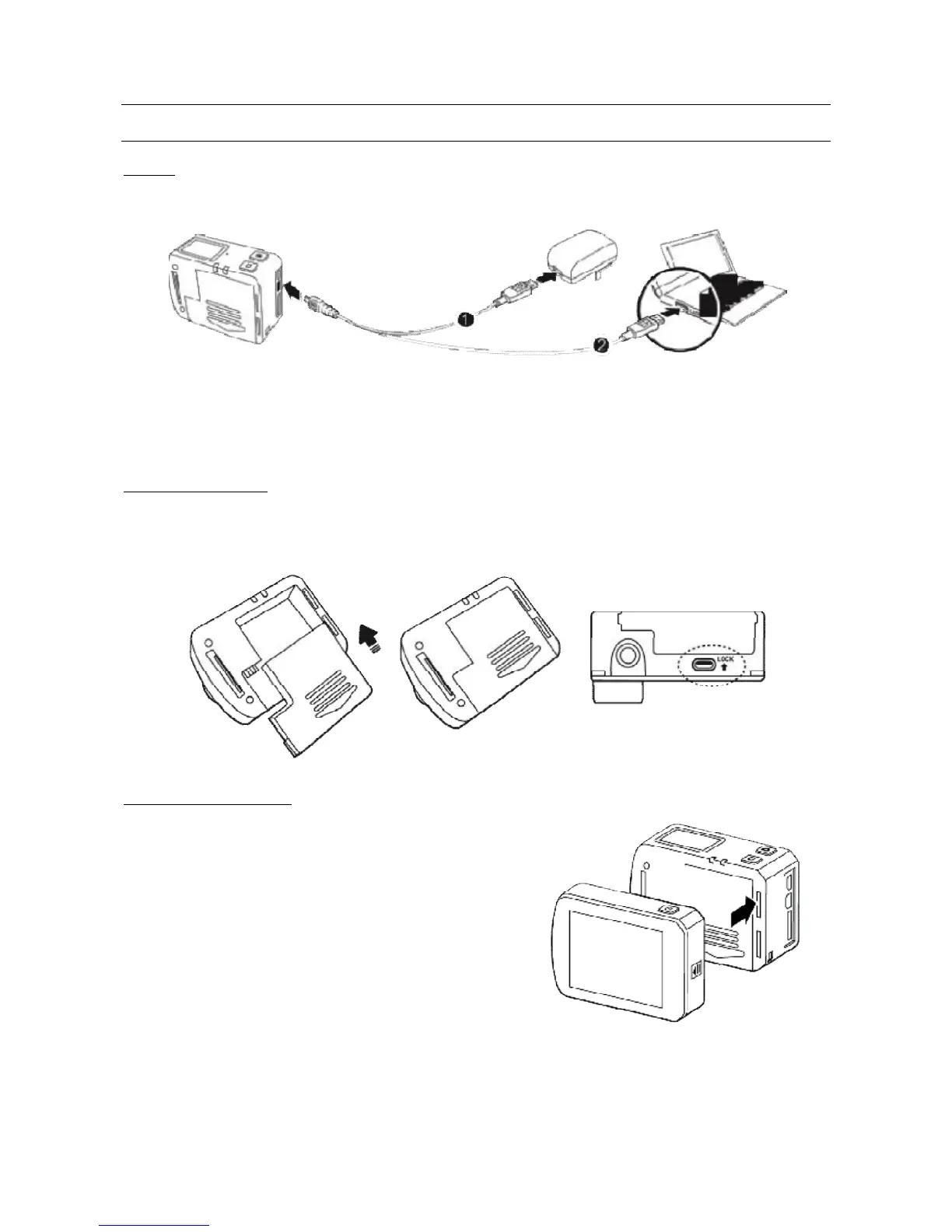
CHARGE
Turn on the video camera and check battery status; if low, charge it.
Either a computer USB port of power adapter (not included) can be used to charge it.
When EVO 4K is charged in off status, the red status led will flash slowly. When finished charging,
the red led will remain on.
The charge process inhibits video camera operations.
BATTERY INSTALLATION
Before inserting the battery, make sure the lock/release button is open; fully insert the battery in
the compartment and close using the lock/release button.
TFT DISPLAY INSTALLATION



 To Next Page