Current
Barometric
pressure
Press [MENU] to switch Barometric pressure unit
Press [MENU] to switch temperature unit
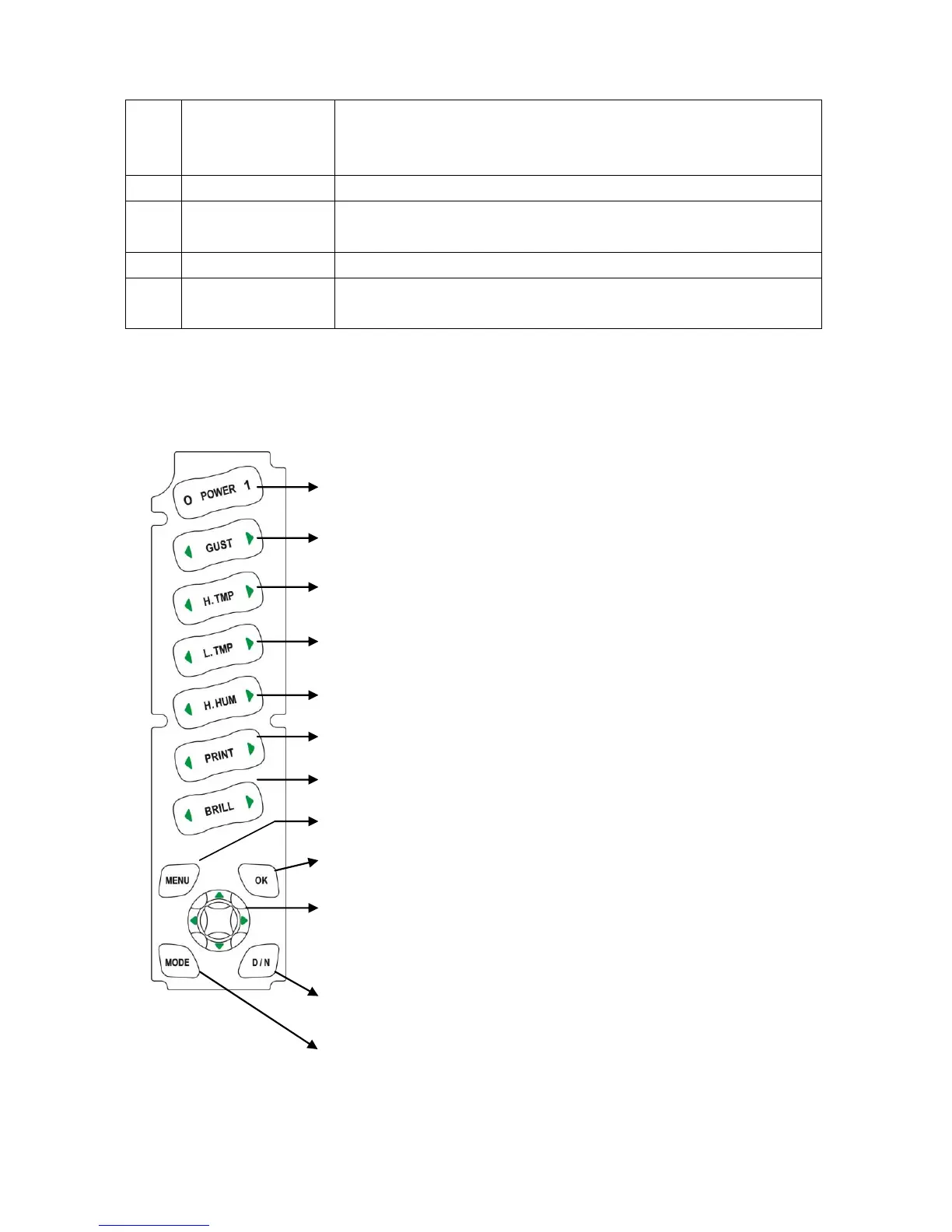
Press [H.TMP] or [L.TMP] to set alarm value or turn off
Press [GUST] to set alarm value or turn off
Press [MENU] to open the window and observe input
signal
High Temperature Alarm:-20~80℃、OFF
Low Temperature Alarm:OFF、-20~80℃
High Humidity Alarm:OFF、1~99%RH
Print Setup:off、5s、15s、30s、60s
Brightness:Adjustable 8 levels,dim ~ bright
[OK]:In menu, press [OK] to save settings
and exit
Direction Key:In menu, up/down keys for options and
left/right keys for parameters
parameters
[MODE]:Switch relative and true mode
[D/N]:Switch day and night display
[MENU]:Open menu and automatically save/exit


 To Next Page