8
Change settings
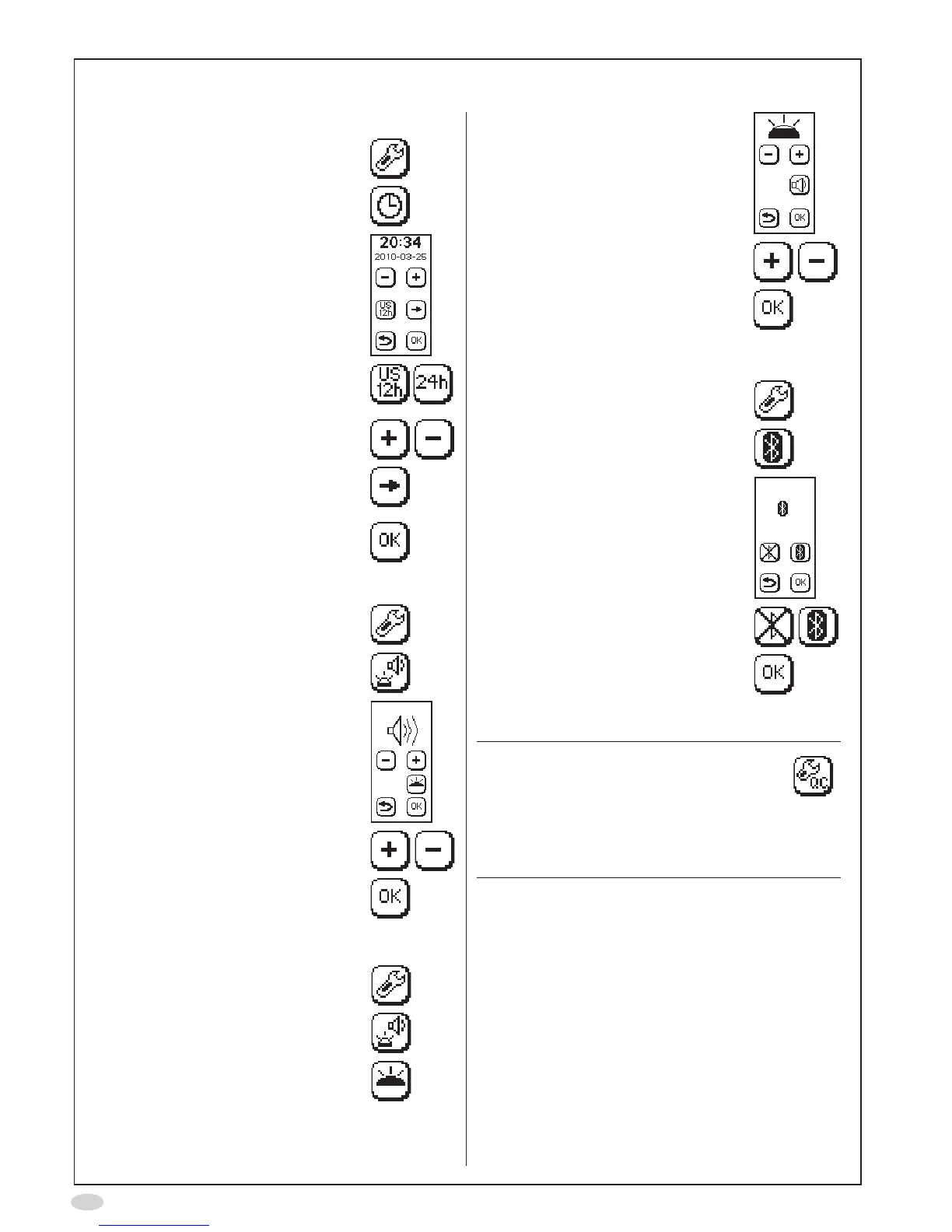
Time and date
1. SelectSettings
2. SelectClock
3. Thetimeanddatesettingsare
shown
4. Selectthetimeformaticonsto
changebetweenUSandISOtime
and date
5. Usetheplusandminusbuttonsto
set the time and date
6. Selecttheforwardbuttonto
changebetweenhour,minute,
year,monthandday
7. SelectOKtoacceptthechanges
Sound volume
1. SelectSettings
2. SelectSoundandLight
3. Thesoundvolumesettingis
shown
4. Usetheplusandminusbuttonsto
set the sound volume
5. SelectOKtoacceptthechanges
Top light intensity
1. SelectSettings
2. SelectSoundandLight
3. Selecttoplight
4. Thetoplightsettingisshown
5. Usetheplusandminusbuttonsto
setthelightintensity
6. SelectOKtoacceptthechanges
Bluetooth on/off
1. SelectSettings
2. SelectBluetooth
3. TheBluetoothsettingisshown
4. Usethebuttonstodeactivateor
activateBluetooth
5. SelectOKtoacceptthechanges
QC on/off
Note!
AnoptionalExternalQualityControl(QC)
procedure is available for NIOX MINO
®
.
RefertotheNIOXMINOExternalQuality
Controlusermanual.Contactyourlocal
CircassiarepresentativeorCircassia
TechnicalSupportforfurtherinformation.


 To Next Page