12
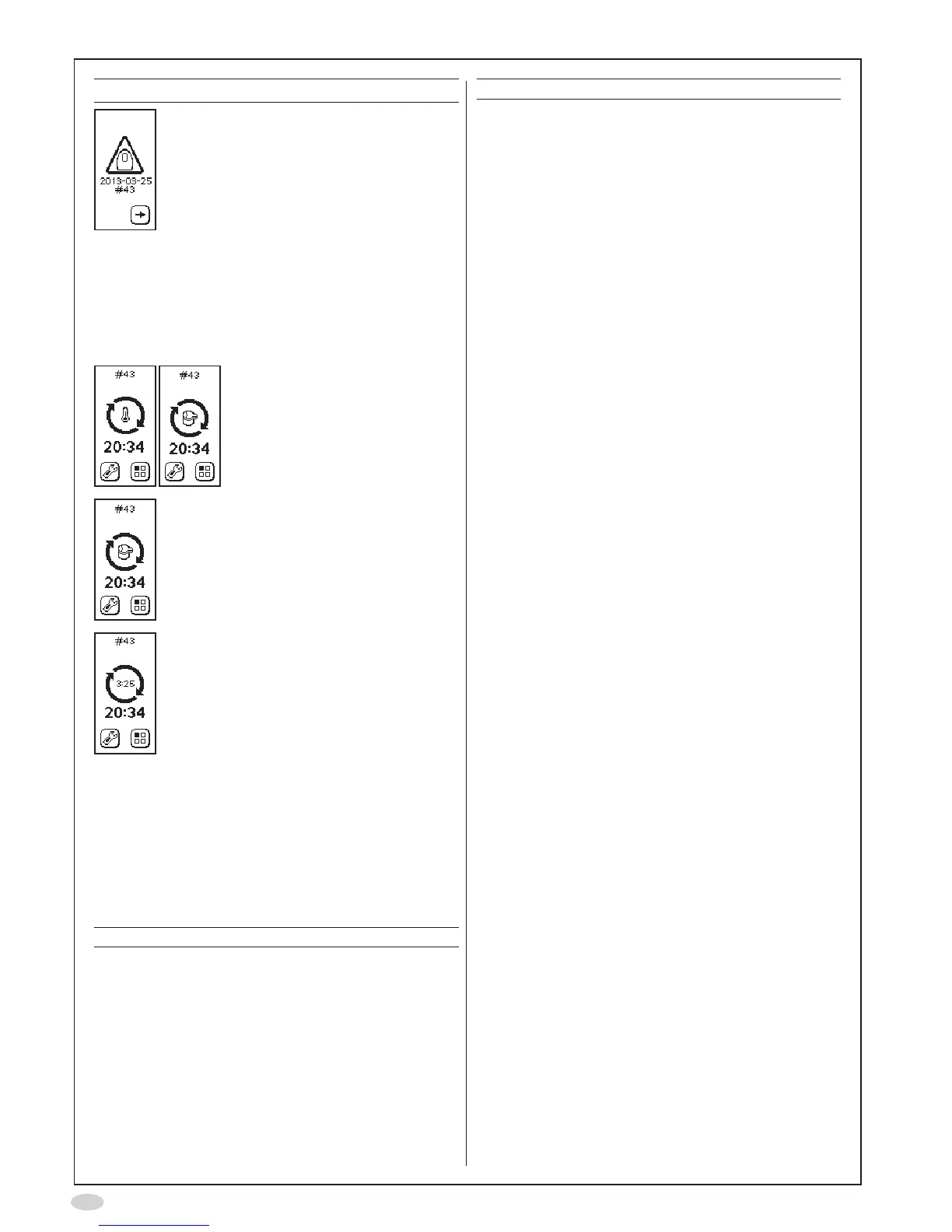
Warning Action
Instrumentalmostexpired–
Orderanewinstrument.
Thesymbolisshown4
months before the
instrumentexpiresorwhen
10%ofthemeasurementsare
remaining.Theinstrumentwill
notworkaftertheindicated
date,oraftertheindicated
numberofmeasurements.
Itisstillpossibletoview
measurements stored in
the instrument memory and
downloaddatatoaPC.
Make sure that the ambient
temperatureisbetween+16
and+30°C.
WaitfortheSensorto
stabilize.
Removeanysourcesof
disturbance(suchascordless
ormobiletelephones,orgas
emittingappliances).Waitfor
theSensortostabilize.
WaitfortheSensorto
stabilize.
<4minutes(countdown
started).
Alert codes
Alertmessagesandotherinformationareshown
ascodesatthetopoftheinstrumentdisplay.The
tablebelowprovidestherecommendedactionsto
betakenforanalertcode.Ifalertpersists,contact
yourlocalCircassiarepresentativeorCircassia
TechnicalSupport.
Code Action
User alerts
A10 Exhalationtoostrong.Selectreturnand
repeatthemeasurementwithlessforce.
A11 Exhalationtooweak.Selectreturnand
repeatthemeasurementwithgreater
exhalation force and exhale until the
signalforcompletedexhalationisheard.
A12 Noexhalationdetected.Selectreturnand
repeat the measurement and exhale into
theinstrumentdirectlyafterinhalation.
Code Action
A13 Selectreturnandrepeatthe
measurementanddonotbreathethrough
thepatientlterduringanalysis.
A14 WrongpasscodeforNOscrubber
exchange.
Instruments alerts
A20 Checkthattheambienttemperatureis
withinspecication.Ifnecessary,shut
theinstrumentdown,moveittoanother
locationandrestarttheinstrument.
A21 Removeanysourcesofdisturbance
(suchascordless/mobiletelephones,
orgasemittingappliances).Whenthe
instrument is ready try to repeat the
measurement.Ifthealertpersists,unplug
andreconnectthepowersupplyunitto
restarttheinstrument.
A22 Unplugandreconnectthepowersupply
unittorestarttheinstrument.
A23 Removeanysourcesofdisturbance
(suchascordless/mobiletelephones,
orgasemittingappliances).Whenthe
instrument is ready try to repeat the
measurement.Ifthealertpersists,unplug
thepowersupplyunit,removeand
reinserttheSensor,reconnectthepower
supplyunitandrestarttheinstrument.
A24 Checkthatthesupplyvoltageiswithin
specication.Ifnecessaryreplacethe
powersupplyunit.
Connection alerts
A30 ChecktheBluetoothconnectiontothe
PC
A31 ChecktheUSBconnectiontothePC
Instrument and Sensor expiration alerts
A90 Instrument expiration date has passed
or all instrument measurements have
beenused.Itisstillpossibletoview
measurements stored in the instrument
memoryanddownloaddatatoaPC.
A91 Sensorexpirationdatehaspassedorall
measurementsontheSensorhavebeen
used.ReplacetheSensor.


 To Next Page