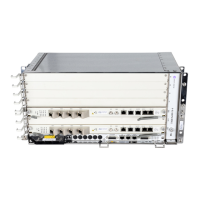
7750 SR ESA 100G Chassis Installation Guide
Release 20.5
Installation
Issue: 01 3HE 16094 AAAA TQZZA 33
4.2 Connecting to AC Power
The following AC power cables are used with the 7750 SR ESA 100G:
• NEMA 5-15P to EC 60320 C13 10A/110V, 1.8 meter (USA, Canada,
South America)
• NEMA 6-15P to EC 60320 C13 10A/220V, 1.8 meter (USA, Canada,
South America)
• CEE 7/7 to EC 60320 C13 10A/220V, 2.8 meter (Continental Europe)
• BS 1363 to EC 60320 C13 10A/220V, 2.8 meter (UK, Hong Kong, Singapore)
To connect the chassis to a power source:
Step 1. Verify that the plug-in AC power source has the following rating:
6.85A/100 V to 2.85A/240 V, 50/60 Hz.
Step 2. Plug the power cable into the AC PSUs.
Step 3. Power on the unit by plugging the other end of the power cable into the
AC power source.
Step 4. Ensure that the power LED on the front panel is lit.
Warning: To comply with the GR-1089 Lightning Criteria for Equipment Interfacing With AC
Power Ports, an external Surge Protective Device is intended to be used at the AC input of
the unit.






 To Next Page