134
Internet
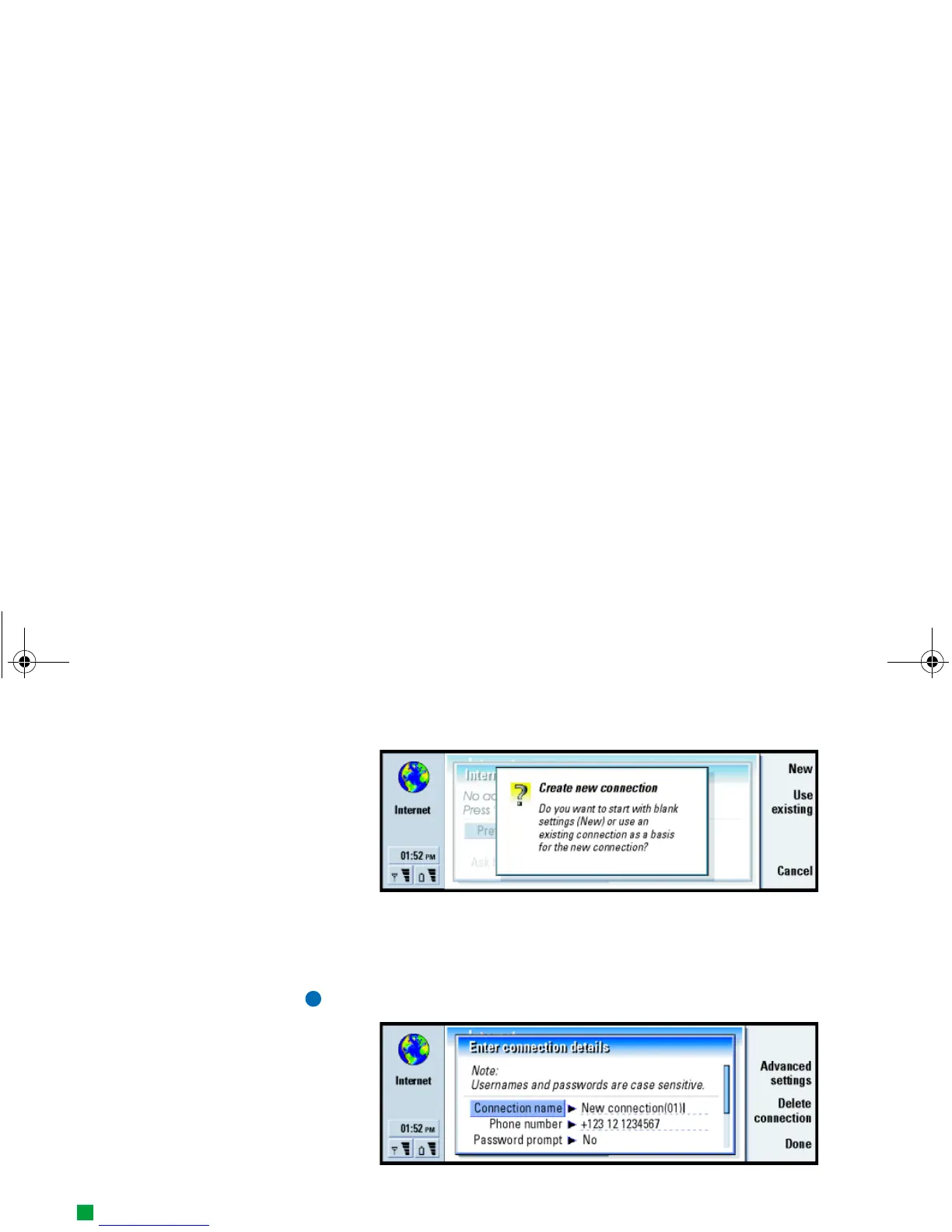
Figure 52
2 If you already have connections defined, you can use an existing connection as
a basis for the new connection. After you have pressed New, press Use existing.
Choose the connection you want from the list which appears, and press OK.
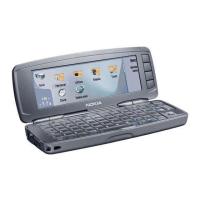
3 A dialog on connection details opens. See Figure 53.
Note: The exact values for the settings are provided by your ISP.
Figure 53
4 Define the following:
Tip: All your connections
should have different
names.
Connection name: Give a descriptive name for the connection.
Phone number: The modem telephone number of the IAP.
Linda1.book Page 134 Friday, April 12, 2002 8:31 PM



 To Next Page