74
Telephone
1 If you already have an active call and a call on hold, drop one of the calls or
merge them into a conference call.
2 Press New call and make the new call. The previous call will be put on hold.
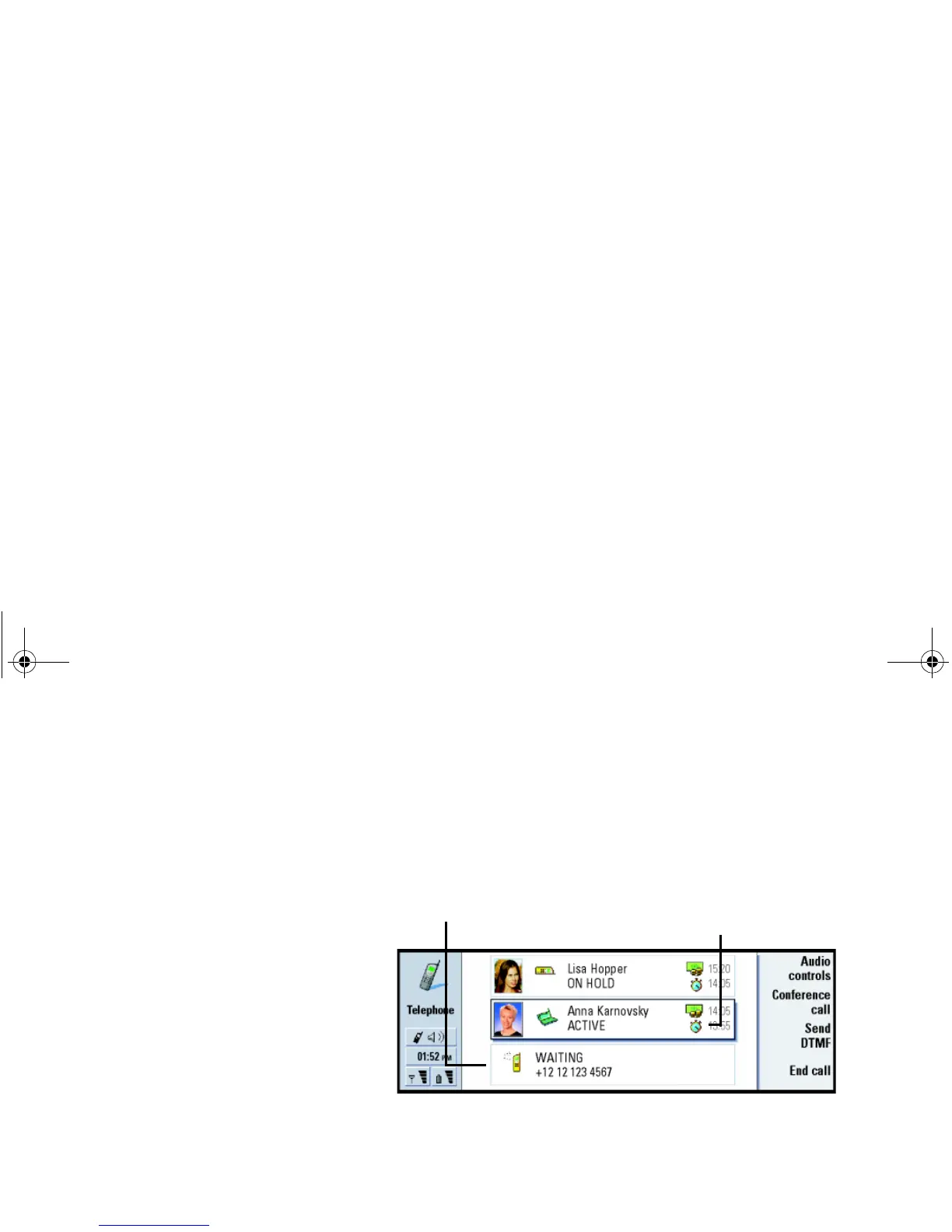
3 To switch between calls, use the Arrows key. The active call is framed with a
dark line. The command buttons change according to the status of the selected
call. For example, a call on hold can be changed to an active call by highlighting
it with the Arrows key and then pressing Activate.
Figure 19
4 To end a call, select the call you want to end with the Arrows key and press End
call.
To make conference calls
The conference call is a network service. Contact your network operator to check
if this service is available. In a conference call, you and up to five persons can hear
each other simultaneously. The display shows a conference call as a single call.
1 Make a call.
This call - with the dark line
Call status icon
Linda1.book Page 74 Friday, April 12, 2002 8:31 PM



 To Next Page