171
Messaging
To connect to your remote mailbox, you need to define a mail account on your
communicator:
1 Press the Menu key in the main view of the Messaging centre and select Tools
> Account settings….
2 Press Create new. A selection list of possible account types opens.
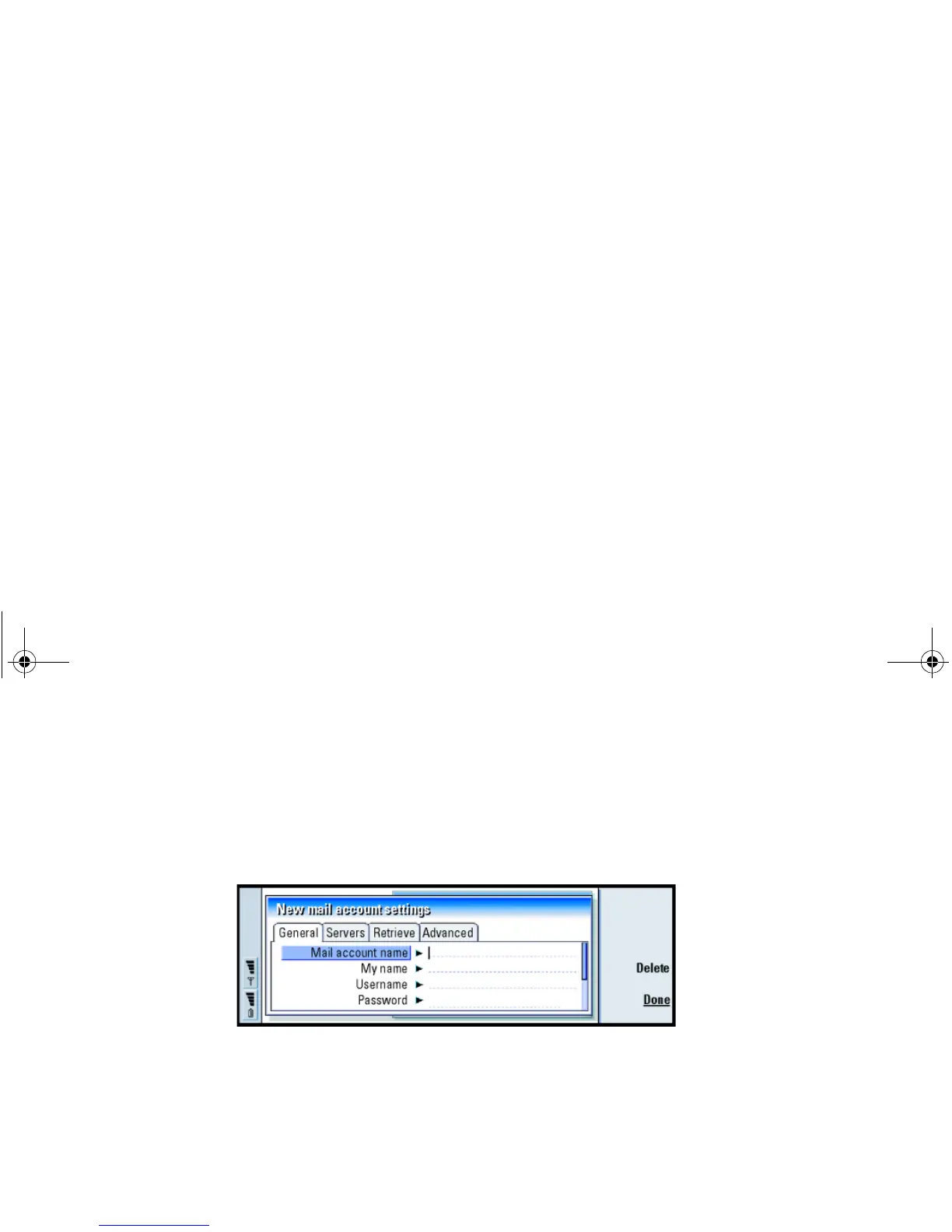
3 Select Mail and press OK. A dialog with four pages opens. See figure 72
Figure 72
4 Define the following:
General page
Mail account name: The name of the remote mailbox. You can type here any name
to describe the mailbox.
My name: Type in your name.
Username: Type in your user name.
Password: Type in your password. If you leave this field blank, you will be prompted
for a password when you try to read mail in your remote mailbox.
My mail address: Type in the mail address given to you by your service provider.The
address must contain the ‘@’ character. Replies to your messages are sent
to this address.
Linda1.book Page 171 Friday, April 12, 2002 8:31 PM



 To Next Page