ACCESS GATEWAY
90 System Administration
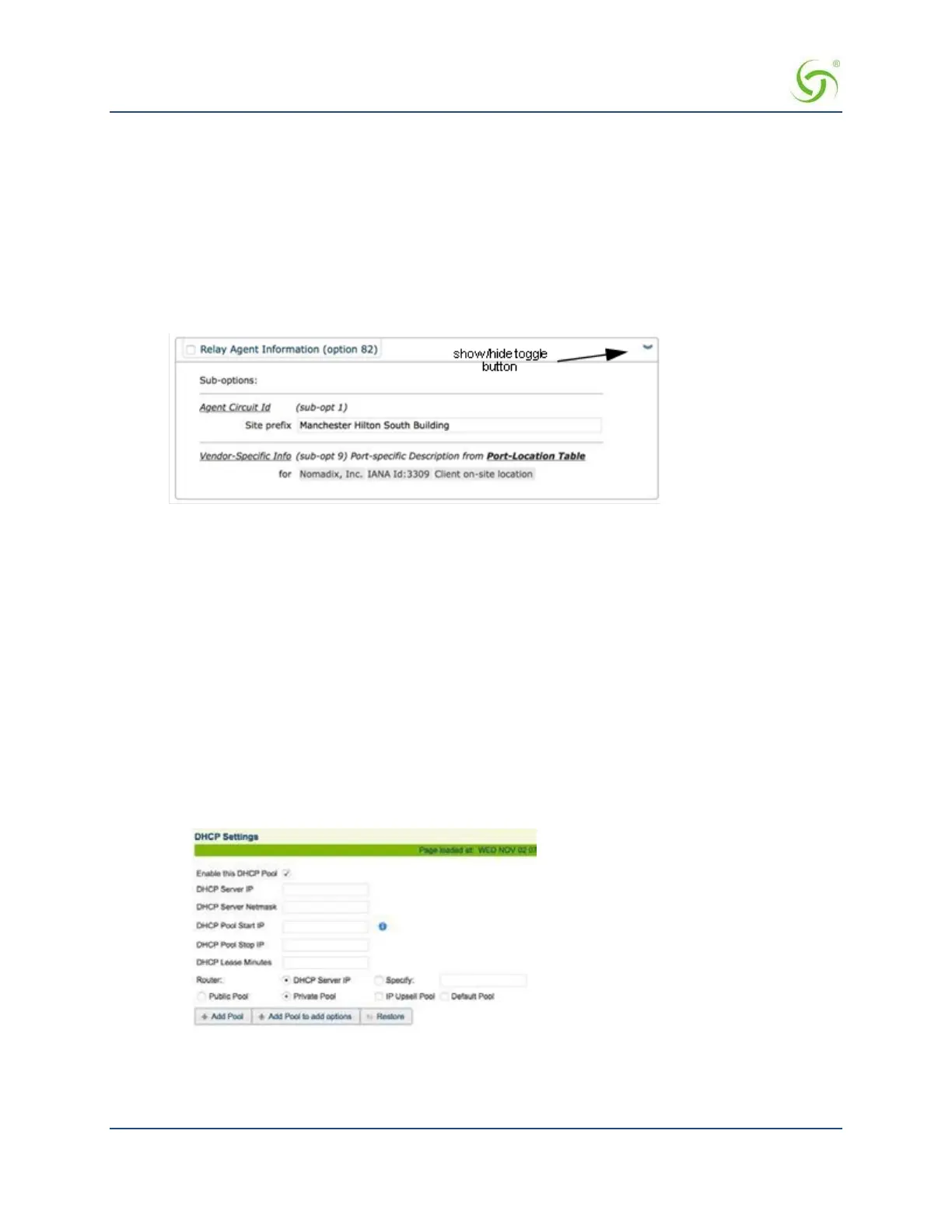
You can set a Site prefix of up to 64 characters. The information also includes:
• Originating NSE physical subscriber port
• VLAN ID of the subscriber
• Nomadix IANA ID
• Port-specific description (view/set in the Port-Location Table).
You can view the Relay Agent Information, or change the Site prefix, by clicking the show/hide toggle
button on the screen.
6.
If you want the Access Gateway to act as its own DHCP Server (you did not enable the DHCP Relay),
enable it now.
7.
If required, you can make the DHCP Server feature Subnet-based by checking the appropriate box.
8.
If required, enable the IP Upsell feature.
System administrators can set two different DHCP pools for
the same physical LAN. When DHCP subscribers select a service plan with a public pool address, the
Access Gateway associates their MAC address with their public IP address for the duration of the
service level agreement. The opposite is true if they select a plan with a private pool address. This
feature enables a competitive solution and is an instant revenue generator for ISPs. The IP Upsell
functionality solves a number of connectivity problems, especially with regard to certain video
conferencing and online gaming applications.
The NSE provides additional flexibility for configuring upsell scenarios. Users can be assigned WAN’s
of different bandwidth capabilities; for example, for hotel guests of stature or for premium payment.
9.
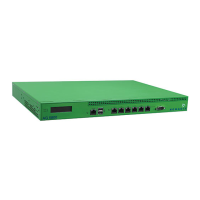
If you want to add a new DHCP Pool, click on the Add button. The DHCP Settings screen displays
fields for the new pool:
10.
Enter a valid DHCP Server IP address for the DHCP server.
11.
Enter the DHCP Server Netmask.
12.
Enter the starting and ending IP addresses for the DHCP address pool you want to use:


 To Next Page