ACCESS GATEWAY
142 System Administration
Zone Migration
Zone migration is an expansion of the NSE’s “re-login after migration” capability, which currently allows the
system to force a subscriber to log in again if the subscriber moves from one port location to another. Zone
migration significantly expands this capability via the following means:
It allows the creation of multiple zones, which are then constituted by groupings of multiple port
locations. These groupings can be made up of any combination of desired ports (port values do not
have to be sequential in order to be grouped within a given zone).
The re-login requirement can then be configured so that subscribers can move from one port to
another within a zone without being required to re-login. However, when moving between ports in
different zones, the re-login requirement is enforced.
It is also possible to configure a zone so that migration between ports within the zone requires the
user to re-login.
In addition, the re-login after migration function was previously limited to RADIUS and PMS
users. This capability has now been extended to other subscriber login types.
1.
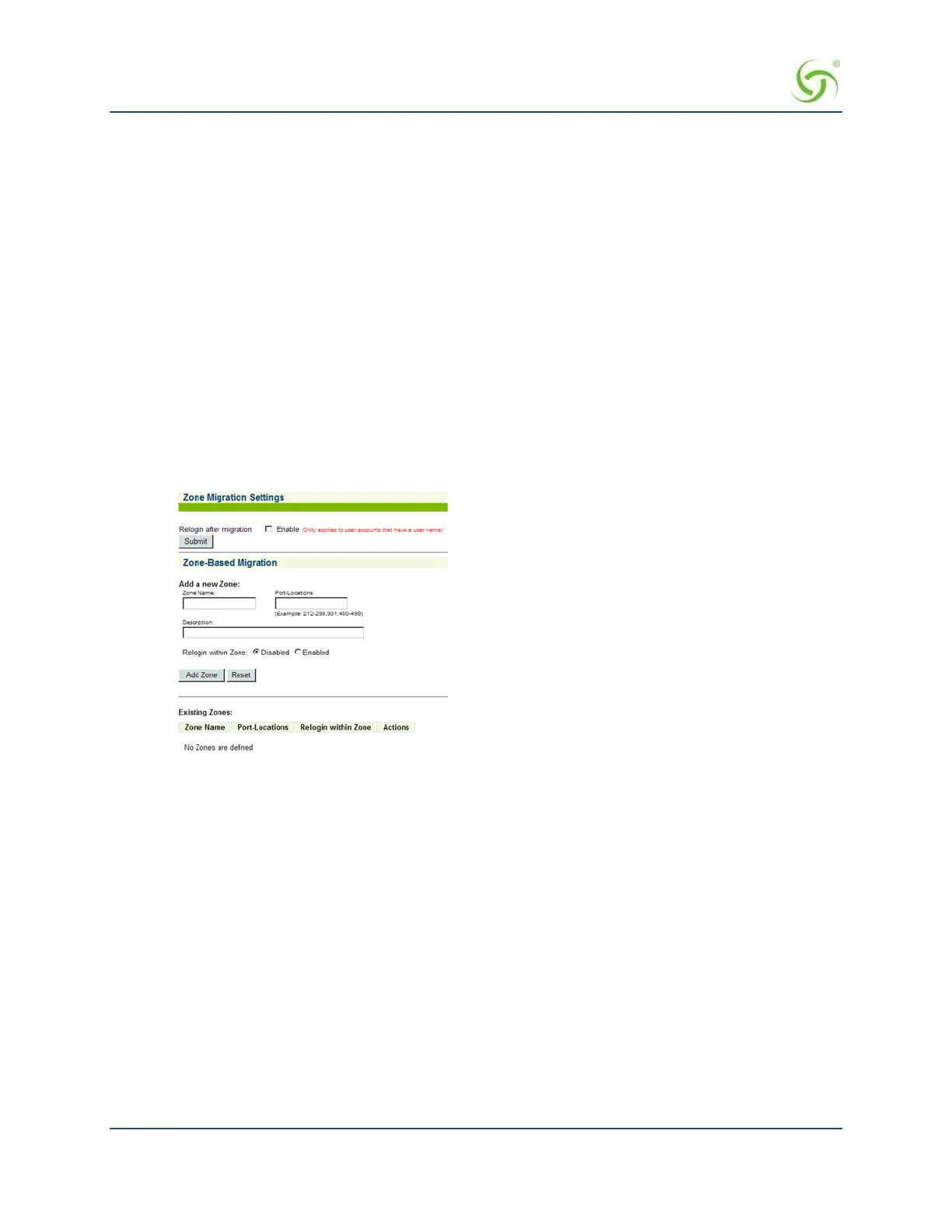
From the Web Management Interface, click on Configuration, then Zone Migration. The
Zone Migration
Settings screen appears:
2.
Select Relogin after migration to enable the Zone Migration feature.
Add a new Zone
In the
Zone-Based Migration section, new zones can be added and initially configured, using the following
parameter fields.
In each of these fields, any leading or trailing spaces will be removed by the NSE when the
page is submitted:
Zone Name – Allows entry of a name appropriate for the zone to be created. The name must be
unique, cannot exceed 16 characters, and cannot contain characters that are not alphanumeric, dash,
underscore, or space.
Port-Locations – This is where the port configuration for the zone is entered. The data must be
entered as a string between 1 and 128 characters in length. The string must contain either an
individual numeric value ("211"), a comma-separated list of numeric values ("211, 212"), a range of
numeric values with dash-separated delimiters ("211-899"), a list of ranges of numeric values
("211-300, 301-899"), or a comma- separated list of individual numeric values and ranges ("211,
212, 213-899").
Description – Allows entry of a description for the zone. This must be a string between 0 and 128
characters in length, and cannot contain characters that are not alphanumeric, dash, underscore, or
space.



 To Next Page