ACCESS GATEWAY
System Administration 137
Specify DAT Trap Interval (15-600) sec
check the box to enable Ethernet Link Traps
Your SNMP manager needs this information to enable network management over the Internet.
5.
Click on the Save button to save your changes, or click on the Restore button if you want to reset all
the values to their previous state.
You can now use your SNMP client to manage the Access Gateway via the Internet.
Enabling Dynamic Multiple Subnet Support (Subnets)
Nomadix’ dynamic multiple subnet support allows you to create flexible and cost-effective IP pool solutions
to meet the demands of complex networks in large residential and public access networks. For example, you
can define the user's subnet via the management interfaces.
1.
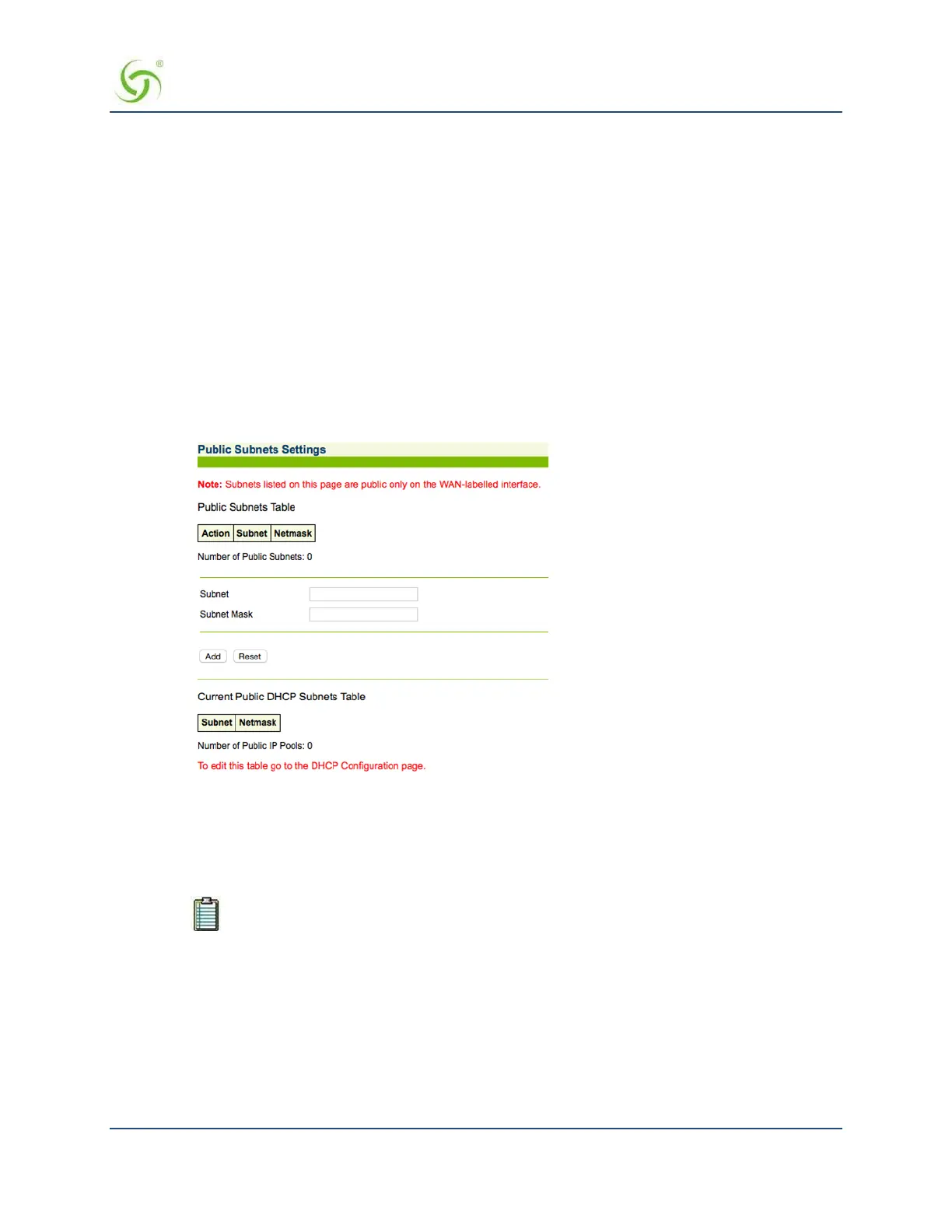
From the Web Management Interface, click on Configuration, then Subnets. The Public Subnets
Settings screen appears:
To add a Subnet
2.
Enter a valid IP address for this subnet in the Subnet field.
3.
Enter the subnet mask for this subnet in the Subnet Mask field.
4.
Click on the Add button to add a new public subnet.
To edit the “Current Public DHCP Subnets” table, go to Managing the DHCP service
options {DHCP} on page 88.
For additional information about the multiple subnet feature, go to Contact
Information on page 268 for Nomadix Technical Support.
Displaying Your Configuration Settings {Summary}
You can display a summary listing of all your current Configuration settings.
To view the summary listing, go to the Web Management Interface, click on Configuration, then click on
Summary.



 To Next Page