ACCESS GATEWAY
System Administration 193
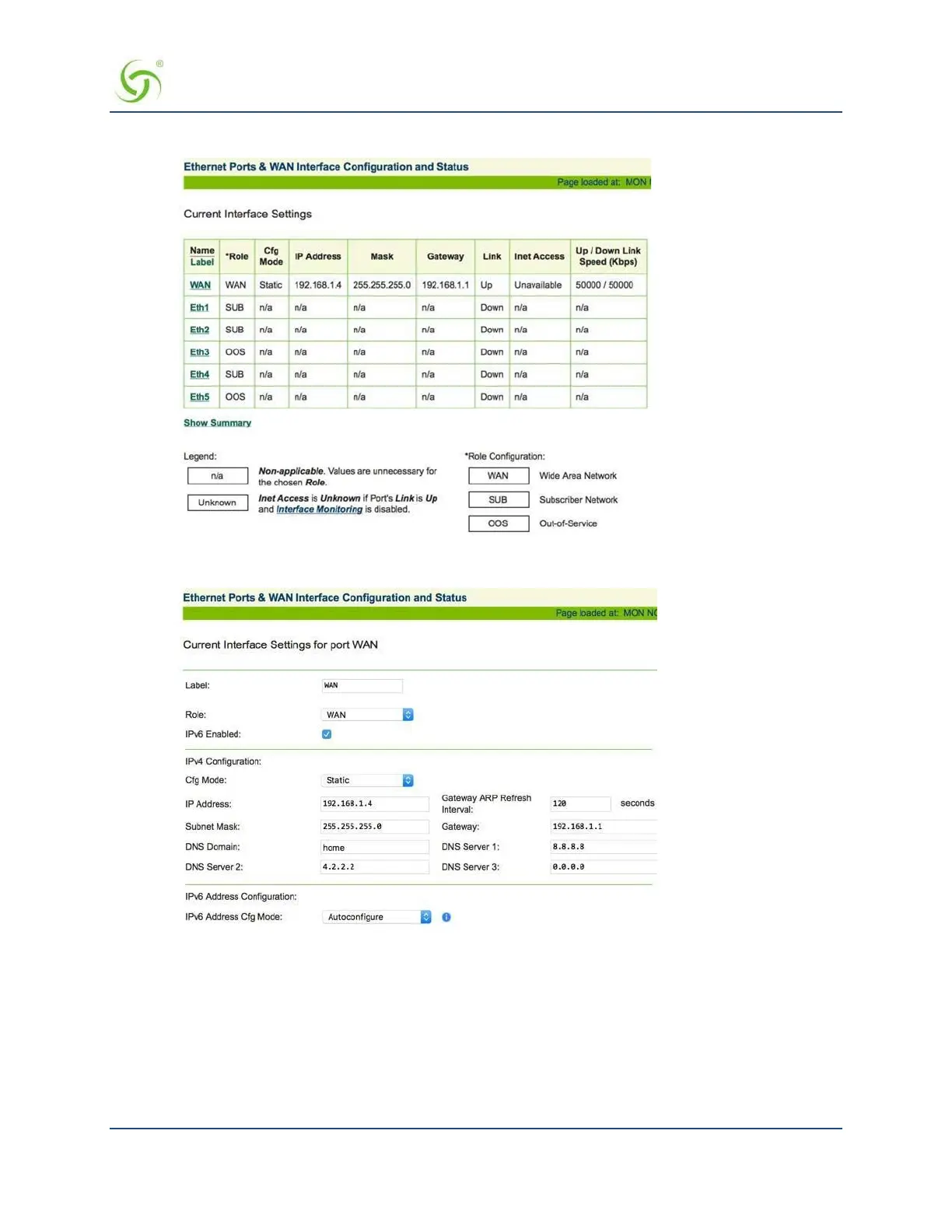
1. Choose Configuration>Ethernet Ports/WAN.
2. Click the interface you wish to configure (in this example, the WAN interface).
3. Enter the desired value for the Gateway ARP Refresh Interval. Press Enter to accept the new value.
Enabling the Bridge Mode Option {Bridge Mode}
Bridge Mode allows complete and unconditional access to devices on the subscriber side of the Access
Gateway. When the Bridge Mode option is enabled, the Access Gateway is effectively transparent to the
network in which it is located, allowing clusters of switches (especially Cisco Systems switch clusters) to be
managed using the STP (Spanning Tree Protocol), or any other algorithm/protocol. The Access Gateway
forwards any and all packets (except those addressed to the Access Gateway network interface). The packets



 To Next Page