ACCESS GATEWAY
System Administration 141
Host IP address (for example, 1.2.3.4)
Host DNS name (for example, www.yahoo.com)
DNS domain name (for example, *.yahoo.com, meaning all sites under the yahoo.com
hierarchy, such as finance.yahoo.com, sports.yahoo.com, etc.).
The system administrator can dynamically add or remove specific IP addresses and domain names to be
filtered for each property.
1.
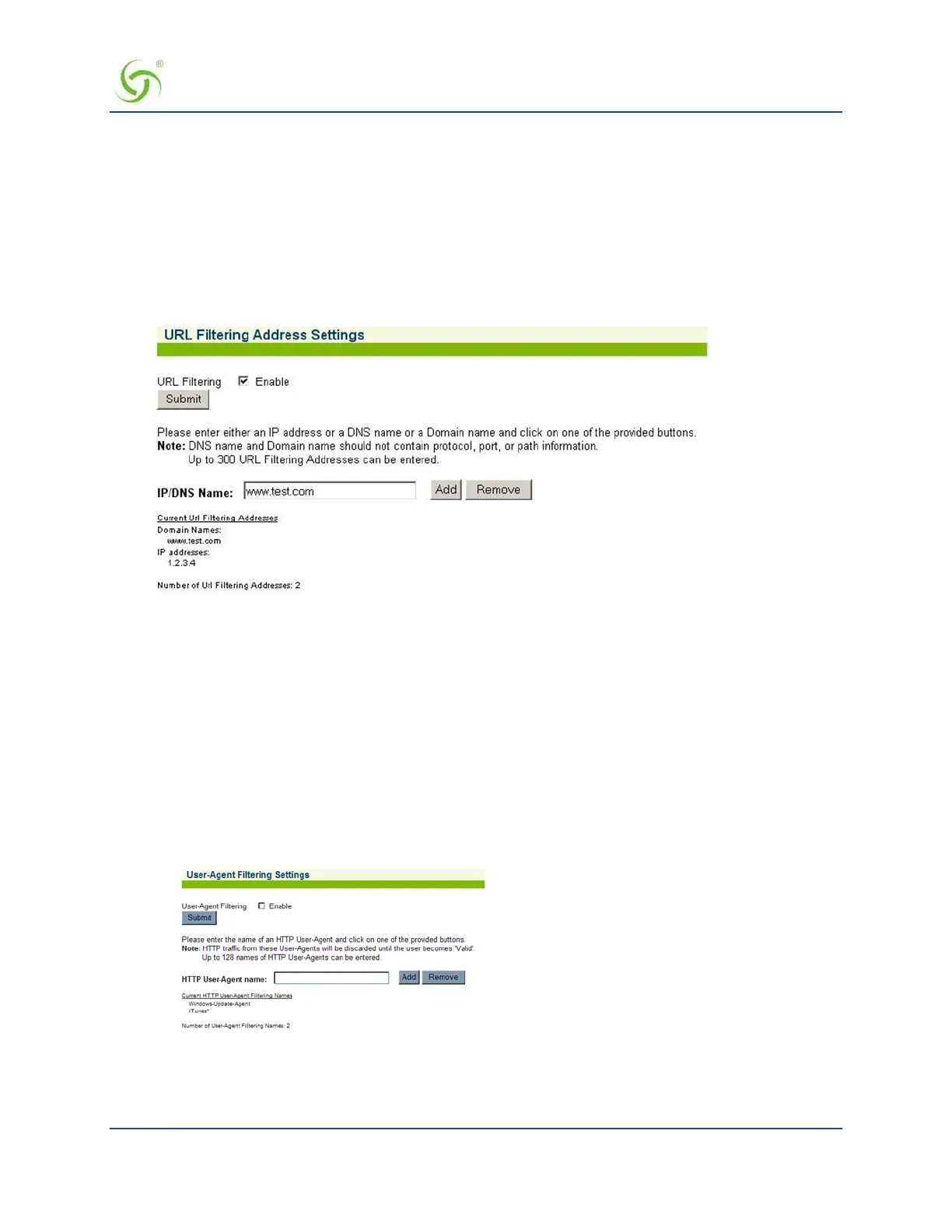
From the Web Management Interface, click on Configuration, then URL Filtering. The
URL Filtering Address Settings screen appears:
2.
If you want to enable this feature, click on the check box for URL Filtering.
3.
Click on the Save button to save your setting.
4.
If URL Filtering is enabled, you can add (or remove) up to 300 addresses in the IP/DNS
Name
field. After
entering the address you want to add, simply click on the
Add button (the address will be added to the
displayed list). Add or remove addresses, as required.
Selecting User Agent Filtering Settings
The Access Gateway can ignore traffic being generated by unsubscribed user devices that are not accessing
walled garden sites or an unauthenticated users.
1.
From the Web Management Interface, click on Configuration, then User Agent Filtering. The User
Agent Filtering Settings screen appears:
2.
Enable User-Agent Filtering to use the filtering capabilities for the User-Agents.
3.
Add the names of the different User-Agents that you want to filter to the HTTP User- Agent name field.
Windows Update and Apple iTunes are default filtered Agents.



 To Next Page