ACCESS GATEWAY
System Administration 103
Adding a new IPSec tunnel peer
1.
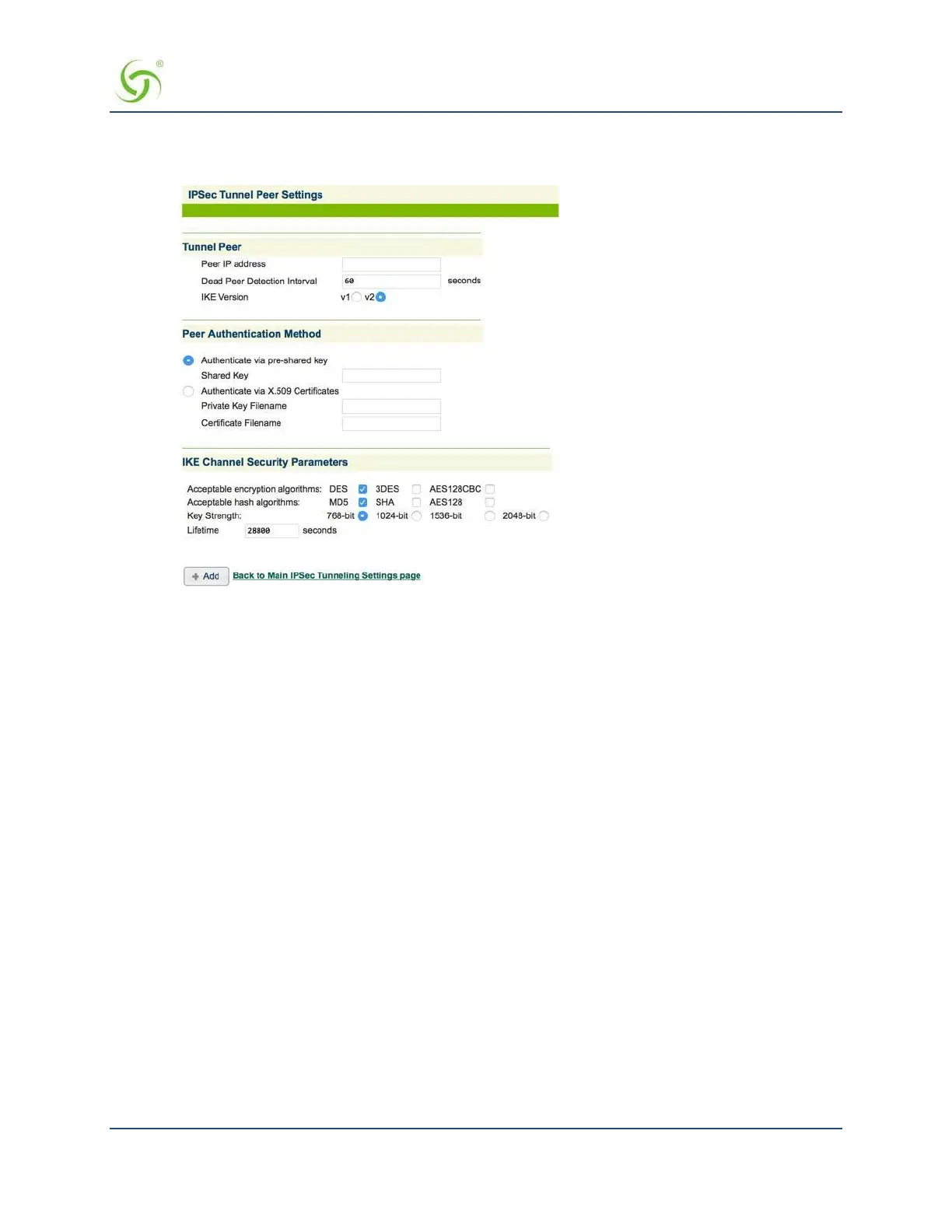
Click the Add button in the IPSec Tunnel Peers table. The IPSec Tunnel Peer Settings screen opens.
2.
Enter the IP address of the peer in the Tunnel Peer field.
3.
Enter a Dead Peer Detection interval (integer value in seconds).
4.
Select the Internet Key Exchange (IKE) Protocol Version.
5.
In the Peer Authentication Method section, select one of the two peer authentication methods:
Authenticate via pre-shared key – Enter the pre-shared key in the Shared Key field.
Authenticate via X.509 Certificate –
Enter the filename of the private certificate in the Private Key Filename field.
Enter the filename of the public certificate in the Certificate Filename field. Note that the
files must exist on flash first.
6.
In the IKE Channel Security Parameters section, select the following settings:
Acceptable Encryption Algorithms – Check the DES, 3DES, and/or AES128CBC checkboxes (you
must check at least one option).
Acceptable Hash Algorithm – Check the MD5, SHA, and/or AES128 checkboxes (you must
check at least one option).
Key Strength – The options are 768-bit, 1024-bit, 1536-bit, and 2048-bit. The default
setting is
768-bit.
Lifetime – Enter the maximum key lifetime (in seconds). The default setting is 28800.
7.
Click Add to add the IPSec tunnel peer to the IPSec Tunnel Peers table on the IPSec Tunnel
Settings screen.
8.
Click the Back to Main IPSec Tunneling Settings page link to return to the IPSec Tunnel Settings screen.



 To Next Page