24 Barnes & Noble NOOK User Guide
GlowLight
Your NOOK includes GlowLight, a built-in light that enables you to read even in dim lighting conditions.
Turning GlowLight On or O and Adjusting Its Brightness
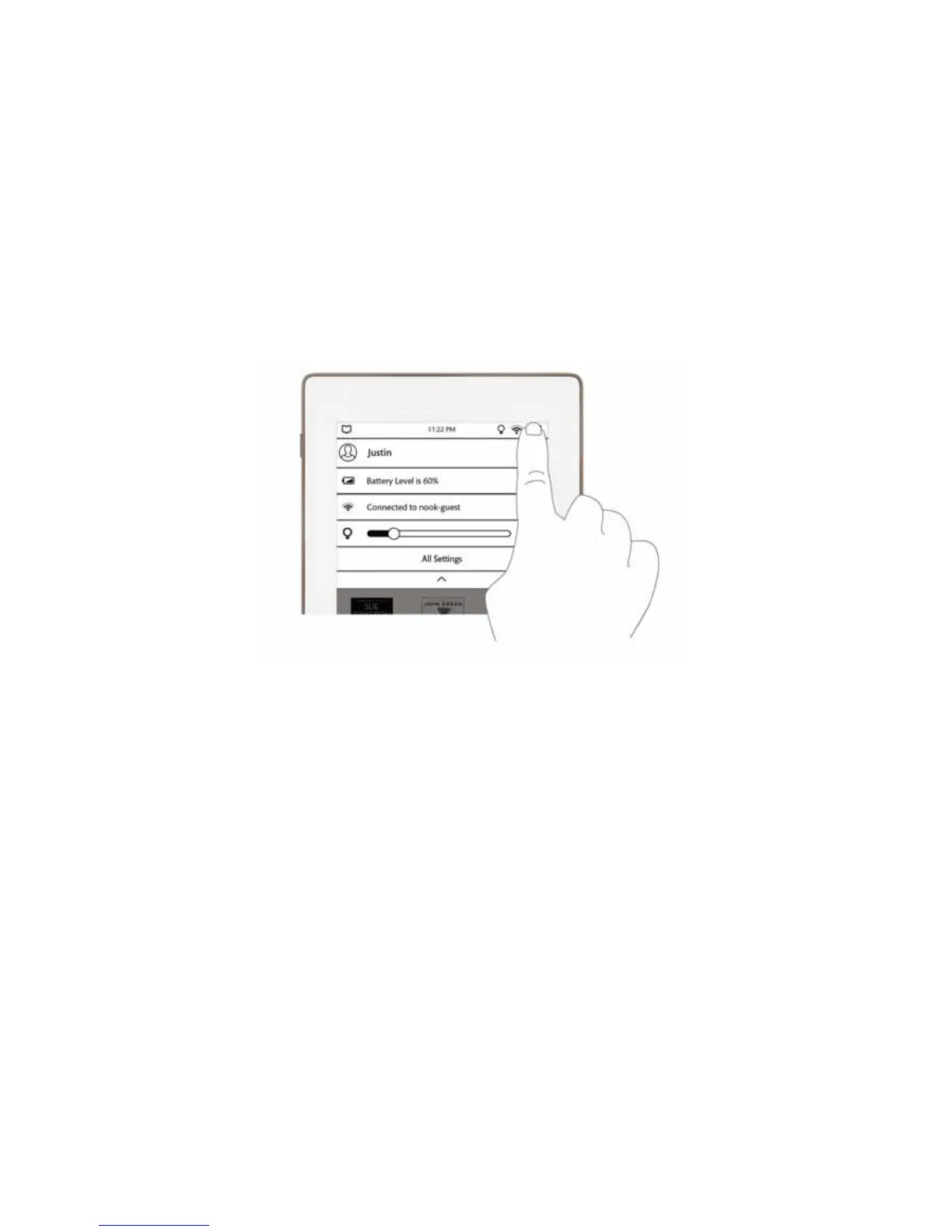
You can also turn GlowLight on or o in the Quick Settings window.
1. On the Home screen, in the Library, in the Shop, on the Search screen, or in Settings, tap the lightbulb icon or
Wi-Fi symbol in the Status Bar.
Your NOOK opens the Quick Settings window.
2. Change the GlowLight setting as you like.
• If GlowLight is o, swipe the GlowLight slidebar to turn GlowLight on. Slide the circle on the slidebar to
make GlowLight bright or dimmer.
• If GlowLight is on, swipe the GlowLight slidebar all the way to the left to turn GlowLight o.
3. To close the Quick Settings window, tap the dark triangle at the bottom of the window, or tap anywhere outside
the window.



 To Next Page