DRAFT
NOT FOR PUBLIC RELEASE
51
www.norcold.com/cda N500/N510 ModelsRefrigerator Service Manual
N510 DIAGNOSTIC MODE
Diagnostic Mode
The Diagnostic Mode uses nine diagnostic channels,
commonly known as "screens," to display "live" inputs,
outputs, and fault history. Each screen is identified by a
number, which shows in the optical control assembly
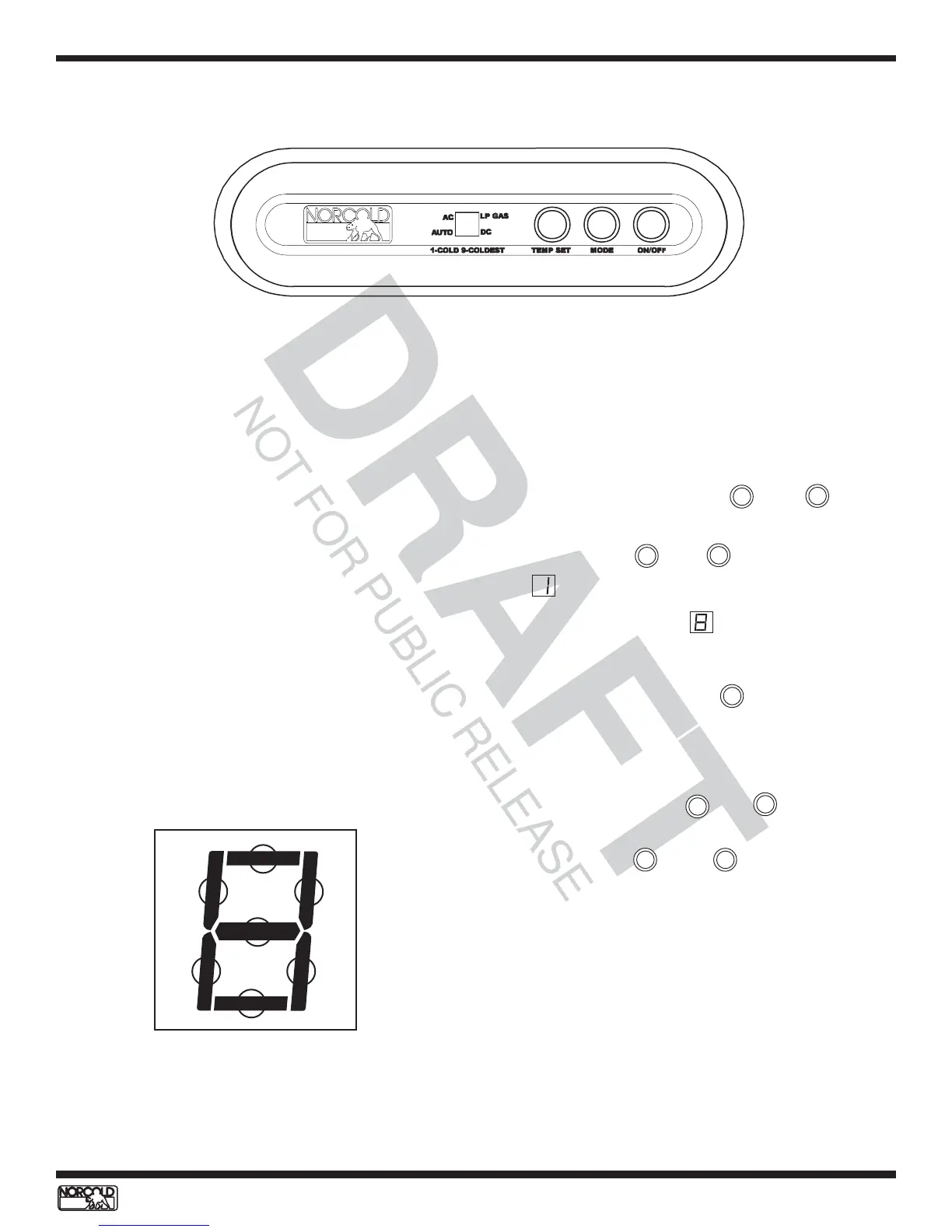
display. See Figure 44.
The N510 optical control display uses a single 7-
segment LED module to display diagnostic information.
Information made up of two letters or numbers displays
in an alternating sequence. Fault history information,
"live" inputs, and outputs, are presented using lighted
LED segments. The diagnostic LED segments, if
present, display after the screen number turns off. The
diagnostic LED segment’s identification numbers are
shown in Figure 45.
Figure 44. N510 Optical Control Assembly.
Figure 45. Diagnostic LEDs segments identification
1
2 3
7
4
5 6
Accessing the Diagnostic Mode
To access the Diagnostic Mode:
1. Press and hold both the and buttons
at the same time.
2. Release the and as soon as screen
displays.
3. A few seconds later, displays.
Changing Screens
To change screens, press the button until the next
screen displays.
Exiting the Diagnostic Mode
To exit the Diagnostic Mode:
1. Press and hold the and buttons at the
same time.
2. Release the and buttons as soon as
the LED segment that represents the selected
operation mode appears on the display (AUTO,
AC, or LP GAS).
Turning the refrigerator OFF then back ON also exits
the Diagnostic Mode.
TEMP SET
MODE
TEMP SET
TEMP SET
MODE
MODE
MODE
MODE
TEMP SET



 To Next Page