24 / Administration
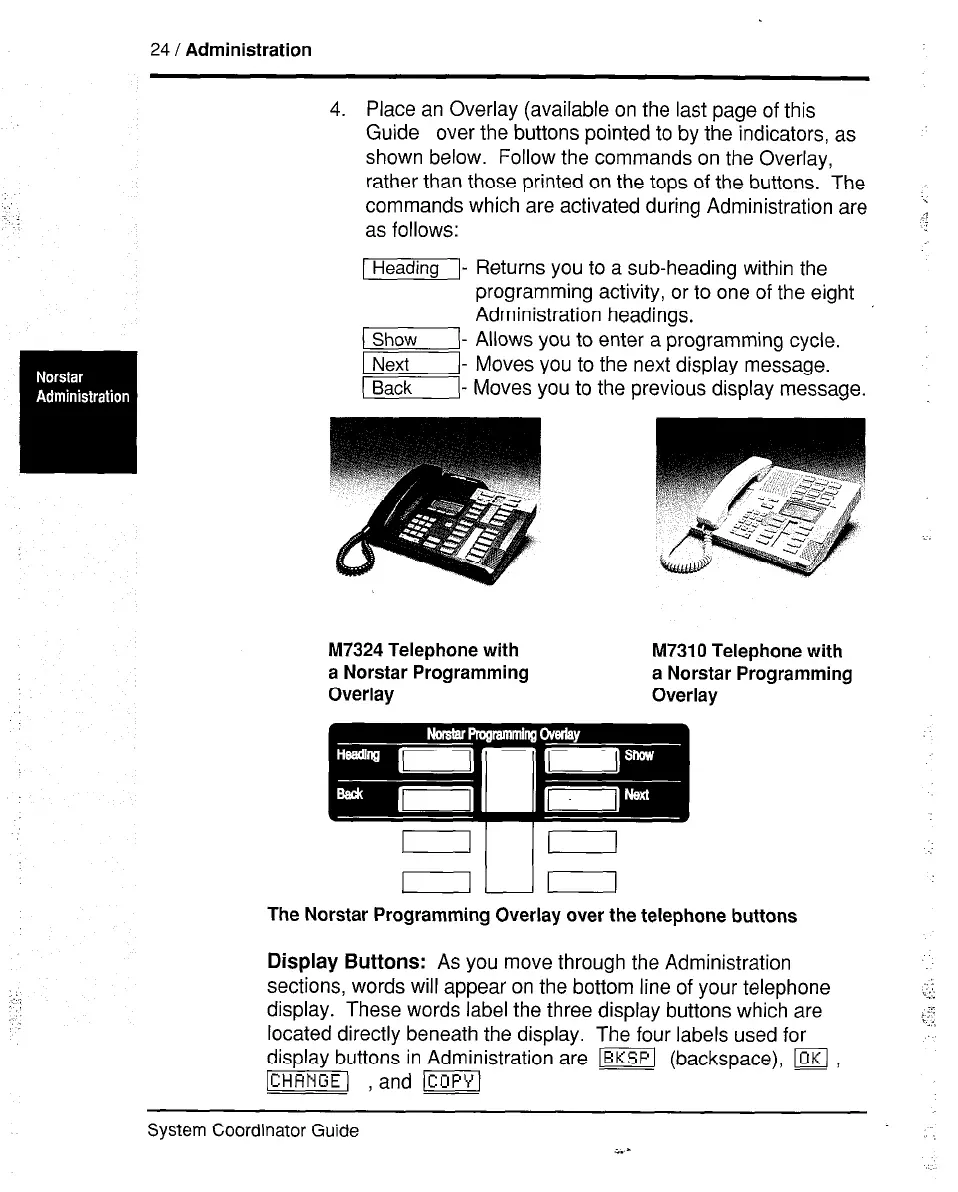
4. Place an Overlay (available on the last page of this
Guide over the buttons pointed to by the indicators, as
shown below. Follow the commands on the Overlay,
rather than those printed on the tops of the buttons. The
commands which are activated during Administration are
1
as follows:
lHeadingI- t R e urns you to a sub-heading within the
programming activity, or to one of the eight
Administration headings.
(I- Allows you to enter a programming cycle.
INext Moves you to the next display message.
(I- Moves you to the previous display message.
M7324 Telephone with M7310 Telephone with
a Norstar Programming a Norstar Programming
Overlay Overlay
The Norstar Programming Overlay over the telephone buttons
Display Buttons: As you move through the Administration
sections, words will appear on the bottom line of your telephone
display. These words label the three display buttons which are
located directly beneath the display. The four labels used for
display buttons in Administration a;e [ml (backspace), w ,
-1 , and m]
System Coordinator Guide :
i.-



 To Next Page