84 / Administration
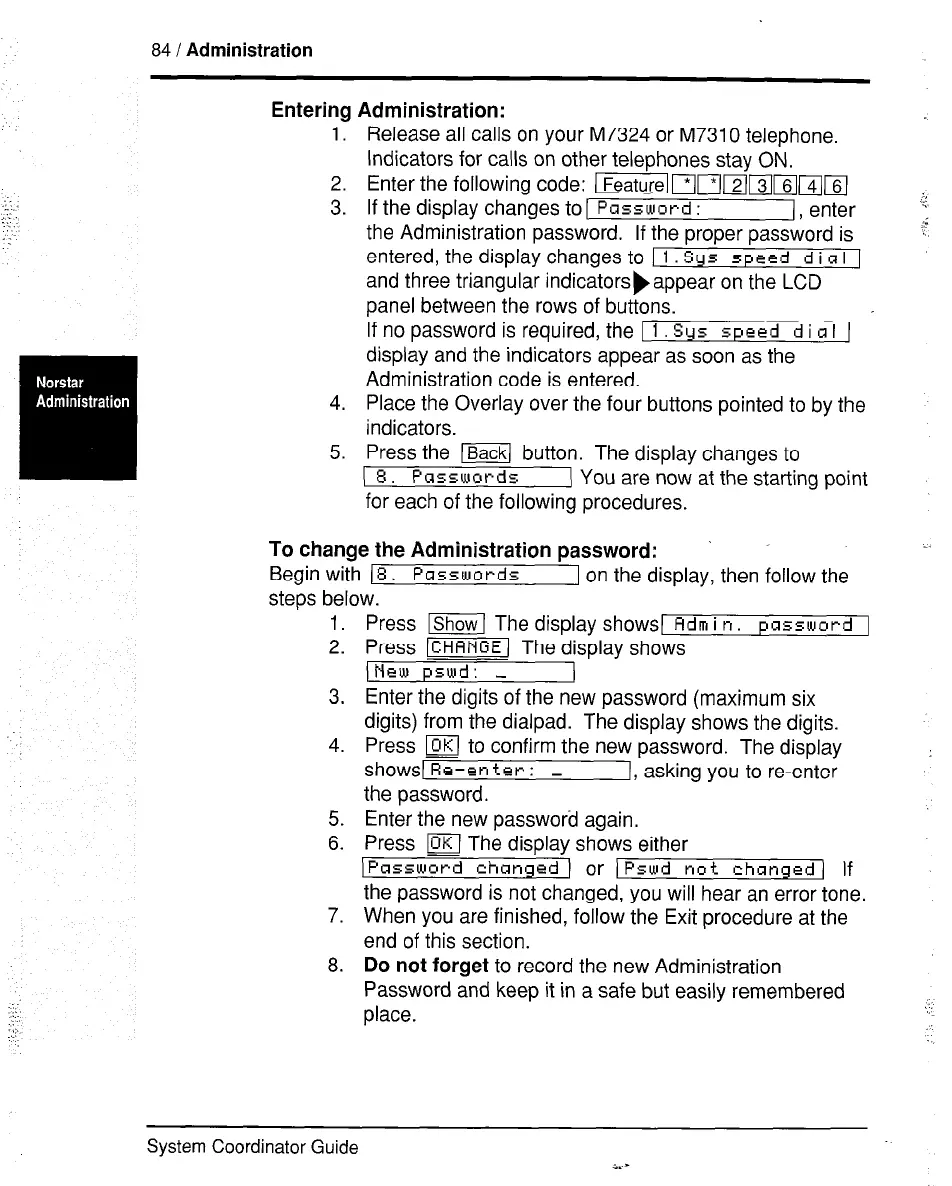
Entering Administration:
1.
Release all calls on your M7324 or M7310 telephone.
Indicators for calls on other telephones stav ON.
2.
3.
4.
5.
Enter the following code: ~~flI~~~~,rZj
If the display changes to [
Pcrssword :
(, enter j
the Administration password. If the proper password is T
entered, the display changes to 1
1 Sys speed d i CI I 1
and three triangular indicatorsbappear on the LCD
panel between the rows of buttons.
If no password is required, the I 1. Sys
speed d i c1 I 1
display and the indicators appear as soon as the
Administration code is entered.
Place the Overlay over the four buttons pointed to by the
indicators.
Press the m button. The display changes to
( 8. Passwords
( You are now at the starting point
for each of the following procedures.
To change the Administration password:
Begin with
(8. Passwords
1 on the display, then follow the
steps below.
-.
1.
2.
3.
4.
5.
6.
7.
8.
Press -1 The display shows1
Adm i n. password 1
Press m The display shows
JNew pswd: -
Enter the digits of the new password (maximum six
digits) from the dialpad. The display shows the digits.
Press m to confirm the new password. The display
shows1 Re-en
tet- : -
1, asking you to re-enter
the password.
Enter the new password again.
Press m The display shows either
IPassword chansed ) or ) Pswd not changed )
If
the password is not changed, you will hear an error tone.
When you are finished, follow the Exit procedure at the
end of this section.
Do not forget
to record the new Administration
Password and keep it in a safe but easily remembered
place.
System Coordinator Guide



 To Next Page