Chapter 5 Advanced Troubleshooting 55
BCM50 Troubleshooting Guide
Example 2: Cannot dial out from a SIP or H323 VoIP trunk
When you cannot dial out from a SIP or H323 VoIP trunk, you may experience the following
problems in your network:
• you are unable to reach a destination number when you dial it
• there is no route to the destination
Use the following procedure when you cannot dial out from a SIP or H323 trunk.
Troubleshooting example 2
1 Check that the LED indicators on the BCM Chassis are solid green.
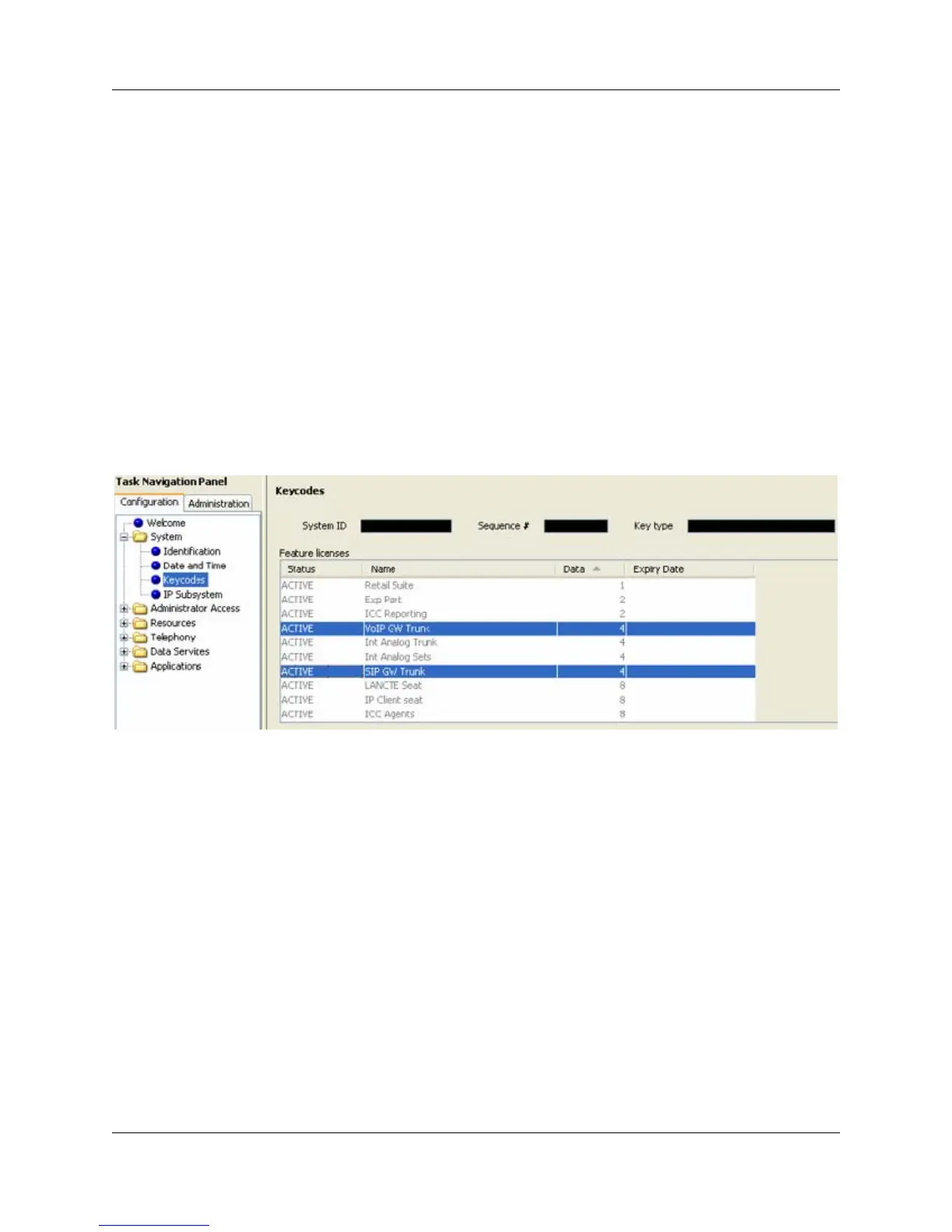
2 From the Element Manager, select Configuration > System > Keycodes to view the list of
installed features.
3 Verify that the appropriate keycode is active. For H323 trunks, the keycode is VoIP GW
Trunk, and for SIP trunks, the keycode is SIP GW Trunk.





 To Next Page