45 AFP-3030 Operations Manual — P/N DOC-01-039:A 26/11/2015
Read Status Monitor Module
Display
Lines 1 through 14 - Refer to the descriptions in Section 3.2, “Smoke Detector”, on page 41.
Line 15 - The current time and date are displayed in this line.
Line 16 - Press
BACK to return to the previous screen.
3.6 Monitor Module
When a module address is entered into the Point Select Screen and the ACCEPT soft key is pressed,
the following screen will display if the point is a monitor module.
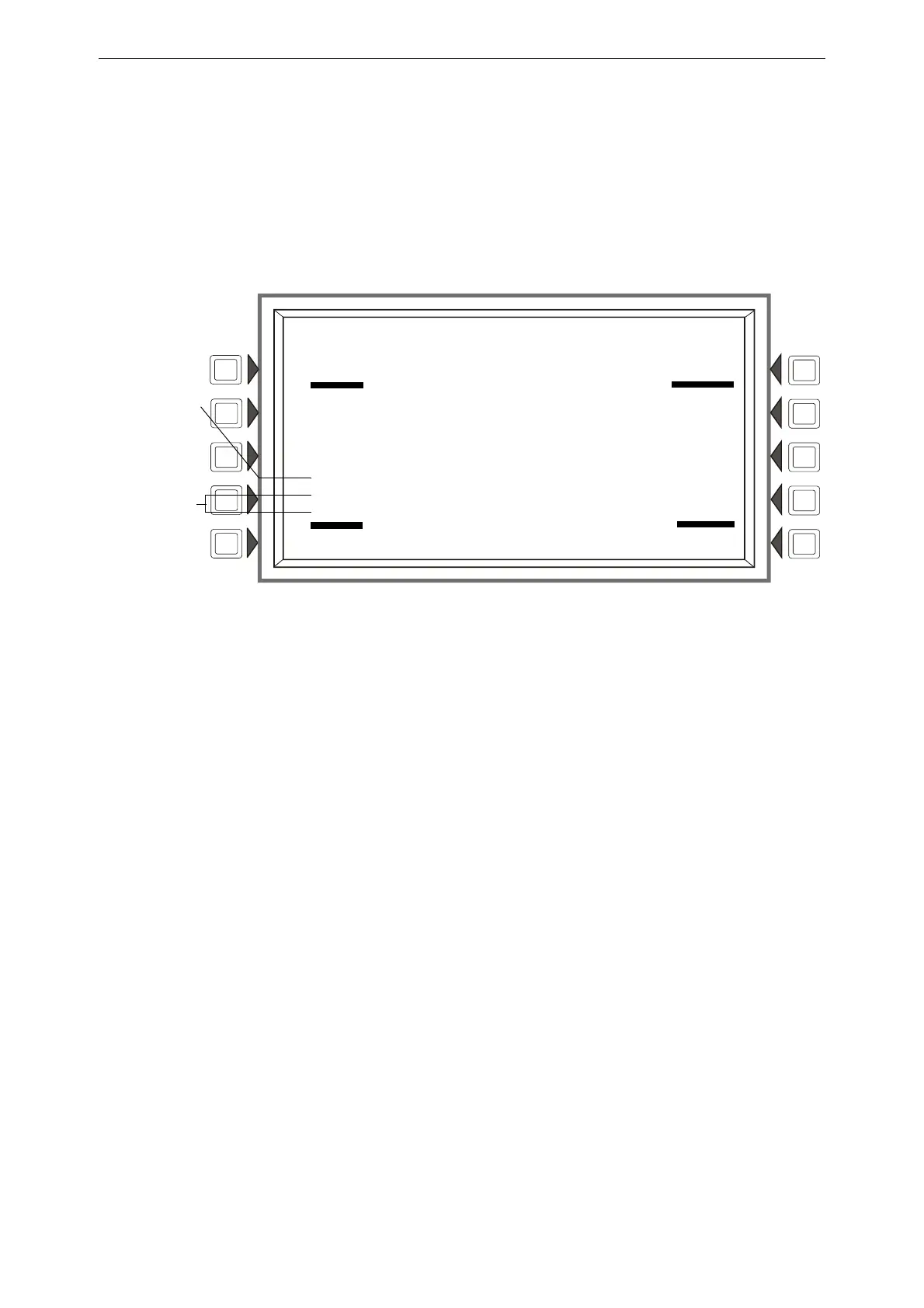
Figure 3.7 Monitor Module Screen - Read Status
Display
Lines 1 through 10 - Refer to the descriptions in Section 3.2, “Smoke Detector”, on page 41.
Line 12 - When a Read Status is performed on an FMM-4-20 module, the current 4-20 mA sensor’s
reading will be displayed in the units specified in point programming.
Lines 13 and 14 - When a module is monitoring an AMPS-24, ACPS-610/E, or an ACPS-2406,
information will appear in these lines in the following format.
BATTERY VOLTAGE: 27.9 VOLTS
CHARGER CURRENT: 0.0 AMPS
Line 15 - The current time and date are displayed in this line.
Line 16 - Press
BACK to return to the previous screen.
LAKEVIEW GENERAL HOSPITAL
SYSTEM NORMAL
10:22:34A TUE JAN 25, 2011
READ ADDRESS: N124L03M052
AUTOMATIC INACTIVE
ELEVATOR LOBBY EAST WING
FIFTH FLOOR Z005 PULL STATION
Z022, Z027, Z066, , ,
, , , , ,
10:22:34A TUE JAN 25, 2011
BACK
Battery voltage
and charger
current will appear
in lines 13 and 14
if the module is
monitoring an
AMPS-24, ACPS-
610/E, or an
ACPS-2406. See
text below.
Current 4-20mA
sensor readings
will appear in line
12. See text below.











 To Next Page