59 AFP-3030 Operations Manual — P/N DOC-01-039:A 26/11/2015
Printing Reports Active Points Report Screen
Soft Keys
SUPERVISION: Press to print information on power supply and printer monitoring. The report
looks like this:
CUSTOM ACTION MESSAGES: Press to print all custom action messages (1-100). The report
looks like this:
EVENT LOGGING: Press to print non-fire and output activations if these events have been chosen
for logging during panel programming. The report looks like this:
5.4 Active Points Report Screen
This screen displays when the ACTIVE POINTS soft key is pressed on the PRINTER FUNC-
TIONS screen (refer to Figure 5.1 on page 56).
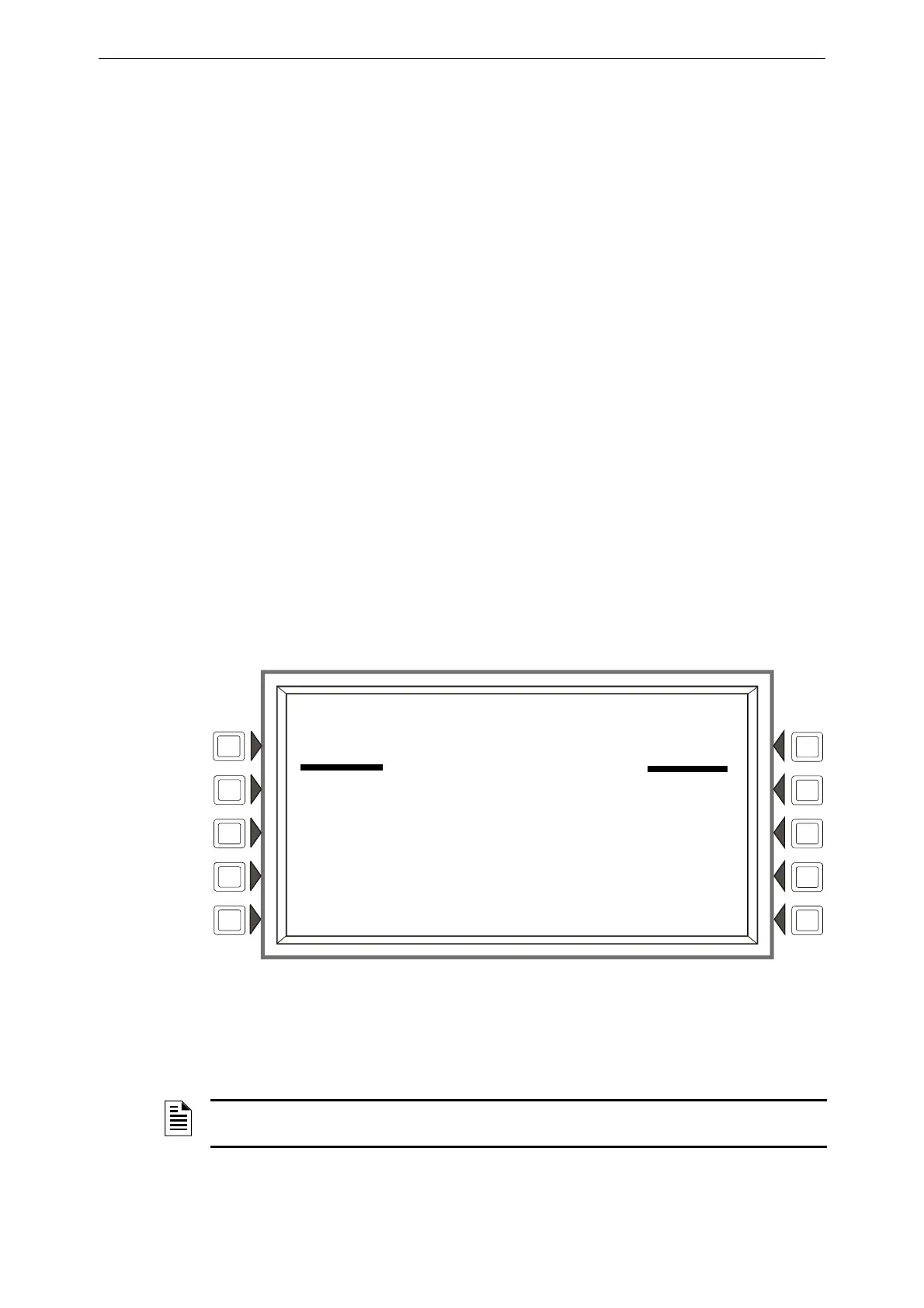
Figure 5.4 Print Active Points Screen
Soft Keys
This screen provides a menu for printing a list of active points for whatever type of list is chosen.
The soft key will display on the screen only if there is at least one event in the queue.
******SUPERVISION***************************************************************
MAIN PS NODE: N023
PRINTER: 80-column
TAMPER INPUT: NO
AUXILIARY FAULT: NO
********************************************************************************
******CUSTOM ACTION MESSAGE*****************************************************
C U S T O M A C T I O N M E S S A G E : 0 0 1
GO TO ALARM SITE AND INVESTIGATE APPROACH THE ALARM LOCATION WITH CAUTION
BRING CELL PHONE AND REPORT WHEN ON SITE
C U S T O M A C T I O N M E S S A G E : 0 0 2
CALL MANAGER WITH REPORT
********************************************************************************
******EVENT LOGGING*************************************************************
NON-FIRE ACTIVATIONS:NO OUTPUT ACTIVATIONS: NO
LOG WIRELESS STATES:NO
********************************************************************************
LAKEVIEW GENERAL HOSPITAL
SYSTEM NORMAL
10:22:34A TUE JAN 25, 2011
ACTIVE POINTS
ALARMS ONLY PREALARMS
FAULTS ONLY DISABLED POINTS
SUPERVISORY ALARMS ACTIVE OUTPUTS
OTHER BACK
NOTE: For a printed list of history information, refer to the history screens in Section 4, “Viewing
and Printing History Information”.











 To Next Page