14
Installing the Optional Antenna
To increase signal strength, you can install an optional antenna. To purchase the optional antenna
for the Wireless Home Phone, please visit www.verizonwireless.com or go to a Verizon Wireless
store.
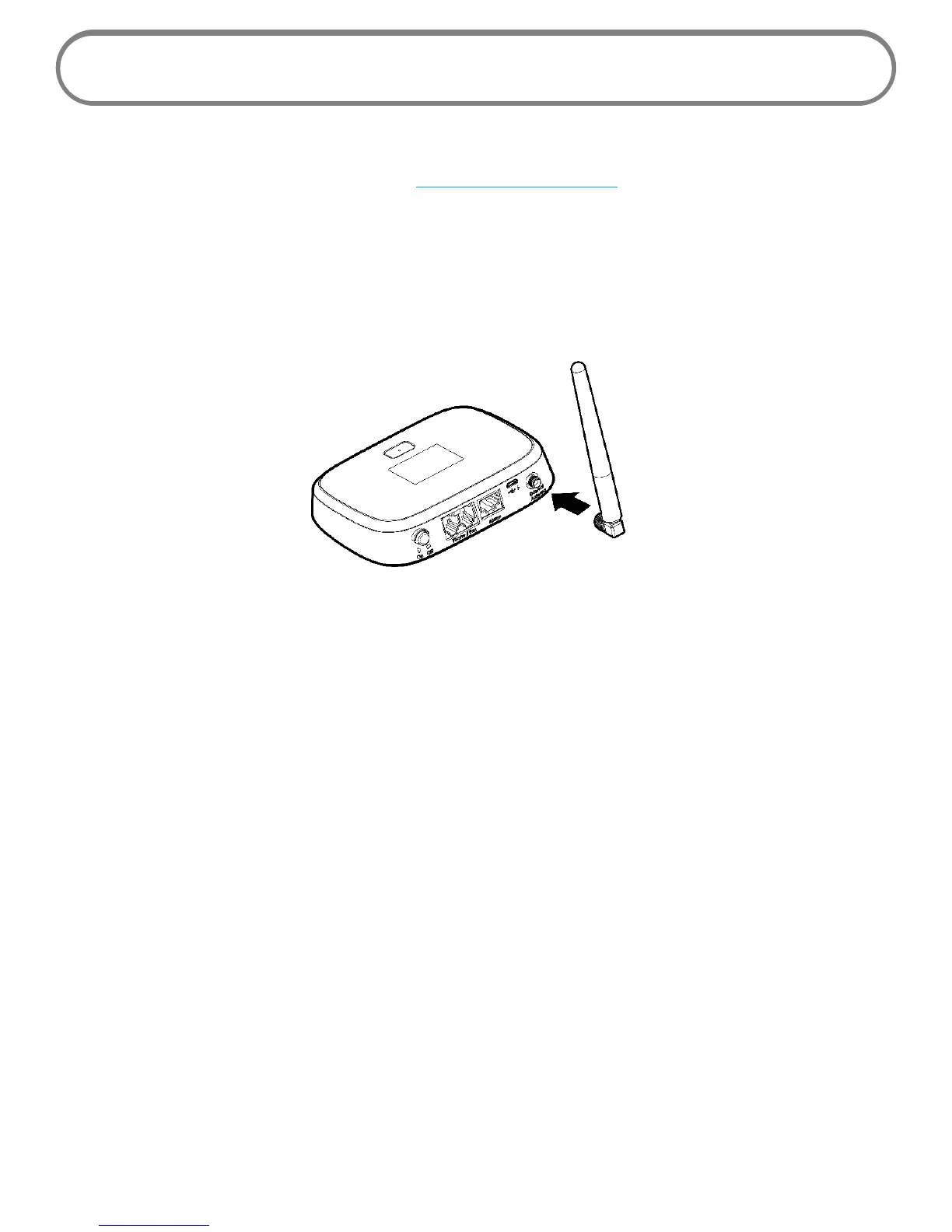
To install the optional antenna, align its plug with the antenna port on the Wireless Home Phone
and screw it securely into place.
Restart the Wireless Home Phone after the antenna is inserted or removed.
Use the following installation instructions to comply with FCC rules on RF exposure. Failure to follow
these guidelines can result in operations that exceed RF exposure limits.
• Maintain a minimum distance of at least 20 cm (8 in) from all persons.
• Use only the approved optional antenna available through Verizon Wireless. Never use an
antenna from another vendor or another source.


 To Next Page