29
How long is the backup battery life of the Wireless Home Phone?
Talk usage time on backup battery is approximately 3 hours and standby time is approximately 33
hours. Actual values can vary with environmental conditions.**
How does Caller ID (CID) work?
CID allows you to see the caller’s name and/or phone number before you take the call. Monthly
subscription charges may apply. Please consult your carrier for further information.
Can I adjust the volume on my phone?
You can adjust the volume using your phone connected to the Wireless Home Phone. The default
setting is the highest volume available.
Why do I get the recording, "Call cannot be completed as dialed?"
Check the number to ensure you’re dialing correctly, without pauses longer than two seconds
between dialed digits.
How do I reset the Wireless Home Phone back to factory
settings?
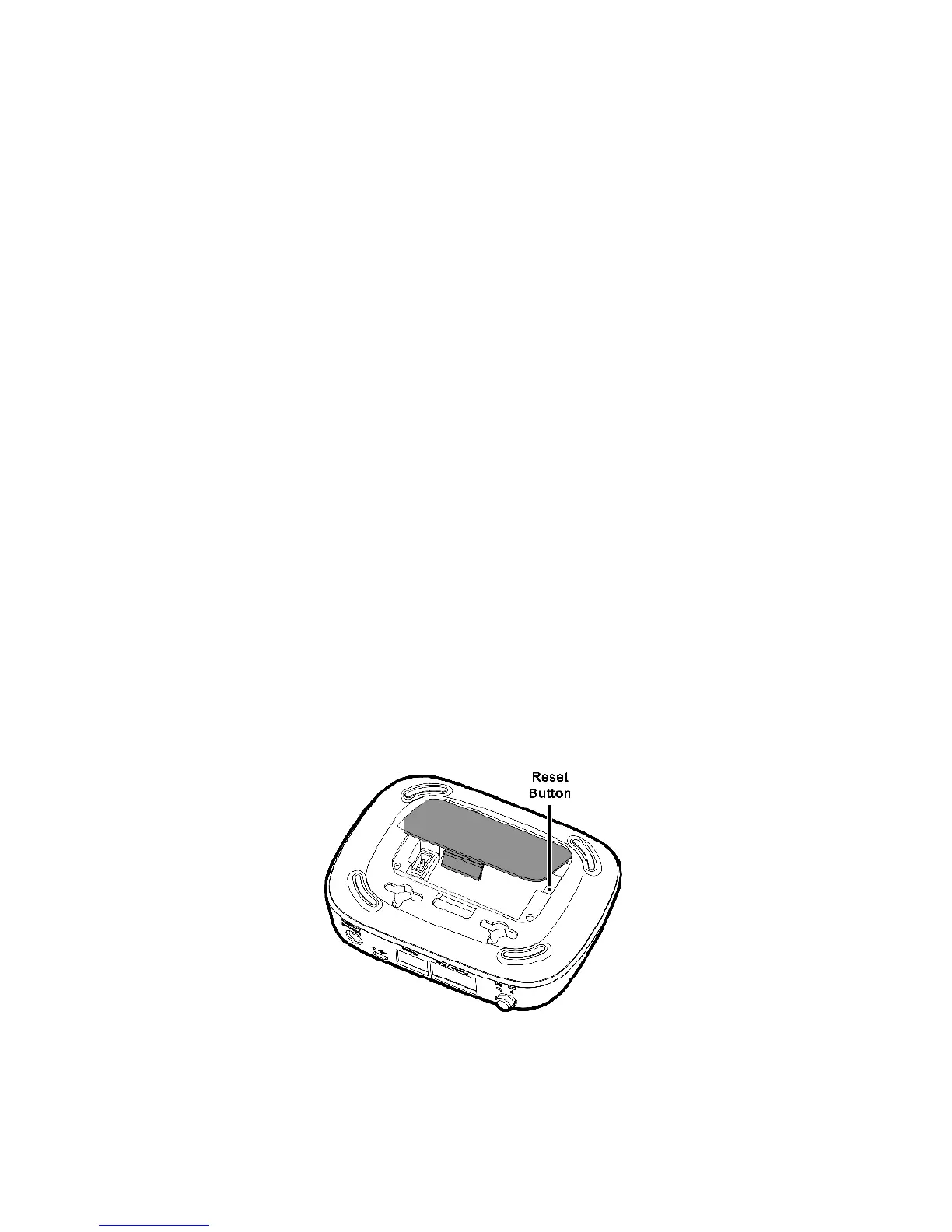
The master reset button is in a small hole located on the bottom of the Wireless Home Phone
battery cover. This button returns the device to factory settings.
To reset the Wireless Home Phone:
➊ Place one end of an unfolded paper clip into the master reset button hole.
➋ Press the paper clip on the button until the display shows "Resetting to factory defaults"
(about ve to six seconds); then your Wireless Home Phone will restart.
** A phone that does not require separate electric power is required to place or receive calls (including 911) during a power outage.



 To Next Page