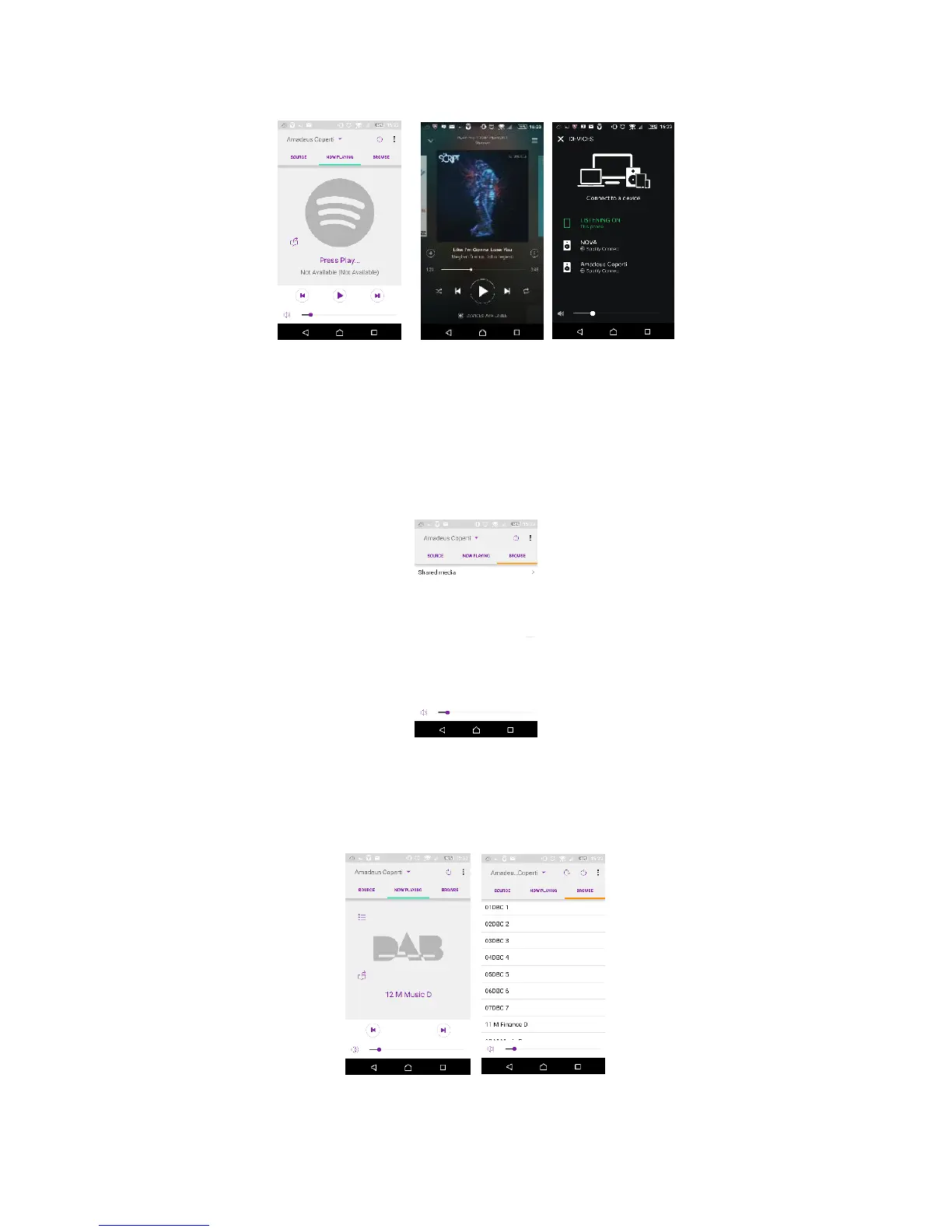
• Spotify Connect (Refer to section 5.4)
Go to Spotify app to choose the music from your Spotify playlist.
Tap the Spotify icon on the Spotify app, then choose the preferred device
(NOXON NOVA II). It should be displayed in the Spotify app. Once selected,
music will be streaming to the device.
• Music Player
Browse the music files from shared media, choose music from the app.
• DAB
Browse the scanned DAB+ stations, choose the station and view the rolling
text of station from the app.



 To Next Page