2.8.1. Copy
English
51
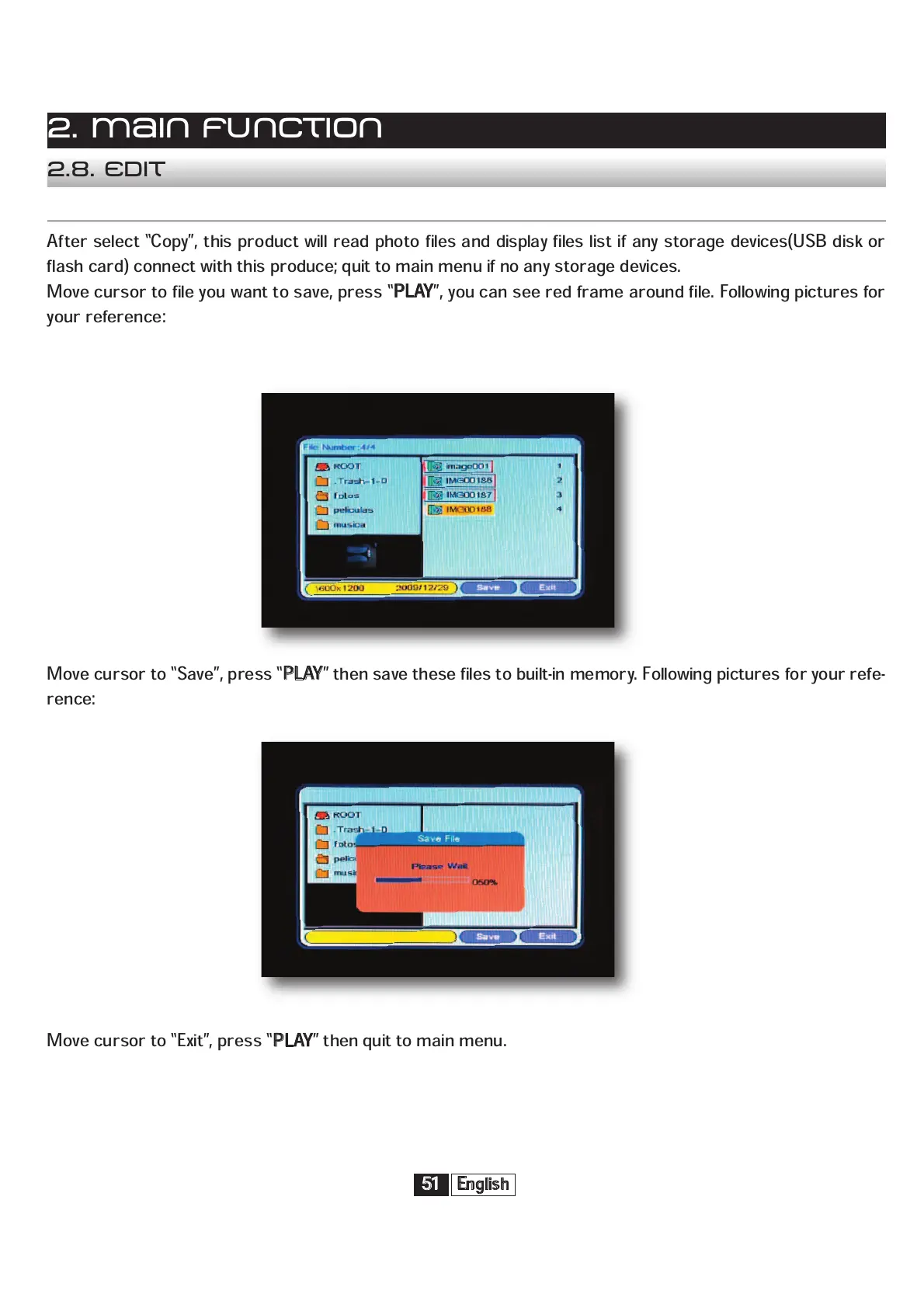
After select “Copy”, this product will read photo files and display files list if any storage devices(USB disk or
flash card) connect with this produce; quit to main menu if no any storage devices.
Move cursor to file you want to save, press “
P
LAY
”, you can see red frame around file. Following pictures for
your reference:
Move cursor to “Save”, press “
P
LAY
” then save these files to built-in memory. Following pictures for your refe-
rence:
Move cursor to “Exit”, press “
P
LAY
” then quit to main menu.
2. Main function
2.8. Edit


 To Next Page