English
67
3. Set parameter
3.3. System Setting
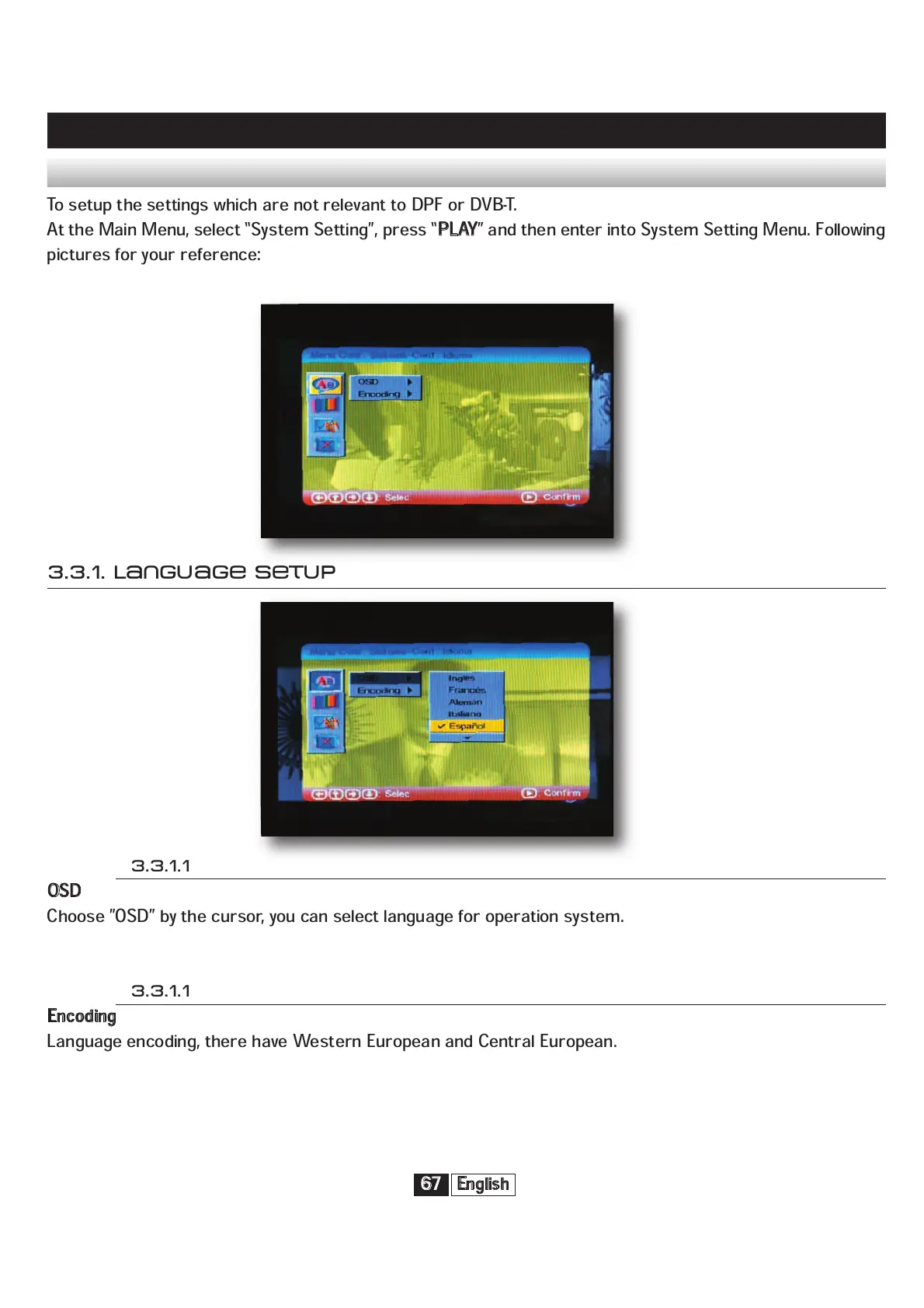
To setup the settings which are not relevant to DPF or DVB-T.
At the Main Menu, select “System Setting”, press “
P
LAY
” and then enter into System Setting Menu. Following
pictures for your reference:
3.3.1. Language Setup
3.3.1.1
O
SD
Choose ”OSD” by the cursor, you can select language for operation system.
3.3.1.1
E
ncoding
Language encoding, there have Western European and Central European.


 To Next Page