13
National Rejectors, Inc. GmbH, Buxtehude
de s i g nSRG – Internal HENRI functions
Navigating in the menus
HENRI distinguishes between functions that are proceeded in the coin
changer currenza c² and functions that are proceeded either in other NRI
payment systems or in the HENRI itself. Accordingly there are two inde-
pendent menus.
This short reference guide only describes the general operation and
proceeding of internal HENRI functions (cp. further manuals).
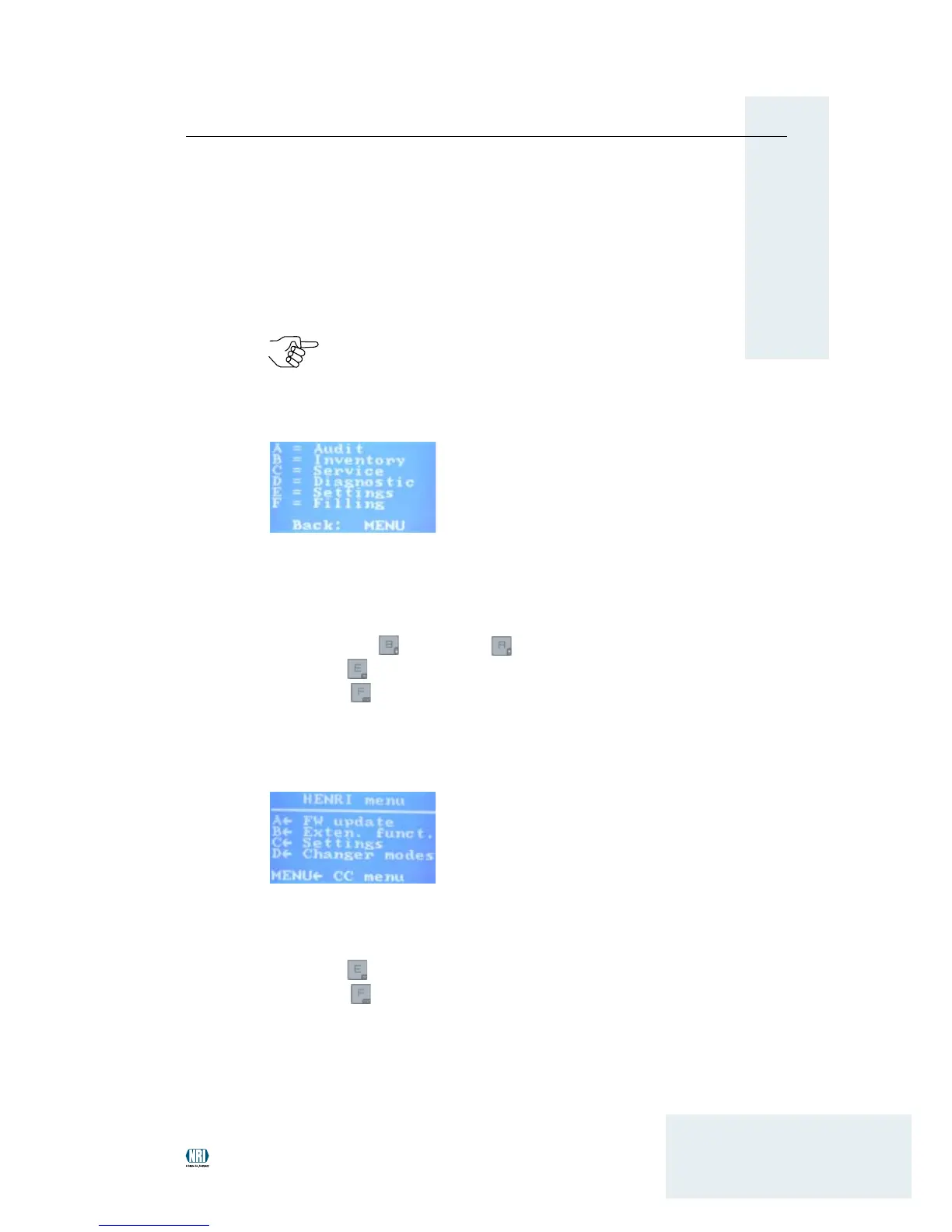
Main menu currenza c²
In the main menu for the coin changer currenza c² you select the submenu
required by pressing the multifunction key with the character A, B, C, D, E
or F on the left-hand side of the menu.
In the submenu you navigate with the
down-arrow •
or up-arrow keys to select a certain menu item.
OK key •
to enter the menu selected.
Exit key •
to return to the superordinate menu.
MENU • key to switch over to the c² main menu.
General main menu HENRI
In the general main menu HENRI you navigate with the
m• ultifunction keys A, B, C, D, E or F to select a menu, submenu and
menu item.
OK key •
to enter the (sub)menu selected.
Exit key •
to return to the superordinate menu.


 To Next Page