19
National Rejectors, Inc. GmbH, Buxtehude
ba s i c s e T T i n g sSRG – Internal HENRI functions
Setting date and time
To set time and date for HENRI:
IfHENRIhasalreadybeenconnectedtoaPC,e.g.,forarmware
update, HENRI has already saved the PC system time. In this case
time setting is not necessary.
Press 1 HENRI key.
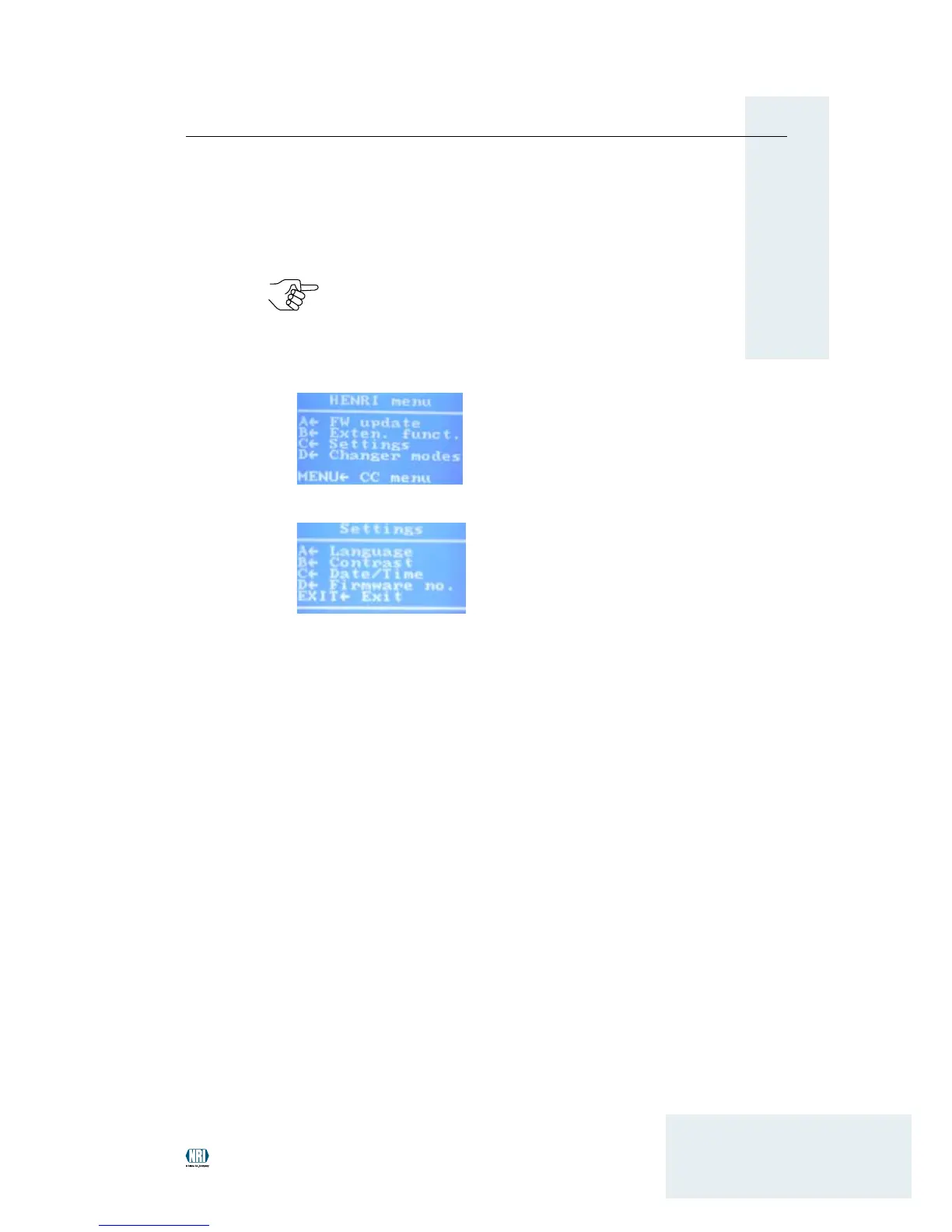
You enter the main menu:
Press 2 C key to open the se T T i n g s menu:
Press 3 C key again to open submenu da T e /Ti m e .
Set date (format: day/month/year) and time
4
(format: hour:mi nute:second):
use • D or C key (reight arrow/left arrow) to mark data to be changed
use • A key (up-arrow) to increase data selected.
use • B key (down-arrow) to decrease data selected.
Use
5 EXIT key to return to the main menu.


 To Next Page